


|
|
| Menu location |
|---|
| Part → Primitives → Cone |
| Workbenches |
| Part |
| Default shortcut |
| None |
| Introduced in version |
| - |
| See also |
| Part Primitives |
Description
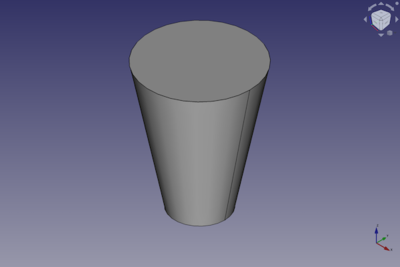
The  Part Cone command creates a parametric cone solid. In the coordinate system defined by its DataPlacement property, the bottom face of the cone lies on the XY-plane with its center at the origin.
The default Part Cone is truncated. It can be turned into a full, untruncated, cone by changing its DataRadius1 or DataRadius2 property to zero. It can be turned into a segment of a cone by changing its DataAngle property.
Usage
- There are several ways to invoke the command:
- Press the Cone button.
- Select the Part → Primitives → Cone option from the menu.
- Press the
- The Cone object is created.
- Optionally change the dimensions and DataPlacement of the cone by doing one of the following:
- Double-click the object in the Tree View:
- The Geometric Primitives task panel opens.
- Change one or more properties.
- The object is dynamically updated in the 3D View.
- Press the OK button to close the task panel.
- Change the properties in the Property View.
- Change the DataPlacement with the
 Std TransformManip command.
- Double-click the object in the Tree View:
Example
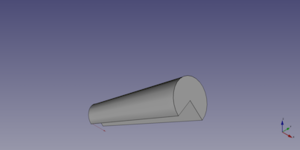
A Part Cone object created with the scripting example below is shown here.
Notes
- A Part Cone can also be created with the
 Part Primitives command. With that command you can specify the dimensions and placement at creation time.
Properties
See also: Property View.
A Part Cone object is derived from a Part Feature object and inherits all its properties. It also has the following additional properties:
Data
Attachment
The object has the same attachment properties as a Part Part2DObject.
Cone
- DataRadius1 (
Length): The radius of the bottom face of the cone. Can be0mmif DataRadius2 is larger than0mm. The default is2mm. - DataRadius2 (
Length): The radius of the top face of the cone. Can be0mmif DataRadius1 is larger than0mm. The default is4mm. - DataHeight (
Length): The height of the cone. The default is10mm. - DataAngle (
Angle): The angle of the circular arc that defines the top and bottom face of the cone. Valid range:0° < value <= 360°. The default is360°. If it is smaller than360°the resulting solid will be a segment of a cone.
Scripting
See also: Autogenerated API documentation, Part scripting and FreeCAD Scripting Basics.
A Part Cone can be created with the addObject() method of the document:
cone = FreeCAD.ActiveDocument.addObject("Part::Cone", "myCone")
- Where
"myCone"is the name for the object. - The function returns the newly created object.
Example:
import FreeCAD as App

doc = App.activeDocument()

cone = doc.addObject("Part::Cone", "myCone")
cone.Radius1 = 5
cone.Radius2 = 10
cone.Height = 50
cone.Angle = 270
cone.Placement = App.Placement(App.Vector(1, 2, 3), App.Rotation(30, 60, 15))

doc.recompute()
This page is retrieved from https://wiki.freecad.org/Part_Cone