


Introduction
The PySide library is a Python wrapper for the cross-platform graphical user interface (GUI) toolkit Qt. FreeCAD uses Qt as it’s main gui-toolkit. Qt itself is more than just a gui-toolkit, it is a collection of C++ libraries for many different purposes, one can for example do networking with Qt library components, all of it accessible in Python through PySide. Every graphical interface that can be created in C++, can also be created and modified in Python. An advantage of using Python is that Qt interfaces can be developed and tested live, as we don't need to compile the source files.
The recommended way to import PySide (of any version) in FreeCAD is:
from PySide import QtCore, QtGui, QtWidgets
Qt & PySide versions
- Version 1.0 of Qt was released in mid 1990’s
- Version 4.0 of Qt was released in 2005 and the 4.x series was officially retired in 2015
- The python wrapper for Qt4.x has the name PySide
- Version 5.0 of Qt was released in 2012 and the 5.x series was officially retired in 2020.
- The python wrapper for Qt5.x has the name PySide2
- Version 6.0 of Qt was released in 2020, it is the current version-series
- The python wrapper for Qt6.x has the name PySide6
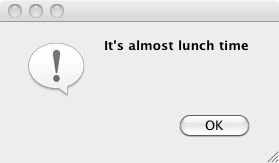
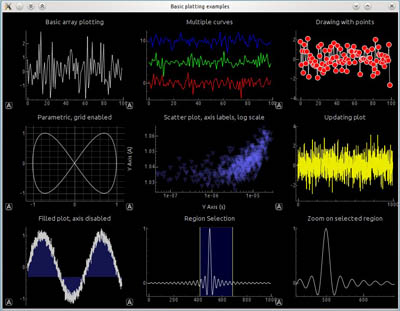
Examples created with PySide. Left: a simple dialog. Right: a more complex dialog with graphs.
FreeCAD and PySide
The original idea behind FreeCAD was to bring Cas.CADE (geometric kernel), Qt (gui toolkit) and Python together to create a free 3D parametric CAD program with a built-in scripting engine. This was in the early 2000’s, i.e. prior to the existence of PySide, thus a different wrapper – PyQt – was used for the first good decade of FreeCAD’s life. PySide came about to solve licensing issues with PyQt, and the switch for FreeCAD to PySide was made in 2013 (commit 1dc122dc9a).
If you would like to know which Qt version your installation uses, the About dialog has version listings where Qt is included.
For more information see:
When you install FreeCAD, you will get both Qt and a matching PySide as part of the package. If you are compiling yourself, you must verify that matching versions of these two libraries are installed in order for FreeCAD to run correctly. Of course, PySide will only work if Qt is present.
Multi version compatibility
The main difference between the PySide and subsequent PySide2 and PySide6 libraries is the namespacing. PySide (Qt4) has the main namespaces QtGui and QtCore, whereas PySide2 (Qt5) and PySide6 (Qt6) introduced the additional namespace QtWidgets, where all the widgets are now located, they used to be in QtGui namespace.
FreeCAD’s approach to handle the different versions of Qt/PySide is to call them all PySide, which really should be thought of as PySideX. It does not matter which Qt/PySide version is installed, they are all imported with PySide.
A shim handles the differences between the versions. This PySide shim is located in the Ext/ directory of an installation of FreeCAD compiled for Qt5/Qt6.
/usr/share/freecad/Ext/PySide
This module just imports the necessary classes from PySide2/6, and places them in the PySide namespace. This approach was chosen for it's ability to provide backwards compatibility from a Qt4 perspective.
PySide2.QtCore -> PySide.QtCore
PySide2.QtGui -> PySide.QtGui
PySide2.QtWidgets -> PySide.QtWidgets
PySide2.QtSvg -> PySide.QtSvg
PySide2.QtUiTools -> PySide.QtUiTools
For this reason the PySide2.QtWidgets classes are also placed in the PySide.QtGui namespace.
PySide2.QtWidgets.QCheckBox -> PySide.QtGui.QCheckBox
But the current recommended way is to use the modern namespacing.
from PySide import QtCore, QtGui, QtWidgets

my_check_box = QtWidgets.QCheckBox()
Examples of PySide use
- PySide Beginner Examples, hello world, announcements, enter text, enter number.
- PySide Intermediate Examples, window sizing, hiding widgets, popup menus, mouse position, mouse events.
- PySide Advanced Examples, many widgets.
The examples of PySide are divided into 3 parts, differentiated by level of exposure to PySide, Python and the FreeCAD internals. The first page has an overview on PySide; the second and third pages are mostly code examples at different levels.
It is expected that these examples are useful to get started, and afterwards the user can consult other resources online, or the official documentation.
Documentation
There are some differences in the handling of widgets between the different versions. Programmers should be aware of these incompatibilities, and consult the official documentation if something doesn't work as expected on a given platform. Although rare, sometimes it may be required to make versioned calls through if-clauses.
The PySide documentation refers to the Python-style classes; however, since Qt is originally a C++ library, the same information should be available in the corresponding C++ reference.
- Qt Modules available from PySide2/PySide6 (Qt5/Qt6).
- All Qt classes by module in Qt5 for C++.
- Qt Modules available from PySide (Qt4).
Bu sayfa şu adresten alınmıştır https://wiki.freecad.org/PySide