|
|
| Description |
|---|
| Esta macro hace uso de la herramienta Draft ShapeString para crear una línea de texto colocada en diferentes orientaciones circulares, incluyendo circunferenciales y helicoidales (en forma de una columna trajana). También se pude utilizar para crear una cara de reloj con números arábigos "1, 2, 3", etc., o números romanos "I, II, III", etc. Macro version: 0.22e Last modified: 11/07/2024 FreeCAD version: 0.19 y más Download: Icono de la barra de herramientas Author: Mario52 |
| Author |
| Mario52 |
| Download |
| Icono de la barra de herramientas |
| Links |
| Macros recipes How to install macros How to customize toolbars |
| Macro Version |
| 0.22e |
| Date last modified |
| 11/07/2024 |
| FreeCAD Version(s) |
| 0.19 y más |
| Default shortcut |
| None |
| See also |
| None |

Descripción
Esta macro hace uso de la herramienta  Draft ShapeString para crear una línea de texto colocada en diferentes orientaciones circulares, incluyendo circunferenciales y helicoidales en forma de Trajan's Column. También se puede utilizar para crear una cara de reloj con números arábigos "1, 2, 3", etc., o números romanos "I, II, III", etc. Este último uso se inspiró en el hilo del foro Macro to Create Clock Face por el miembro de la comunidad FC, cblt2l.
Temporary code for external macro link. Do not use this code. This code is used exclusively by Addon Manager. Link for optional manual installation: Macro
# This code is copied instead of the original macro code
# to guide the user to the online download page.
# Use it if the code of the macro is larger than 64 KB and cannot be included in the wiki
# or if the RAW code URL is somewhere else in the wiki.

from PySide import QtGui, QtCore

diag = QtGui.QMessageBox(QtGui.QMessageBox.Information,
    "Information",
    "This macro must be downloaded from this link\n"
    "\n"
    "https://gist.githubusercontent.com/mario52a/a25e802498bae6959335/raw/3a7b030af1395ebe515b7ac7ff399636df55fbc8/Macro_FCCircularText.FCMacro" + "\n"
    "\n"
    "Quit this window to access the download page")

diag.setWindowFlags(QtCore.Qt.WindowStaysOnTopHint)
diag.setWindowModality(QtCore.Qt.ApplicationModal)
diag.exec_()

import webbrowser
webbrowser.open("https://gist.githubusercontent.com/mario52a/a25e802498bae6959335/raw/3a7b030af1395ebe515b7ac7ff399636df55fbc8/Macro_FCCircularText.FCMacro")
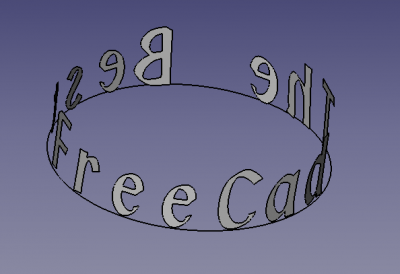
Ejemplo de la macro que muestra texto en una orientación de 360 grados
Uso
Inicie la carpeta de macros FcString para los personajes creados y un archivo FcClock para los relojes creados.
Todos los caracteres son y permanecen independientes. Al crear extrusiones, no se elimina nada. Si se crea un compuesto con Run Comp, se copia fuera de la carpeta.
Las opciones están sombreadas de forma predeterminada y están activas en todas las funciones si están marcadas  :
:
 Extrude Char.
- Placement.
- SP. inclination.
Excepto por una casilla de Clock Service Placement Z, es activado y mueve el texto en la dirección Z para colocar el texto en la superficie de soporte.
Notas
- Esta macro oscurecerá (desactivará) las opciones que no sean relevantes para una función seleccionada.
Interfaz
Descripción general
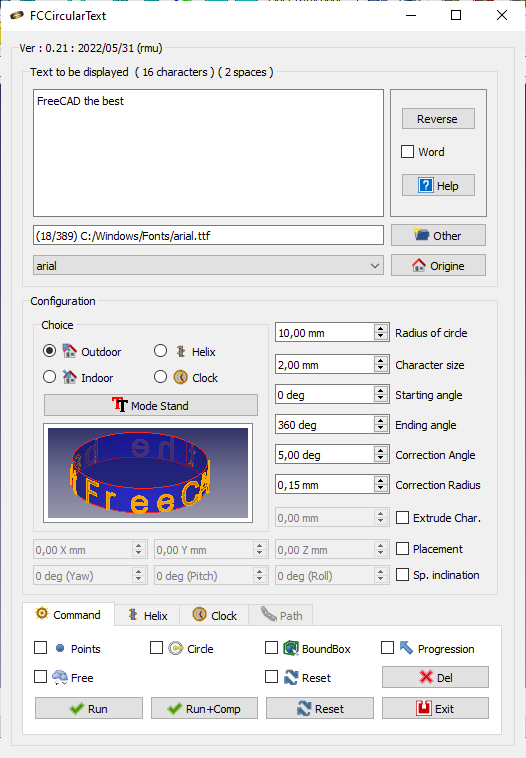
Primera sección
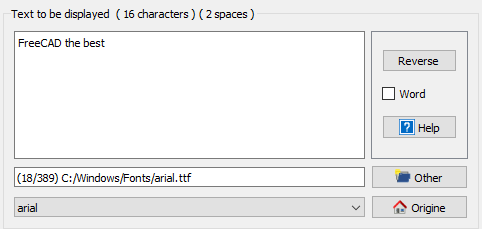
- La ventana TextEdit te permite copiar el texto a mostrar (haga clic en Reset para saber el número de la cadena de entrada que es mostrada en el título de la ventana).
- El botón Reverse invierte el texto.
- Word activada, esta opción considera el texto como palabra, se corta por espacios y se escribe palabra por palabra (en lugar de carácter por carácter en el uso normal).
- El botón Help muestra la página wiki en el navegador de FreeCAD.
- LineEdit: muestra la ruta y el nombre del archivo fuente.
- El botón Other es para buscar la fuente en otro directorio en caso de que no se descubran todos los directorios automáticamente.
- ComboView es para elegir la fuente.
- El botón Origin regresa a la ruta de la fuente original del sistema, por ejemplo: "C:/Windows/Fonts/"
- ARIAL.TTF predeterminado.
Opciones disponibles
Después del primer uso, deberá modificar los siguientes parámetros:
Parámetro de usuario:BaseApp/Preferences/Macros/FCMmacros/FCCircularText
switchModeTextList
- 0 = el modo de texto normal (y negro) corta el switchFontComBox
- 1 = permite el switchFontComBox 1
switchFontComBox
- 0 = (y switchModeTextList= 1) modo de texto (en color) en la lista ComboBox, más rápido
- 1 = (y switchModeTextList= 1) ¡fontFamily más lento pero el ComboBoxst más atractivo!
setSystemFonts
- 0 = matplotlib.font_manager.findSystemFonts("C:/", "ttf")
- ¡Aplica todas las fuentes (en todas las carpetas y subcarpetas del directorio de destino)!
- 1 = fontman.findSystemFonts(self.pathFont)
- Aplica todas las fuentes del directorio (y en todas las subcarpetas)
seTtextAlignment
- 0 = Alinear a la izquierda (predeterminado)
- 1 = Alinear al centro
- 2 = Alinear a la derecha
setFontByDefault
- Fuente predeterminada
switchResetFALSE
- 0 = restablecer (predeterminado)
- 1 = no restablecer (no recomendado) ¡Algunos interruptores pueden permanecer abiertos o cerrarse inesperadamente!
Ejemplo
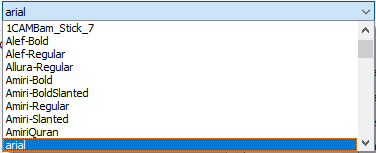
- switchModeTextList=
false - switchFontComBox =
false - setSystemFonts =
false - seTtextAlignement = 0
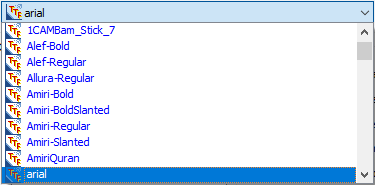
- switchModeTextList=
true - switchFontComBox =
false - setSystemFonts =
false - seTtextAlignement = 0
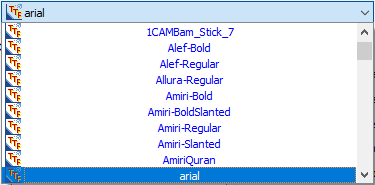
- switchModeTextList=
true - switchFontComBox =
false - setSystemFonts =
false - seTtextAlignement = 1 (0=Left, 1=Centered, 2=Right)
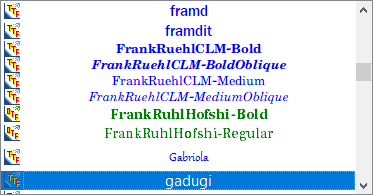
- switchModeTextList=
true - switchFontComBox =
true - setSystemFonts =
false - seTtextAlignement = 1
Segunda Sección
Configuración de caracteres en FCCircularText
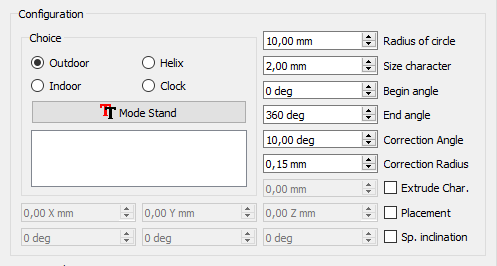
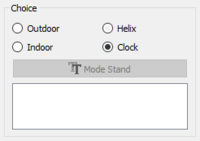
Primera zona
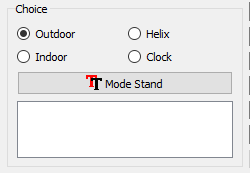
Tu elección:
-
 Outdoor
 -
 Indoor
 -
 Helix
Helix -
 Clock
Clock
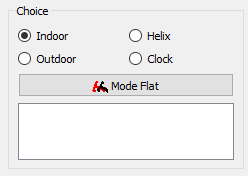
- Mode Stand o Mode Flat: El texto se colocará de pie o plano (igual que el reloj). Las opciones Outdoor e Indoor están invertidas.
-
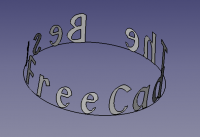 Mode Stand Outdoor El texto se escribirá arriba.
 -
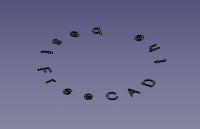 Mode Flat Outdoor El texto se colocará plano.
-
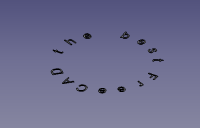 Mode Flat Indoor El texto se colocará plano.
 -
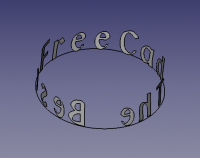 Mode Stand Indoor El texto permanecerá alineado (igual que el reloj).
Segunda área
Esta sección permite configurar el comportamiento general de los personajes en todas las opciones disponibles, pero con algunas variaciones. Si el comando no se usa en la opción elegida, aparecerá en gris.
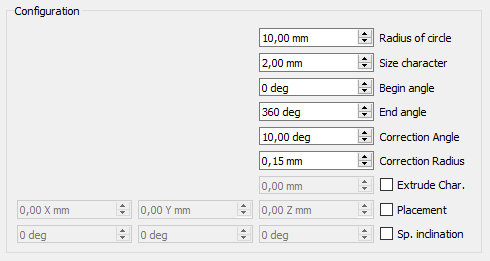
- 10.0 mm
 Radius of circle: Radio del círculo. (Predeterminado: 10)
 - 2.0 mm Size character: Altura del carácter. (Predeterminado: 2)
- 0 grados Begin angle: Ángulo inicial del primer carácter del círculo. (Predeterminado: 0°)
- 360 grados End angle: Ángulo final del último carácter del texto. (Predeterminado: 360)
- 10.0 grados Correction angle: Ángulo de corrección del carácter para hacerlo tangente al círculo. (Predeterminado: 10°)
- 0.15 mm Correction radius: Se corrigió el radio de los caracteres circulares (opcional). (Predeterminado: 0.15)
- Extrude Char: Caracteres de extrusión de casillas de verificación. (Predeterminado: Inactivo)
- Placement: Ubicación del texto en la vista 3D. (Predeterminado: Inactivo)
- Sp. inclination: Inclinación de los caracteres en los tres ejes X, Y y Z (ejemplo para cubrir un cono). (Predeterminado: Inactivo)
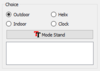
Outdoor
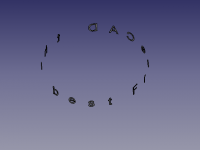
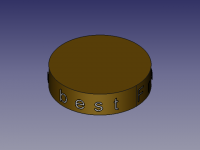
Modo predeterminado. El texto esta escrito en el exterior de la circunferencia del círculo.
-
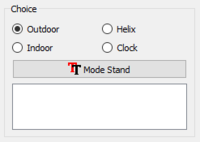 Outdoor
 -
-
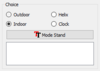
Indoor
El texto está escrito en el lado interior de la circunferencia del círculo.
-
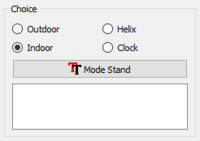 Indoor
 -
-
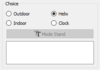
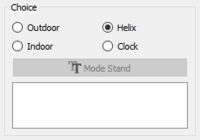
Helix
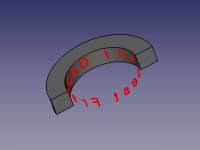
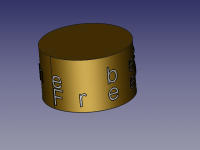
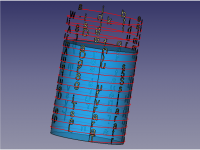
El texto esta introducido en la circunferencia exterior de una hélice.
-
 Helix
Helix -
-
- El área de la hélice está oculta por defecto. La ventana es visible si el botón radio
 Helix esta marcada
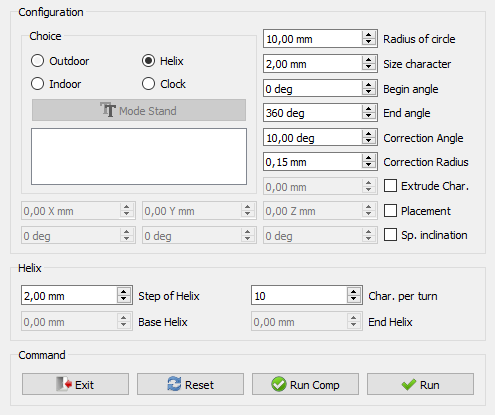
- Todas las opciones de configuración de caracteres están disponibles.
- Step of helix lo que corresponde al paso de los giros de la hélice y muestra 2 (altura del carácter) por defecto.
- Char. per turn se activa y muestra 10 por defecto, lo que corresponde a 10 caracteres por giro helicoidal.

- Si Step of helix (paso de hélice) es cero, las casillas de giro Base Helix y End Helix son activadas.
- Base Helix proporciona la base para iniciar la hélice (incluso en la posición Z). Si 'Placement Z' es diferente de cero, el punto de inicio se suma a la Posición Z
- End Helix El paso final de la hélice se calculará en relación con la altura y el número de caracteres por vuelta helicoidal.
Clock
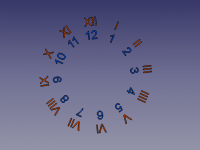
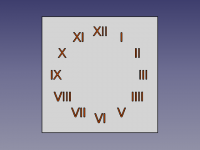
Las figuras forman parte de un círculo con números arábigos o romanos.
-
 Clock
Clock -
 Axial
Axial -
 Redress
- Por defecto, la sección está oculta. La ventana es visible si el botón radio Clock está marcado.
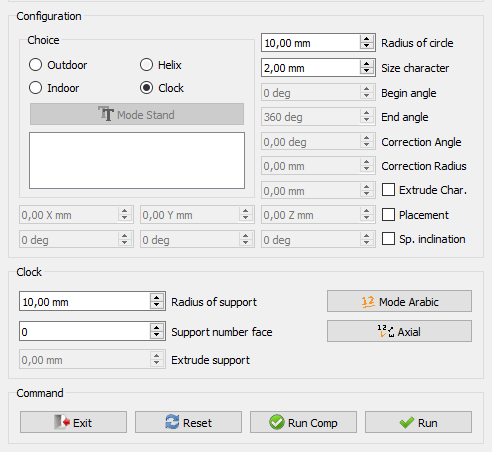
- Cuando la selección es hecha, las siguientes funciones se oscurecen y se pueden utilizar:
- Ángulo inicial.
- Ángulo final.
- Ángulo de corrección.
- Radio de corrección.
- El botón Mode Stand o Mode Flat.
- El área Clock está activada.
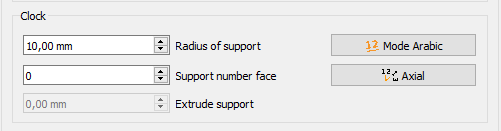
- Radius of support : Si se proporciona un valor, un soporte será creado (predeterminado: 0).
- Si Support number face es distinto de cero, un soporte es creado. (Si Extrude support = cero entonces una cara es creada).
- 1 = Un círculo es creado (Aparece un círculo).
- 2 = Un rectángulo es creado (longitud = (Radio del medio * 1,5) ancho = Radio de soporte) (Aparece un rectángulo).
- 3 = Un triángulo es creado (circunscrito) (Aparece el triángulo).
- 4 = Un cuadrado es creado (Radio de soporte) (Aparece el cuadrado).
- 5 = Un polígono con el número de caras mostrado (circunscrito) (Aparece el polígono).
- Extrude support está activado y una dimensión de extrusión puede ser dada.
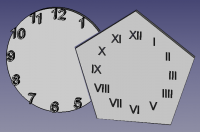
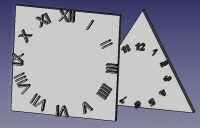
- Si Support number face es igual a cero, no hay soporte.
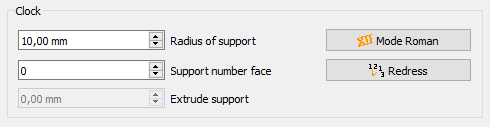
- Modo Roman: La escritura se realizará en cifras romanas I II III IIII V VI VII VIII IX X XI XII
- Axial: Las cifras se escribirán axialmente.
Sección de ruta
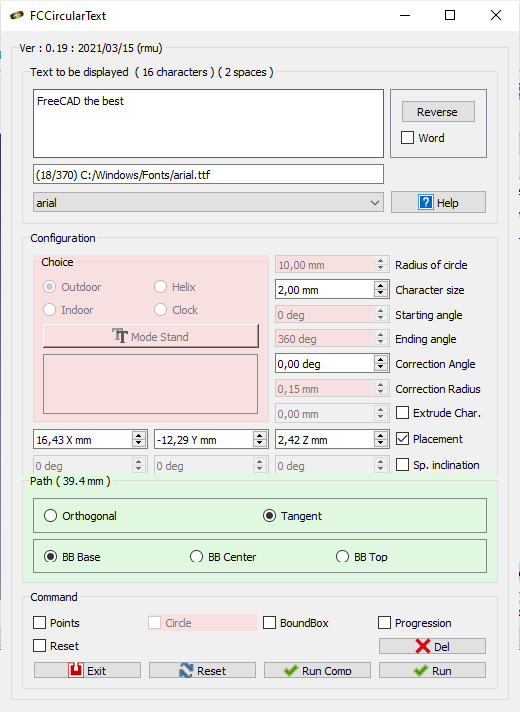
La sección del título cambia y muestra la longitud del cable seleccionado.
Si selecciona un cable, arco, círculo, línea y borde, la sección Ruta se colorea en verde y el comando no utilizado se colorea en rojo
 Orthogonal el carácter es ortogonal a la vista
- Tangent el carácter es tangente a la trayectoria del punto en el cable
- BB Base the point base of the character is to point path on the wire
- BB Center the bounBox center of the character is to point path on the wire
- BB Top the top boundBox of the character is to point path on the wire
the last used Radio Button is saved in the parameters of FreeCAD
Command section
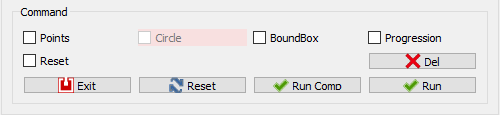
- Exit: Leaves the macro.
- Reset: Reset all values and displays the number of characters displayed in the window.
- Run Comp: Launches the macro and creates a Compound object of all characters.
- Run: Launches the macro.
Parameters available
Certain parameter are available in the parameters of FreeCAD, see: Menu → Tools → Edit Parameters
- User parameter: BaseApp/Preferences/Macros/FCMmacros/FCCircularText
switchModeTextList:falsenormal text mode (and black) turns off switchFontComBoxtrueallow switchFontComBox 1 (default)
switchFontComBox:false(and switchModeTextList = 1) text mode (in color) in Faster ComboBox list (default)true(and switchModeTextList = 1) font Family in ComboBox list, slower but more beautiful!
setSystemFonts:falsematplotlib.font_manager.findSystemFonts ("C: /", "ttf") do all fonts (in all folders and subfolders of the HD) time !!truefontman.findSystemFonts (self.pathFont)
make all the fonts in the directory (and in all the subfolders) (default)
seTtextAlignement: 0 = AlignLeft (default) 1 = AlignCenter 2 = AlignRightsetFontByDefault: Font by Default (the last used)switchResetFALSE:falsereset (default),trueno reset (not recommended) some switches can stay open or close unexpectedly!setPathOrthogonal:truefalsesetPathTangent:truefalsesetPositionBase:truefalsesetPositionCenter:truefalsesetPositionTop:truefalseswitchVersionSearch:truefalseVersion: FCCircularText version
Launch the macro folder FcString for created characters and a file FcClock for created clocks.
Script
The button icon:
- in .PNG 
- in .SVG 
(See Customize_Toolbars for more)
Script
Macro_Circular_Text.FCMacro
or download the script :
- on github Macro_FCCircularText.FCMacro
- at the forum Extrude from curved surface of cylinder
Examples
-
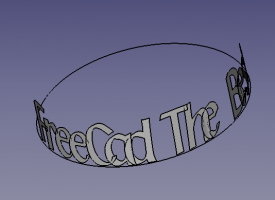 Text beginning at 180 degrees (Begin angle) end at 360 degrees (End angle) external curve.
 -
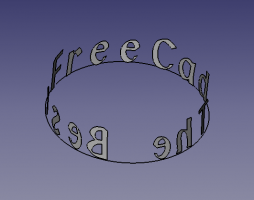 Text set in an inner curve.
-
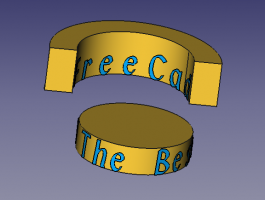 Circular text on internal and external curve.
 -
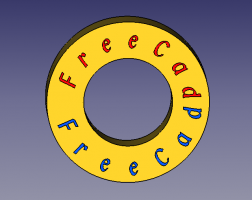 Circular text on a flat object.
-
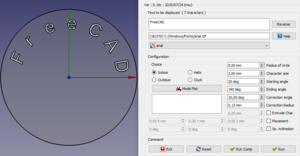 Configuration Superior.(click to elarge)
 -
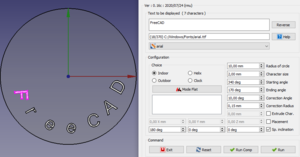 Configuration Inferior.(click to elarge)
-
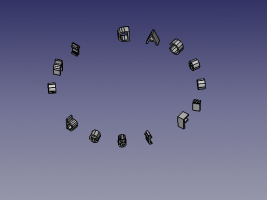 External curve.
 -
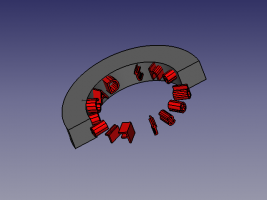 Internal curve.
-
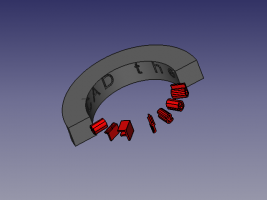 Internal curve extrusion material designated and subtraction.
 -
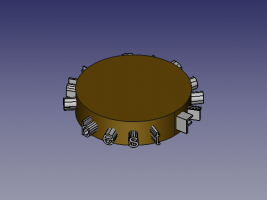 External curve.
-
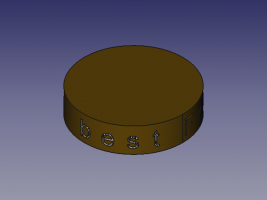 Internal curve with subtraction.
 -
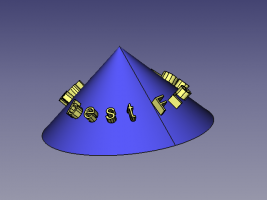 Extrusion on a cone with Sp. Inclination 45° axis Z.
-
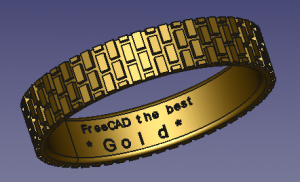 Ring Internal curve with subtraction.
 -
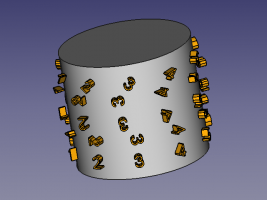 Pivot character 0°, 90°, etc.
-
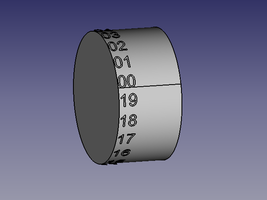 Word The text is cutting on space character
Example onto Ellipse
-
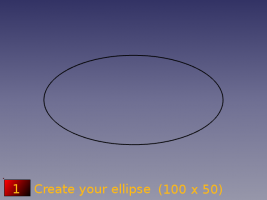 Create your ellipse with dimensions of 100 x 50.
 -
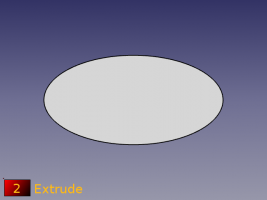 Extrude it 50 mm.
-
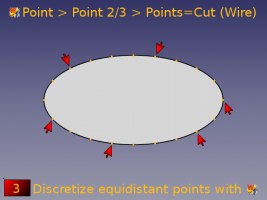 Discretize the perimeter and create points with the macro Work Features.
Tab Point > Point 2/3 > Points=Cut (Wire) -
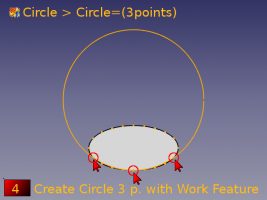 Create the circle to 3 points with the macro Work Features.
Tab Circle Circle=(3 Points)
-
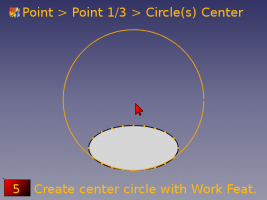 Create point center circle with the macro Work Features.
Tab Point > Point 1/3 > Circle(s) center. -
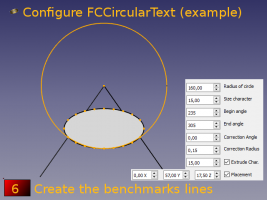 Create the benchmark lines and configure FCCircularText.
-
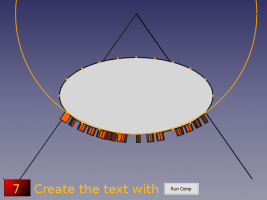 Create the text with Run Comp.
 -
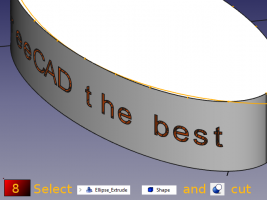 Select Ellipse Extrude, Shape and press the
 Part Cut button.
-
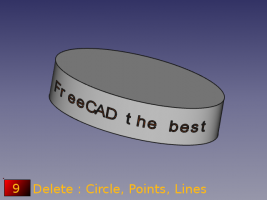 Delete the circle, points and lines.
 -
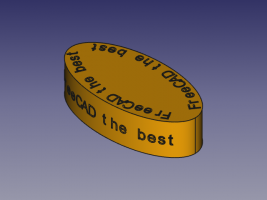 Ellipses.
Mode relief:
-
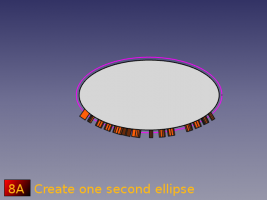 Create an ellipse.
-
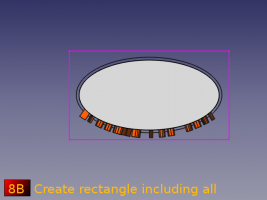 Create a rectangle that includes all objects.
-
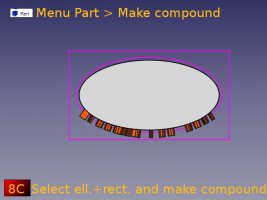 Select the rectangle, the ellipse and make a compound
Activate the Part module, then Menu Part > Make compound. -
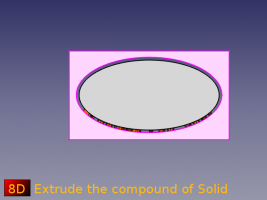 Extrude the compound of Solid.
-
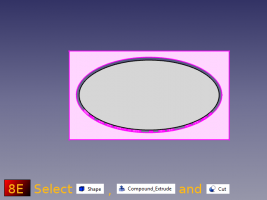 Select Shape (text), the compound and Cut.
 -
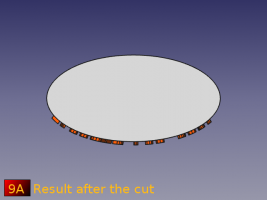 The text is cut in the shape of the ellipse.
-
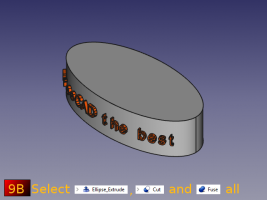 Select the extruded Ellipse, the Cut (text) and fuse them.
Example section path
-
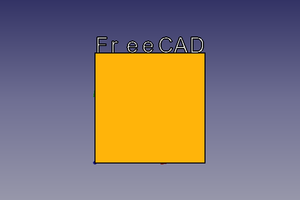 Text on BoundBox Base (normal)
 -
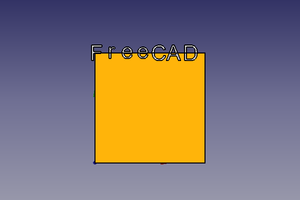 Text on BoundBox Center character
-
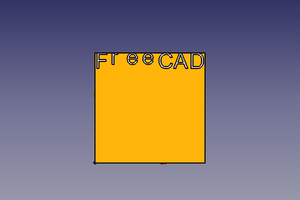 Text on BoundBox Top character
 -
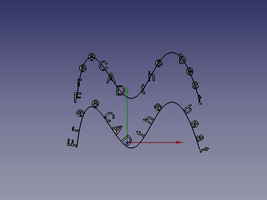 Text on selected line:
1: Orthogonal
2: Tangent
-
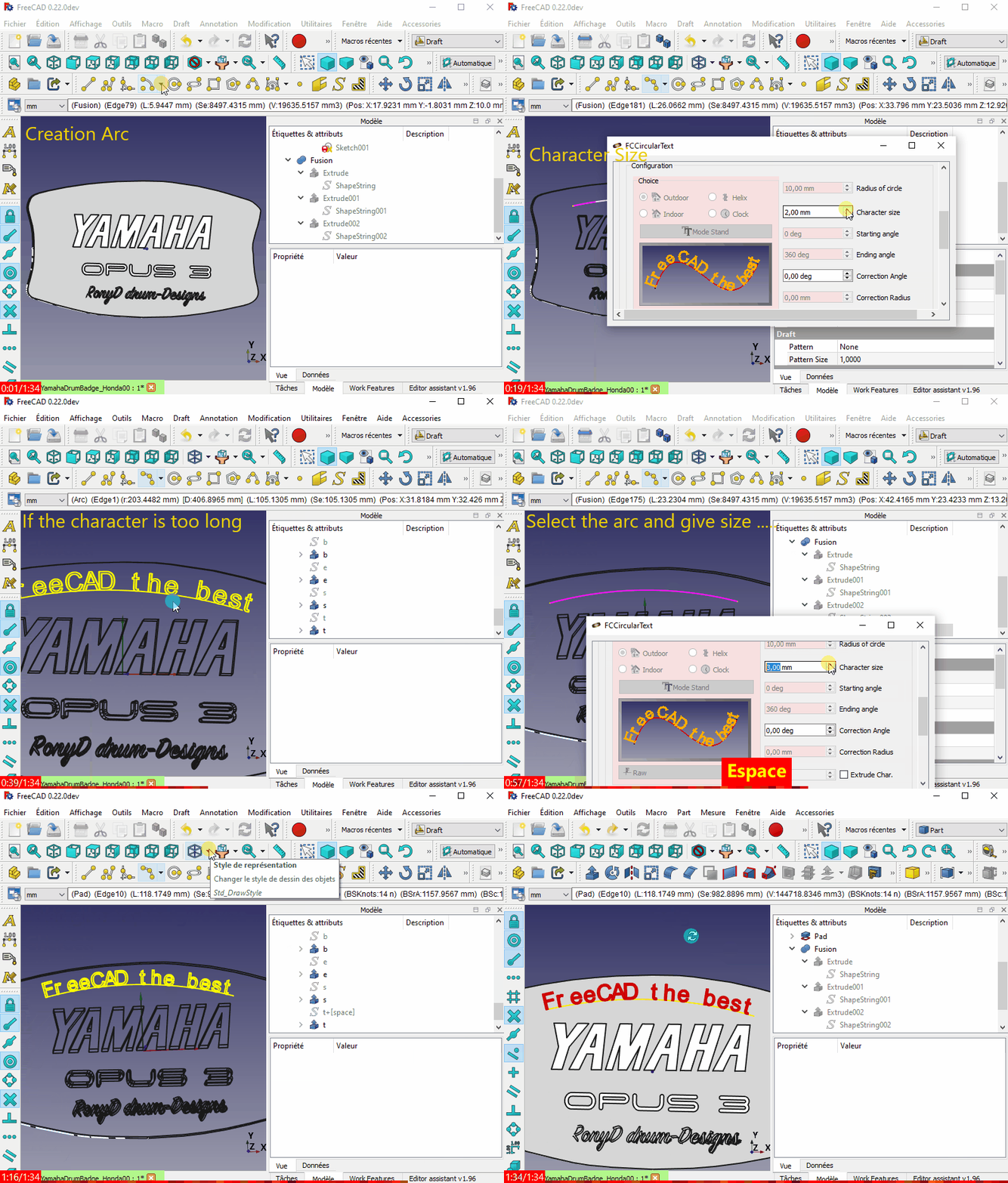 Example use (Curved text on a flat surface?)
Limitations
Note it is possible that an error may occur between versions. Please post the issue on the forum and wait for the updated fix or rollback to a previous version of the macro. Thank you.)
It is possible that two characters may overlap. If this happens, here's a workaround available using the Rotate-To-Point Macro.
-
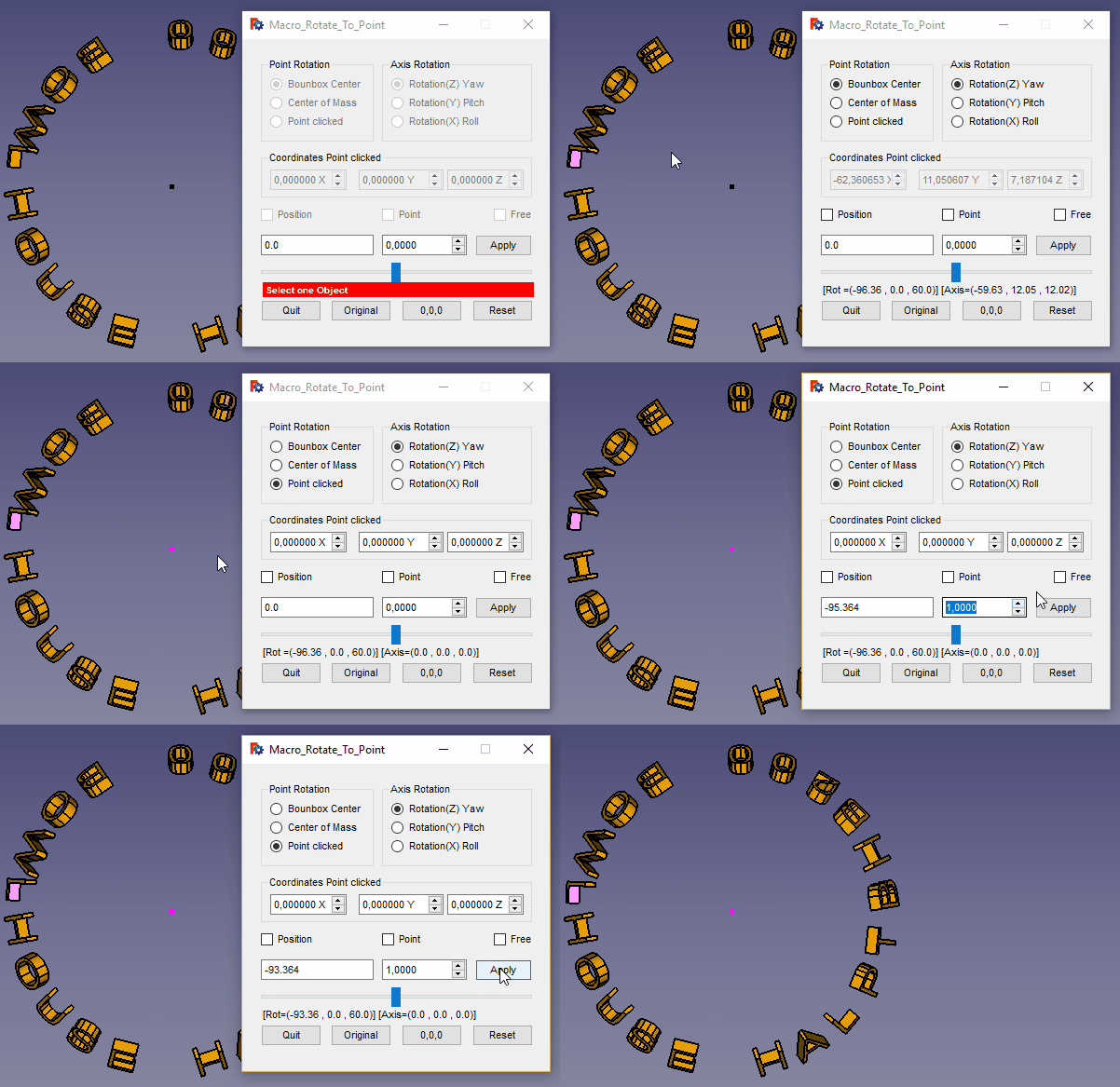 Character overlap issue and the workaround
(not fully developed)
Planned:
Writing circular text on a path of the selected position object.
Change log
- ver 0.22f 2025/09/25 : return to PySide, adding info for use of the MONOSPACE font
- ver 0.22e 2024/07/11 : delete "ss.support = None"
- ver 0.22d 2024/07/11 : delete "import WebGui" cause error in 0.22xxx FC and replaced by "import webbrowser"
- ver 0.22c 2023/11/17 : adding restore selection after delete the last object , by TheMarkster , thanks
see Curved text on a flat surface?
sel = Gui.Selection.getCompleteSelection()
#delete objects
#restore previous selection
Gui.Selection.clearSelection()
for s in sel:
    Gui.Selection.addSelection(s.Object,s.SubElementNames)
- ver 0.22b 2023/11/15 : upgrade correction stylesheet and FreeCAD.activeDocument().recompute(None,True,True)
- ver 0.22 2022/06/06 : adding QScrollArea cause : Unable to run FCCircularText [Problem with screen size]
- ver 0.21 2022/05/31 : adding button search other path fontmanuelly, and button return font origin of system
- ver 0.20 2021/04/05 : adding icone in macro, Tab for diminish the heigth of the macro, remove all dimensions of widgets now fully compatible with the stylesheet, revisite the search version for compatibility and other little change.
- ver 1.19 2021/03/15 : adding button Delete the last object created and the code
FreeCAD.ActiveDocument.openTransaction("FCCTc")for Undo/Redo system
- Adding CheckBox Reset for switched/activated (requested by users) the natural reset after all push button Runand Run comp. This use checkBox is not advised, is you constade one malfunction pusch the Reset button or quit FCCircularText and restart.
- Adding CheckBox
- ver 0.18 2021/01/19 : correction bug see FCCircularText Macro issues
- ver 0.17b 2020/09/28 : correction little bug (pl instead plm in path section) and arrange the window (dimension) Clock, Helix, Path
- ver 0.17 2020/09/26 : adding create circular text on wire (curve, arc, spline, line ...) selected, mode word
ver 16d 2020/09/15 : see the MasterCATZ commented Sep 14, 2020 message
delete the FC 0.18 test section:
#### Test FreeCAD.Version simple ############################################################################################################
if int(FreeCAD.Version()[1]) < 18:      # Version de FreeCAD
    FreeCAD.Console.PrintMessage("This version " + __Title__ + " rmu  work with the FreeCAD 0.18 or higher." + "\n\n")
    FreeCAD.Console.PrintMessage("For the precedent version see the page " + "\n\n")
    FreeCAD.Console.PrintMessage("https://gist.githubusercontent.com/mario52a/a25e802498bae6959335/raw/db47f78f2b20a35137ac213b8d1a62d30f525dcb/Macro_FCCircularText.FCMacro" + "\n\n")
#### Test FreeCAD.Version simple ############################################################################################################
- ver 0.16c 2020/07/24 : modify text proposed by Kunda1 Please review FCVerticalText Macro
- ver 0.16b 2020/07/24 : correct __title__ to __Title__ in 0.18 FC test (see Please review FCVerticalText Macro)
- ver 0.16 2020/06/07 : little bug in Linux with the path, impost PolicePath = "/usr/share/fonts/" (stay on path /xx/xx/xx/xx/xx/xx/ on entry)
- ver 0.15 2020/06/01 : For PySide2 Qt5 adding matplotlib fonts in comboView, config on parameter
- ver 0.14-4 2020/04/25 : corrected for "DisplayMode = u"Flat Lines" :
- ver 0.14-3 2020/04/25 : adapted for :
OS: Windows 10 (10.0)
Word size of OS: 64-bit
Word size of FreeCAD: 64-bit
Version: 0.19.20655 (Git)
Build type: Release
Branch: master
Hash: e8e67e8c5ebbc9f9ed9ea67aba5b891969595ece
Python version: 3.6.8
Qt version: 5.12.1
Coin version: 4.0.0a
OCC version: 7.3.0
- ver 0.14-2 2019/07/22 replace chr(176) (give error <FC 0.18) and replace with the wmayer code, see Fehler in Version 0.19 pre ??
       carDegrees = b' \xc2\xb0'.decode("utf-8")    #thanks wmayer	https://forum.freecad.org/viewtopic.php?f=13&t=36380&p=308476#p308357
       self.DS_InclinaisonX.setSuffix(carDegrees)
       self.DS_InclinaisonY.setSuffix(carDegrees)
       self.DS_InclinaisonZ.setSuffix(carDegrees)
- ver 0.14-1 2019/06/11 replace "°" to chr(176)
- ver 0.14 2019/04/27 compatible for Python 3.6.6 and Qt 5.6.2 (cause: unicode() )
latest testing:

#OS: Windows 10
#Word size of OS: 64-bit
#Word size of FreeCAD: 64-bit
#Version: 0.19.16523 (Git)
#Build type: Release
#Branch: master
#Hash: 9b3ec233c8b21e0df66fada487cd10f471d60cac
#Python version: 3.6.6
#Qt version: 5.6.2
#Coin version: 4.0.0a
#OCC version: 7.3.0
- ver 0.13 30/01/2018 add feature Pivot for rotate the character on himself
ver 0.13 09/08/2016 replace the button "New font" to "fontComboBox" cause , with Windows 10 the window Font stay empty the files are hidden
- ver 0.12 03/07/2016 optimize the code for accept the decimal number in determination angle
replace the line
for angleTr in range(debut,rotation,((rotation-debut)/nombre)):
to
for angleTrFloat in range((debut*10000),(rotation*10000),int((round(((float(rotation)-float(debut))/float(nombre)),4)*10000)) ):    # pour 4 decimales
                angleTr = (float(angleTrFloat)/10000)
- ver 0.10 17/05/2015 adding lines 1365, 1366 only created more clock face ?? ()
supp.MakeFace = True
            App.activeDocument().recompute()
- ver 0.9 11/05/2015 thank you NormandC for testing
replace
self.DS_InclinaisonX.setSuffix(" X°")
        self.DS_InclinaisonY.setSuffix(" Y°")
        self.DS_InclinaisonZ.setSuffix(" Z°")
to
self.DS_InclinaisonX.setSuffix(unicode(" X°"))
        self.DS_InclinaisonY.setSuffix(unicode(" Y°"))
        self.DS_InclinaisonZ.setSuffix(unicode(" Z°"))
- ver 0.8 10/05/2015 replace "String=texte[ii2]" to "String=unicode(texte[ii2])" line 1290. cause "TypeError: Property 'FontFile': type must be str or unicode, not QString"
<div lang="en" dir="ltr" class="mw-content-ltr">
# ver 0.8 10/05/2015 /_ # testing with OS :
</div>
##################################################################################################
# OS: Ubuntu 14.04.1 LTS                          # OS: Ubuntu 14.04.2 LTS
# Platform: 32-bit                                # Word size of OS: 32-bit
# Version: 0.14.2935 (Git)                        # Word size of FreeCAD: 32-bit
# Branch: master                                  # Version: 0.16.4928 (Git)
# Hash: eab159b6ee675012bf79de838c206a311e911d85  # Branch: master
# Python version: 2.7.6                           # Hash: d8f63bcfd10301f3d1e141cced4370f0782238d0
# Qt version: 4.8.6                               # Python version: 2.7.6
# Coin version: 4.0.0a                            # Qt version: 4.8.6
# SoQt version: 1.6.0a                            # Coin version: 4.0.0a
# OCC version: 6.7.0                              # OCC version: 6.8.0.oce-0.17
##################################################################################################
# OS: Windows Vista                               # OS: Windows Vista
# Word size of OS: 32-bit                         # Word size of OS: 32-bit
# Word size of FreeCAD: 32-bit                    # Word size of FreeCAD: 32-bit
# Version: 0.15.4527 (Git)                        # Version: 0.15.4671 (Git)
# Branch: master                                  # Branch: releases/FreeCAD-0-15
# Hash: 0da2e4c45a9a259c26abd54c2a35393e1c15696f  # Hash: 244b3aef360841646cbfe80a1b225c8b39c8380c
# Python version: 2.7.8                           # Python version: 2.7.8
# Qt version: 4.8.6                               # Qt version: 4.8.6
# Coin version: 4.0.0a                            # Coin version: 4.0.0a
# OCC version: 6.7.1                              # OCC version: 6.8.0.oce-0.17
##################################################################################################
- ver 0.7 02/02/2015 suppression 2 str App.Console.PrintMessage(str(PolicePath)+"\n") to App.Console.PrintMessage((PolicePath)+"\n") that caused an error with the characters above 128 in the police path.
- ver 0.6 23/11/2014 corrected "texte = unicode(self.textEdit.toPlainText())" now accept "'éèà@..."
- ver 0.5 19/11/2014 Gui
- ver 0.4 10/10/2014 add variable "rotation" in the loop (for i in range(0,rotation,(rotation/nombre)): # 360 a parametrer)
- ver 0.4 27/08/2014 correction error of de radius (exterieur=0, debout=1)
- ver 0.3 26/08/2014 add creation text of flat curve
- ver 0.2 26/08/2014 add creation text of internal curve
- ver 0.1
(2537)
Links
To comment on the Extrude from curved surface of cylinder
Esta página ha sido recuperada de https://wiki.freecad.org/Macro_FCCircularText