


|
|
| Umístění Menu |
|---|
| Kreslení -> Bod |
| Pracovní stoly |
| Kreslení, Architektura |
| Výchozí zástupce |
| P T |
| Představen ve verzi |
| - |
| Viz také |
| Nikdo |

Popis
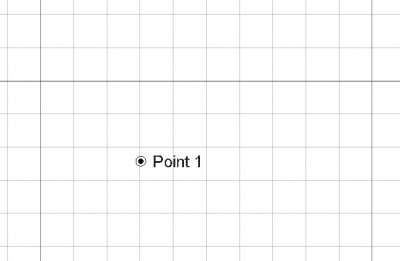
Nástroj Bod vytváří jednoduchý bod v aktuální pracovní rovině, užitečný jako referenční bod pro umisťování dalších objektů. Přebírá barvu předem nastavenou v záložce Úkoly.
Použití
See also: Draft Tray, Draft Snap and Draft Constrain.
- Stiskněte tlačítko
 Kreslení Bod nebo klávesy P potom T
 - Klikněte na bod ve 3D pohledu nebo zadejte souřadnice
Volby
The single character keyboard shortcuts available in the task panel can be changed. See Draft Preferences. The shortcuts mentioned here are the default shortcuts.
- Chcete-li zadat souřadnice ručně jednoduše zadejte číslo a potom stiskněte ENTER mezi každou z komponent X, Y a Z.
- Stisknutím tlačítka ESC nebo Zrušit zrušíte právě probíhající příkaz.
Notes
- Use
 Draft Snap Endpoint to snap to Draft points.
Vlastnosti
See also: Property View.
A Draft Point object is derived from a Part Feature object and inherits all its properties. It also has the following additional properties:
Data
Draft
- ÚdajeX: X souřadnice bodu
- ÚdajeY: Y souřadnice bodu
- ÚdajeZ: Z souřadnice bodu
View
Draft
- Pohled (Hidden)Pattern (
Enumeration): not used. - Pohled (Hidden)Pattern Size (
Float): not used.
Scripting
Skriptování
Nástroj Bod může být využit v makrech a z konzole Pythonu použitím následující funkce:
point = make_point(X=0, Y=0, Z=0, color=None, name="Point", point_size=5)
point = make_point(point, Y=0, Z=0, color=None, name="Point", point_size=5)
- Vytvoří bod na zadaných souřadnicích. Není-li zadána žádná ze souřadnic X, Y, Z, bude bod vytvořen na souřadnicích (0,0,0). Vrací nově vytvořený objekt.
Example:
import FreeCAD as App
import Draft

doc = App.newDocument()

point1 = Draft.make_point(1600, 1400, 0)

p2 = App.Vector(-3200, 1800, 0)
point2 = Draft.make_point(p2, color=(0.5, 0.3, 0.6), point_size=10)

doc.recompute()
Příklad:
This code creates N random points within a square of side 2L. It makes a loop creating N points, that may appear anywhere from -L to +L on both X and Y. It also chooses a random color and size for each point. Change N to change the number of points, and change L to change the area covered by the points.
import random
import FreeCAD as App
import Draft

doc = App.newDocument()

L = 1000
centered = App.Placement(App.Vector(-L, -L, 0), App.Rotation())
rectangle = Draft.make_rectangle(2*L, 2*L, placement=centered)

N = 10
for i in range(N):
    x = 2*L*random.random() - L
    y = 2*L*random.random() - L
    z = 0
    r = random.random()
    g = random.random()
    b = random.random()
    size = 15*random.random() + 5
    Draft.make_point(x, y, z, color=(r, g, b), point_size=size)

doc.recompute()
Tato stránka je načtena z https://wiki.freecad.org/Draft_Point