


|
|
| Menu location |
|---|
| Results → Filter Functions → Sphere |
| Workbenches |
| FEM |
| Default shortcut |
| None |
| Introduced in version |
| - |
| See also |
| FEM tutorial |
Description
The  FEM PostCreateFunctionSphere function defines how a mesh is cut geometrically. It is used by
  Function cut filter and
  Region clip filter.
Usage
Create a sphere function
- There are several ways to invoke the command:
- Press the Sphere button.
- Select the Results → Filter Functions → Sphere option from the menu.
- Press the
- The task panel is opened.
- Optionally set the values for the origin and the radius of the section sphere.
- Press the OK button to finish.
Edit a sphere function
If the Sphere object is hidden in the 3D View, select the Sphere object in the Tree View and press Space to make it visible, like in this example:
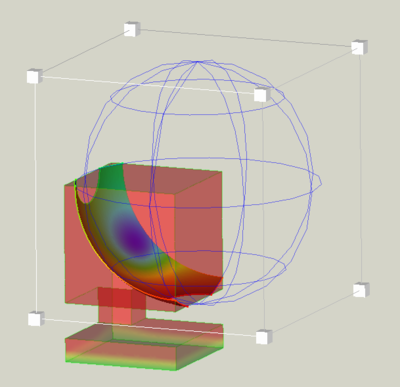
Move the sphere
- Click and drag the spherical grid to move the sphere.
Scale the sphere
- Click and drag one of the 8 small cubes to scale the sphere.
Notes
- Existing functions can be used for different filters and even for different
 result pipelines. It is nevertheless recommended to use a separate set of functions for each pipeline to keep track of the elements in the Tree View.
This page is retrieved from https://wiki.freecad.org/FEM_PostCreateFunctionSphere