


|
|
| Menyplacering |
|---|
| Draft → Line |
| Arbetsbänkar |
| Skiss |
| Standard genväg |
| L I |
| Introducerad i version |
| - |
| Se även |
| Draft Wire |

Description
Beskrivning
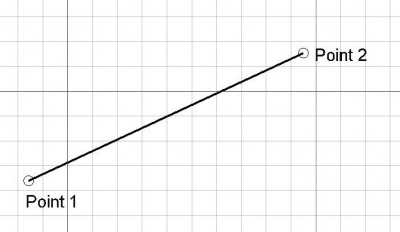
Detta verktyg ber användaren om 2 punkter och ritar en linje mellan dem. Punkterna kan väljas med musen i 3d vyn eller genom att mata in koordinater med tangentbordet.
A Draft Line is in fact a Draft Wire with only two points.
Usage
See also: Draft Tray, Draft Snap and Draft Constrain.
Bruk
- Markera punkter i ett tomt område i 3d vyn, eller på ett existerande objekt.
- Nedtryckning av CTRL kommer att snäppa din punkt till tillgängliga snäpp-punkter.
- Nedtryckning av SKIFT kommer att begränsa din nya punkt i relation till föregående punkt.
- Skriv in siffror för att [manuellt mata in en koordinat.
- Nedtryckning av CTRL+Z eller klickning på "Undo" knappen kommer att ångra den sista punkten.
- Om du trycker på ESC så avbryts funktionen.
Options
The single character keyboard shortcuts available in the task panel can be changed. See Draft Preferences. The shortcuts mentioned here are the default shortcuts.
- To manually enter coordinates enter the X, Y and Z component, and press Enter after each. Or you can press the
 Enter Point button when you have the desired values. It is advisable to move the pointer out of the 3D View before entering coordinates.
 - To use polar coordinates enter a value for the Length and a value for the Angle, and press Enter after each.
- Check the Angle checkbox to constrain the pointer to the specified angle.
- Press L to change the focus from the X input box to the Length input box and back. Depending on the input box that receives the focus the Angle checkbox is checked or unchecked.
- Press R or click the Relative checkbox to toggle relative mode. If relative mode is on, the coordinates of the second point are relative to the first point, else they are relative to the coordinate system origin.
- Press G or click the Global checkbox to toggle global mode. If global mode is on, coordinates are relative to the global coordinate system, else they are relative to the working plane coordinate system.
- Press N or click the Continue checkbox to toggle continue mode. If continue mode is on, the command will restart after finishing, allowing you to continue creating lines.
- Press S to switch Draft snapping on or off.
- Press Esc or the Close button to abort the command.
Notes
- A Draft Line can be edited with the Draft Edit command.
- Draft Lines and Draft Wires can be joined with the Draft Wire command, the Draft Join command or the Draft Upgrade command.
Preferences
See also: Preferences Editor and Draft Preferences.
- To change the initial focus of the task panel to the Length input box: Edit → Preferences → Draft → General → Set focus on Length instead of X coordinate. Note that you must move the pointer in the 3D View for the change to take effect.
- If the Edit → Preferences → Draft → General → Create Part primitives if possible option is checked, the command will create a Part Line instead of a Draft Line.
Properties
Egenskaper
- DATAStart: Startpunkten
- DATAEnd: Slutpunkten
- DATASubdivisions: Delar linjen med det angivna antalet underavdelningar introduced in 0.16
Scripting
See also: Autogenerated API documentation and FreeCAD Scripting Basics.
To create a Draft Line use the make_line method (introduced in 0.19) of the Draft module. This method replaces the deprecated makeLine method.
line = make_line(p1, p2)
line = make_line(LineSegment)
line = make_line(Shape)
- Creates a
Lineobject between pointsp1andp2, each defined by itsFreeCAD.Vector, with units in millimeters. - Creates a
Lineobject from aPart.LineSegment. - Creates a
Lineobject from the first vertex to the last vertex of the givenShape.
Example:
import FreeCAD as App
import Draft

doc = App.newDocument()

p1 = App.Vector(0, 0, 0)
p2 = App.Vector(1000, 500, 0)
p3 = App.Vector(-250, -500, 0)
p4 = App.Vector(500, 1000, 0)

line1 = Draft.make_line(p1, p2)
line2 = Draft.make_line(p3, p4)

doc.recompute()
Denna sida hämtas från https://wiki.freecad.org/Draft_Line