|
|
| Description |
|---|
| This macro creates a circle on 3 selected points. The points can be objects such as cubes, cylinder, then selected coordinates will be the centre of these forms. Macro version: 01.01 Last modified: 2016-03-23 FreeCAD version: All Download: ToolBar Icon Author: Mario52 |
| Author |
| Mario52 |
| Download |
| ToolBar Icon |
| Links |
| Macros recipes How to install macros How to customize toolbars |
| Macro Version |
| 01.01 |
| Date last modified |
| 2016-03-23 |
| FreeCAD Version(s) |
| All |
| Default shortcut |
| None |
| See also |
| None |

Description
This macro creates a circle on 3 selected points. The points can be objects such as cubes, cylinder, then selected coordinates will be the centre of these forms.
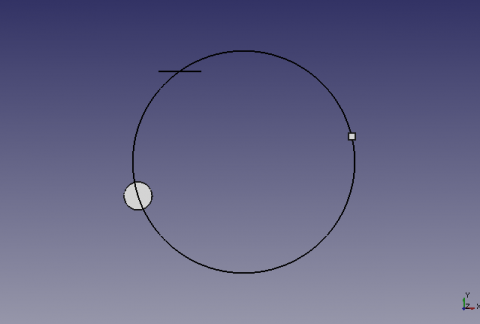
Circle built on 3 selected points
Usage
Select 3 points, or forms in the 3D view and run the macro.
If the shape is a line, the coordinate will be the center of the line.
Options
If the selected objects are on different planes, (xy Z10, xy Z2, xy Z5) the circle will be built on the map x,y Z=0.
If all of the selected objects have their equal Z coordinates (xy Z5, xy Z5, xy Z5), circle will be built to the plan x,y Z=5.
Script
ToolBar Icon 
Draft_Circle_3_Points.FCMacro
# -*- coding: utf-8 -*-
# créer un cercle a partir de 3 points séléctionnés
# avec comme options le cercle peut être construit sur un plans au choix
# aa la coordonnée d'une des trois formes sélectionnées au choix
# et création du point central O/N
# 04/03/2013 , 07/09/2018 replace PyQt4 to PySide, 23/03/2026 convert in spaces
# la formule provient de
# http://www-obs.univ-lyon1.fr/labo/fc/Ateliers_archives/ateliers_2005-06/cercle_3pts.pdf
# lire la note dans le pdf, sur l'ordre de sélection des points,
# si la formule renvoie une erreur (exemple les 3 points dans le même alignement)
#
import Draft, Part, FreeCAD, math, PartGui, FreeCADGui
from math import sqrt, pi, sin, cos
from FreeCAD import Base
from PySide import QtCore, QtGui

def errorDialog(msg):
    # Create a simple dialog QMessageBox
    # The first argument indicates the icon used: one of QtGui.QMessageBox.{NoIcon, Information, Warning, Critical, Question}
    diag = QtGui.QMessageBox(QtGui.QMessageBox.Critical,u"Error Message",msg)
    diag.setWindowModality(QtCore.Qt.ApplicationModal)
    diag.exec_()

def affiche(x,y,z,rayon,r,v,b,afficherPoint):
    pl.Base=FreeCAD.Vector(x,y,z)
    Draft.makeCircle((rayon),placement=pl,face=False,support=None)
    FreeCADGui.activeDocument().activeObject().LineColor = (r,v,b)
    if afficherPoint==1:
        Draft.makePoint(x,y,z)
    diag = QtGui.QMessageBox(QtGui.QMessageBox.Information,u"Coordinates",u"Coordinates X : "+str(x)+"\r\n"+u"Coordinates Y : "+str(y)+"\n"+u"Coordinates Z : "+str(z)+"\nRayon\t     : "+str(rayon))
    diag.setWindowModality(QtCore.Qt.ApplicationModal)
    diag.exec_()

# prendre les objets selectionnes
sel = FreeCADGui.Selection.getSelection()
i=0
centreX=0;centreY=0;rayon=0

# S'il y a 3 points sélectionnés alors..
if len(sel)==3 :
    i=0
    ta=[0,0,0,0,0,0,0,0,0]
    for obj in sel:
        x=(obj.Shape.BoundBox.Center)
        ta[i+0]=(x.x)
        ta[i+1]=(x.y)
        ta[i+2]=(x.z)
        i=i+3
# Change the values here below
            # mode by default vueChoix = 0 and alignerSur = 0
    vueChoix=0  # choice of the top view = 1 XY, view Front = 2 ZX, Right view = 3 ZY
    alignerSur=0    # Aligns the circle shaped the choice (1,2 or 3) or Z = 0
    afficherPoint=1 # Displays the center point of the circle

    # Affectation des variables
    if vueChoix==3:     # View of right ZY (Red)
        z_point_1=ta[0]
        x_point_1=ta[1]
        y_point_1=ta[2]

        z_point_2=ta[3]
        x_point_2=ta[4]
        y_point_2=ta[5]

        z_point_3=ta[6]
        x_point_3=ta[7]
        y_point_3=ta[8]

    elif vueChoix==2:   # Front view ZX (Green)
        y_point_1=ta[0]
        z_point_1=ta[1]
        x_point_1=ta[2]

        y_point_2=ta[3]
        z_point_2=ta[4]
        x_point_2=ta[5]

        y_point_3=ta[6]
        z_point_3=ta[7]
        x_point_3=ta[8]

    else:           # Top view XY (blue)
        x_point_1=ta[0]
        y_point_1=ta[1]
        z_point_1=ta[2]

        x_point_2=ta[3]
        y_point_2=ta[4]
        z_point_2=ta[5]

        x_point_3=ta[6]
        y_point_3=ta[7]
        z_point_3=ta[8]

    # Calculation of coordinates of the center of the circle
    try:
        centreX =((x_point_3**2-x_point_2**2+y_point_3**2-y_point_2**2)/(2*(y_point_3-y_point_2))-(x_point_2**2-x_point_1**2+y_point_2**2-y_point_1**2)/(2*(y_point_2-y_point_1)))/((x_point_3-x_point_2)/(y_point_3-y_point_2)-(x_point_2-x_point_1)/(y_point_2-y_point_1))
        centreY =-(x_point_2-x_point_1)/(y_point_2-y_point_1)*centreX+(x_point_2**2-x_point_1**2+y_point_2**2-y_point_1**2)/(2*(y_point_2-y_point_1))
        rayon =sqrt((x_point_1-centreX)**2+(y_point_1-centreY)**2)
    except:
        errorDialog(u"Impossible calculation too aligned elements")
    else:
    #finally: sera TOUJOURS execute
       # Definition of the coordinate Z
        centreZ=0
        # Création du cercle
        pl=FreeCAD.Placement()
        if vueChoix==1: # Plan XY Dessus
            pl.Rotation.Q=(0,0,0,1.0)
            if alignerSur==1:
                affiche(centreX,centreY,z_point_1,rayon,0.0,0.0,1.0,afficherPoint)
            elif alignerSur==2:
                affiche(centreX,centreY,z_point_2,rayon,0.0,0.0,1.0,afficherPoint)
            elif alignerSur==3:
                affiche(centreX,centreY,z_point_3,rayon,0.0,0.0,1.0,afficherPoint)
        elif vueChoix==2: # Plan XZ Face
            pl.Rotation.Q=(1,0,0,1.0)
            if alignerSur==1:
                affiche(centreY,z_point_1,centreX,rayon,0.0,1.0,0.0,afficherPoint)
            elif alignerSur==2:
                affiche(centreY,z_point_2,centreX,rayon,0.0,1.0,0.0,afficherPoint)
            elif alignerSur==3:
                affiche(centreY,z_point_3,centreX,rayon,0.0,1.0,0.0,afficherPoint)
        elif vueChoix==3: # Plan YZ Droite
            pl.Rotation.Q=(0,1,0,1.0)
            if alignerSur==1:
                affiche(z_point_1,centreX,centreY,rayon,1.0,0.0,0.0,afficherPoint)
            elif alignerSur==2:
                affiche(z_point_2,centreX,centreY,rayon,1.0,0.0,0.0,afficherPoint)
            elif alignerSur==3:
                affiche(z_point_3,centreX,centreY,rayon,1.0,0.0,0.0,afficherPoint)
        else:   # modifier pour avoir XYZ
            # si les coordonnées Z sont égales alors le cercle s'aligne à Z
            if z_point_1==z_point_2 and z_point_2==z_point_3:
                centreZ=z_point_1
                affiche(centreX,centreY,z_point_1,rayon,0.0,0.0,0.0,afficherPoint)
            else:
                # Si une coordonnée est différente alors Z=0
                affiche(centreX,centreY,0,rayon,0.0,0.0,0.0,afficherPoint)

else:
    # Si la condition n'est pas remplie, recommencer
    errorDialog(u"Select 3 points and repeat")
    #FreeCAD.Console.PrintError("Select 3 points and repeatr\n")
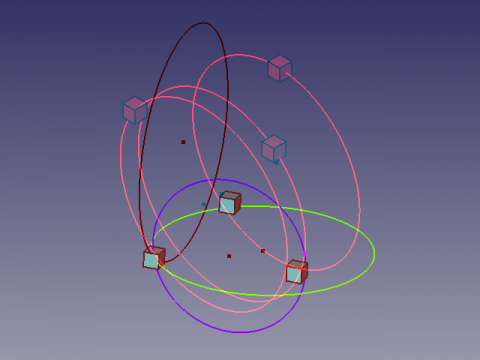
Anaglyphe
Here an Anaglyph view that allows you to see two different positions of the view by using glasses with filters red and Cyan  .
.
Watch alternately with the left eye and the right eye to see the views separately.
Credits
The genesis of the macro Draft Circle 3 Points on the forum (PYTHON) coordonnées d'un point helped flachyjoe thanks.
The formula comes from cercle_3pts.pdf and used with the kind permission of its author.
Ta strona pochodzi z https://wiki.freecad.org/Macro_Draft_Circle_3_Points