


|
|
| Menu location |
|---|
| CAM → Path Dressup → Ramp Entry |
| Workbenches |
| CAM |
| Default shortcut |
| None |
| Introduced in version |
| - |
| See also |
| CAM DressupTag, CAM DressupDogbone, CAM DressupDragKnife |
Description
The  CAM DressupRampEntry command dresses up an existing path to add a ramp entry.
Usage
- Select a contour or profile path objects.
- Select the CAM → Path Dressup → Ramp Entry option from the menu.
Properties
- Ramp Feed Rate : Can either be the current vertical or horizontal feed rate or some other custom value
- Angle : Angle of the ramp against the vertical axis. A smaller value makes the ramp steeper.
- Method : Used to select different modes of ramping:
- RampMethod1: goes down at the ramp angle and the moves horizontal to the target point
- RampMethod2: goes horizontal first and then down at the ramp angle to the target point
- RampMethod3: goes down in a zigzag way
- Helix: goes down spiraling
- Dressup Start Depth : The distance above the target level where ramping starts
- Use Start Depth : Indicates that the ramping does not start above the stock level. If it is not set to true the first ramp can be steeper than expected.
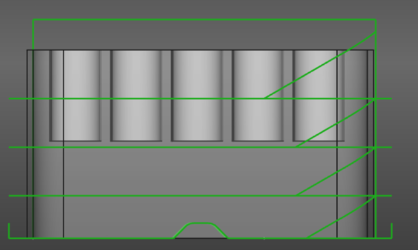
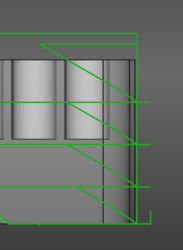
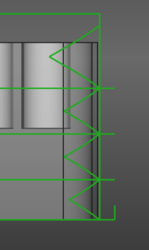
From left to right: Ramp method 1, 2 and 3
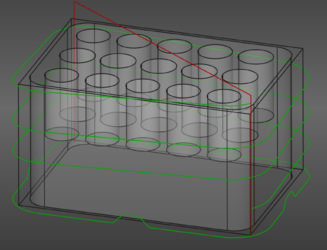
Ramp method Helix
This page is retrieved from https://wiki.freecad.org/CAM_DressupRampEntry