Introduction
FreeCAD can import and export SVG documents containing code that belongs to a certain namespace which is a sub-set of XML instructions.
Like any XML document an SVG document consist of two sections:
- Head: just one line to declare which version of the XML language is used for the instructions in the body of this document.
- Body: a list of instructions. SVG documents enclose all instructions in
<svg>tags.
- The opening tag contains information about the size and the used SVG namespaces.
Default namespace
The default SVG namespace used by FreeCAD is declared with this line:
xmlns="http://www.w3.org/2000/svg" version="1.1"
The external link leads to a web site containing information about the namespace and its set of instructions. Attributes of this namespace are used without prefix.
Namespace extension
Attributes missing from the SVG namespace can be added by namespace extensions. FreeCAD uses such an extension for drawing templates. The related namespace declaration, used to introduce the freecad: prefix, links to the related web site, this page:
xmlns:freecad="http://www.freecad.org/wiki/index.php?title=Svg_Namespace"
The link is not used to retrieve information or values at runtime, but it is the key to activate the custom attributes.
TechDraw templates and symbols
The TechDraw workbench uses SVG templates to create drawings. It cannot create and export templates but relies on externally created templates with manually inserted attributes:
- freecad:editable enables editable entries in title blocks.
- freecad:autofill (introduced in 1.0) added to the above, marks the text to be auto filled on template creation.
Symbols are another type of SVG files that can be used in drawing views for e.g. stamp-like annotations. They also have to be created externally and can use the above mentioned attributes, too.
Migration to freecad.org
Prior to the migration of the FreeCAD wiki, including this page, from freecadweb.org to freecad.org in version 0.21 the link to this page was:
xmlns:freecad="http://www.freecadweb.org/wiki/index.php?title=Svg_Namespace
Updated TechDraw templates now contain a key that can not activate the custom attributes when used with FreeCAD 0.20 and below and as a result editable texts of recent templates are not recognised and so handled as plain text.
- In such cases the "web" has to be manually re-inserted into the namespace declaration of the template.
It seems like 0.21 and above can deal with either link address.
Usage
Recap of an SVG file
TechDraw templates are SVG files used to create the framework of Technical drawings in FreeCAD while symbols add graphical annotation elements.
The SVG format is a subset of the XML format. That is why an SVG file, like any XML file, consists of two parts:
- A head holding a format declaration.
- A body containing the information what to show and where to place it
Head
The head is just one line to declare which version of the XML language an interpreter should use to handle the instructions in the body.
<?xml version="1.0" encoding="UTF-8" standalone="no"?>
Body
The Body of an SVG file starts with an opening <svg> tag which contains information about name spaces and about the size of the template and where to place it. And it finishes with a closing </svg> tag. All instructions to create and modify geometry and text elements will be inserted between both tags.
<svg
  xmlns="http://www.w3.org/2000/svg" version="1.1"
  width="420mm"
  height="297mm"
  viewBox="0 0 420 297">
</svg>
Tags can hold attributes controlling the elements between the pair of opening and closing tags:
- xmlns="http://www.w3.org/2000/svg": External link to the xml name space to look up standard xml commands.
- version="1.1": The instructions set of xml version 1.1 is used.
- width="420mm": Width of the drawing area
- height="297mm": Height of the drawing area
- viewBox="0 0 420 297": Position of the upper left corner (0;0) and the lower right corner (420;297) in the svg construction space (in svg units).
The combination of width, height, and viewBox sets 1 svg-unit = 1 mm for the whole document in order to enable up to scale printing, i.e. all dimensions in svg-units are interpreted as millimeters and a dimensional unit can be omitted from now on. (The example values define the area of an A3 sheet in landscape orientation)
Enable the FreeCAD namespace extension
To enable the namespace extension the namespace declaration has to be added to the attributes of the opening <svg> tag. This results in a basic framework for a template file, a blank A3 sheet in landscape orientation prepared for freecad: attributes:
<?xml version="1.0" encoding="UTF-8" standalone="no"?>
<svg
  xmlns="http://www.w3.org/2000/svg" version="1.1"
  xmlns:freecad="http://www.freecad.org/wiki/index.php?title=Svg_Namespace"
  width="420mm"
  height="297mm"
  viewBox="0 0 420 297">
</svg>
Attributes
Having the FreeCAD namespace enabled the following freecad: attributes can now be used within opening <text> tags in the SVG document:
freecad:editable
The freecad:editable attribute is used to mark editable texts in SVG files. The value of this attribute can be changed:
- with the "Change Editable Field" dialog in templates.
- by editing the list contained the Editable Texts property of symbols.
Default text has to be surrounded by tspan tags otherwise the displayed text within the template/symbol will not synchronise with modified variable content.
Example:
<text freecad:editable="MyTitleText">
    <tspan>This is a title</tspan>
</text>
freecad:autofill
introduced in 1.0: Marks an editable text in a template to be filled automatically when a template is inserted. (This is added to an existing freecad:editable attribute)
Example:
<text freecad:editable="MyTitleText"; freecad:autofill="AutofillElement" >
    <tspan>This is a title</tspan>
</text>
The following "AutofillElements" are implemented yet:
- freecad:autofill="author" inserts the value of BaseApp/Preferences/Document/prefAuthor.
- freecad:autofill="date" inserts the currentDateTime().
- freecad:autofill="organization" inserts the value of BaseApp/Preferences/Document/prefCompany.
- freecad:autofill="scale" inserts the page scale property.
- freecad:autofill="sheet" inserts page number / page count.
- freecad:autofill="title" inserts the value of the current document's Label property.
- freecad:autofill="page_number" inserts the current page number.
- freecad:autofill="page_count" inserts the total number of pages.
Recap of text handling
The above examples are incomplete as they focus on the freecad: attributes only, but text needs some more information to be displayed in the desired place, with a specific style, and optionally a rotation.
Omit attributes to use default values. This improves readability and results in a quite short and easy to maintain file.
Each string of text is embedded between <text> and </text> tags. An editable text also has to be embedded between <tspan> and </tspan> tags or it won't be editedable.
Texts are inserted at 0;0 by default. Insert the anchor point coordinates x and y in the <text> tag to position the text as desired. Keep in mind the y direction in SVG file is downwards.
It is recommended to group texts that have several properties in common (i.e. embed text between <g> and </g> tags). This way common attributes can be defined in the group tag <g> while individual attributes can be defined in the <text> tag. Embedded text attributes override surrounding group attributes.
Example:
<g id="text-non-editable"
  font-family="osifont"
  font-size="10"
  text-anchor="start">
    <text x="10" y="20">A simple text</text>
    <text x="10" y="40" font-color:"blue">another simple text</text>
</g>
In this example both grouped texts are displayed using 10 mm high osifont and with their anchor points at the first character. The first is colored black (default color) the second is blue.
<g id="text-editable"
  style="font-family:osifont; font-size:15; text-anchor:start; fill:blue">
    <text freecad:editable="Text1" x="50" y="40">  <tspan>Editable text in blue</tspan>. </text>
    <text freecad:editable="Text2" x="50" y="60" fill="red" text-anchor="middle">
        <tspan>Centered editable text in red</tspan>
    </text>
    <text freecad:editable="Text3" x="50" y="80" transform="rotate(90,50,80)>
        <tspan>Rotated editable text in blue</tspan>
    </text>
</g>
In this example all three grouped editable texts are displayed using 15 mm high osifont in blue and with their anchor points at the first character. Text2 has the deviant color red and is centered, Text3 is rotated by 90° CW with the rotation center being coincident with the anchor point.
The examples use two different ways to set the font parameters, separate attributes in the first one and combined in a single style attribute in the second one.
It is recommended to use the ID attribute in group tags to describe roughly what kind elements are grouped.
Transform attributes work well with all texts but editable texts will loose connection with their edit marks (blue underscores by default) as they won't follow the movement of the text. That is why simple texts can be grouped with title block geometry and moved with a single translation but editable texts must be positioned individually. Rotations with matching anchor point and rotation center, in contrast to other transformations, are safe to be used in <text> tags as text and edit mark will not move apart.
Example of code freecad:editable
1 : Title without textedit
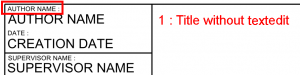
  <g
     id="g3587">
    <text
       sodipodi:linespacing="119.00001%"
       id="text3482"
       y="229.10912"
       x="220.8476"
       style="font-size:1.97555566px;font-style:normal;font-weight:normal;line-height:119.00000572%;letter-spacing:0.01975556px;word-spacing:0.00846667px;writing-mode:lr-tb;fill:#000000;fill-opacity:1;stroke:none;font-family:Sans;-inkscape-font-specification:Sans"
       xml:space="preserve"><tspan
         y="229.10912"
         x="220.8476"
         id="tspan3484"
         sodipodi:role="line">AUTHOR NAME :</tspan></text>
2 : Title with textedit
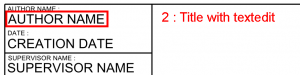
  <g
     style="fill:none;stroke:#000000;stroke-width:0.13;stroke-linecap:butt;stroke-linejoin:miter"
     id="g578-7"
     transform="translate(0,4)">
    <text
       xml:space="preserve"
       style="font-size:4px;font-style:normal;font-variant:normal;font-weight:normal;font-stretch:normal;line-height:125%;letter-spacing:0px;word-spacing:0px;fill:#000000;fill-opacity:1;stroke:none;font-family:sans;-inkscape-font-specification:sans"
       x="220.9935"
       y="228.95425"
       id="text3331"
       sodipodi:linespacing="125%"
       freecad:editable="AuthorName"><tspan
         sodipodi:role="line"
         id="tspan3333"
         x="220.9935"
         y="228.95425">AUTHOR NAME</tspan></text>
    <text
    ...
    ...
    ...
    ... </text>

  </g>
Explanations
<g
Beginning of the framework
     style="fill:none;stroke:#000000;stroke-width:0.13;stroke-linecap:butt;stroke-linejoin:miter"
     id="g578-7"
     transform="translate(0,4)">
Data on the framework
<text
Beginning of the text block
       xml:space="preserve"
       style="font-size:4px;font-style:normal;font-variant:normal;font-weight:normal;font-stretch:normal;line-height:125%;letter-spacing:0px;word-spacing:0px;fill:#000000;fill-opacity:1;stroke:none;font-family:sans;-inkscape-font-specification:sans"
All the information about the text that will be displayed
       x="220.9935"
       y="228.95425"
       id="text3331"
       sodipodi:linespacing="125%"
Coordinates and identity where the text will appear
freecad:editable="AuthorName"><tspan
Here AuthorName is the var managed by freecad:editable who saves the string to change that will be displayed
         sodipodi:role="line"
         id="tspan3333"
         x="220.9935"
         y="228.95425">AUTHOR NAME</tspan></text>
Coordinates and identity of the text that is displayed by default and </text> means the end of the block text
    <text
    ...
    ...
    ...
    ... </text>
  </g>
Other blocks texts and end </g> the framework grouping text blocks
It is possible after having worked the Inkscape SVG file as the file no longer works, it is possible that information has gone missing.
Then check that the edit text is not modified
Example :
- editable = "AuthorName"
- replace by freecad:editable = "AuthorName"
This page is retrieved from https://wiki.freecad.org/Svg_Namespace