


|
|
| メニューの場所 |
|---|
| スケッチ → スケッチャージオメトリ → 正七角形 |
| ワークベンチ |
| スケッチャー |
| デフォルトのショートカット |
| G P 7 |
| 導入バージョン |
| 0.15 |
| 参照 |
| スケッチャー・正多角形 |
概要
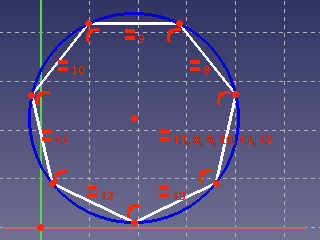
The  Sketcher CreateHeptagon tool creates a heptagon. introduced in 1.0: This is the same tool as Sketcher CreateRegularPolygon but with the number of sides preset to 7.
使い方
See also: Drawing aids.
- There are several ways to invoke the tool:
- Press the Heptagon button.
- Select the Sketch → Geometries → Heptagon option from the menu.
- Use the keyboard shortcut: G then P, then 7.
- Press the
- For further steps see Sketcher CreateRegularPolygon.
このページは以下から取得されています https://wiki.freecad.org/Sketcher_CreateHeptagon