


|
|
| Localização do menu |
|---|
| Sketch → Sketcher geometries → Create circle |
| Bancadas de trabalho |
| Sketcher |
| Atalho padrão |
| Nenhum |
| Introduzido na versão |
| - |
| Veja também |
| Sketcher Arc |
Description
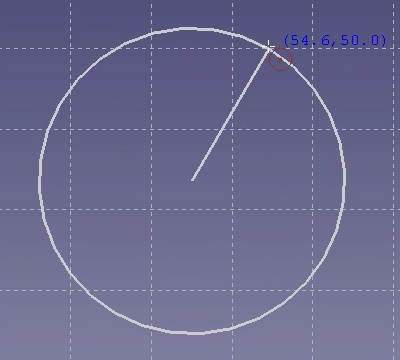
The  Sketcher CreateCircle tool creates a circle from its center and a point along the circle. introduced in 1.0: Or optionally from three points along the circle.
Usage
See also: Drawing aids.
Pos-OVP = Positional On-View-Parameters. introduced in 1.0
Dim-OVP = Dimensional On-View-Parameters. introduced in 1.0
- There are several ways to invoke the tool:
- Press the Circle From Center button.
- Select the Sketch → Geometries → Circle From Center option from the menu.
- Right-click in the 3D View and select the Circle From Center option from the context menu.
- Use the keyboard shortcut: G then C.
- Press the
- The cursor changes to a cross with the current tool mode icon.
- The Circle Parameters section (introduced in 1.0) is added at the top of the Sketcher Dialog.
- Optionally press the M key or select from the dropdown list in the parameters section to change the tool mode:
- Center:
- Pick the center of the circle. Or with Pos-OVP: enter its X- and/or Y-coordinate.
- Pick a point to define the radius of the circle. Or with Dim-OVP: enter this radius.
 3 rim points: introduced in 1.0
- Pick three points to define the circle. Or with Pos-OVP: enter their X- and/or Y-coordinates. No constraints are created for these points.
- The circle is created and applicable Pos-OVP and Dim-OVP based constraints are added.
- If the tool runs in continue mode:
- Optionally keep creating circles.
- To finish, right-click or press Esc, or start another geometry or constraint creation tool.
Esta página foi obtida de https://wiki.freecad.org/Sketcher_CreateCircle