Introduction
The purpose of this page is to show a minimal example of Part EditAttachment feature using Scripted objects in Python.
See full and complete minimal example below.
The following GIF demonstrates attaching our custom box to a cylinder, and automatically updating it's position when the cylinder's position changes.
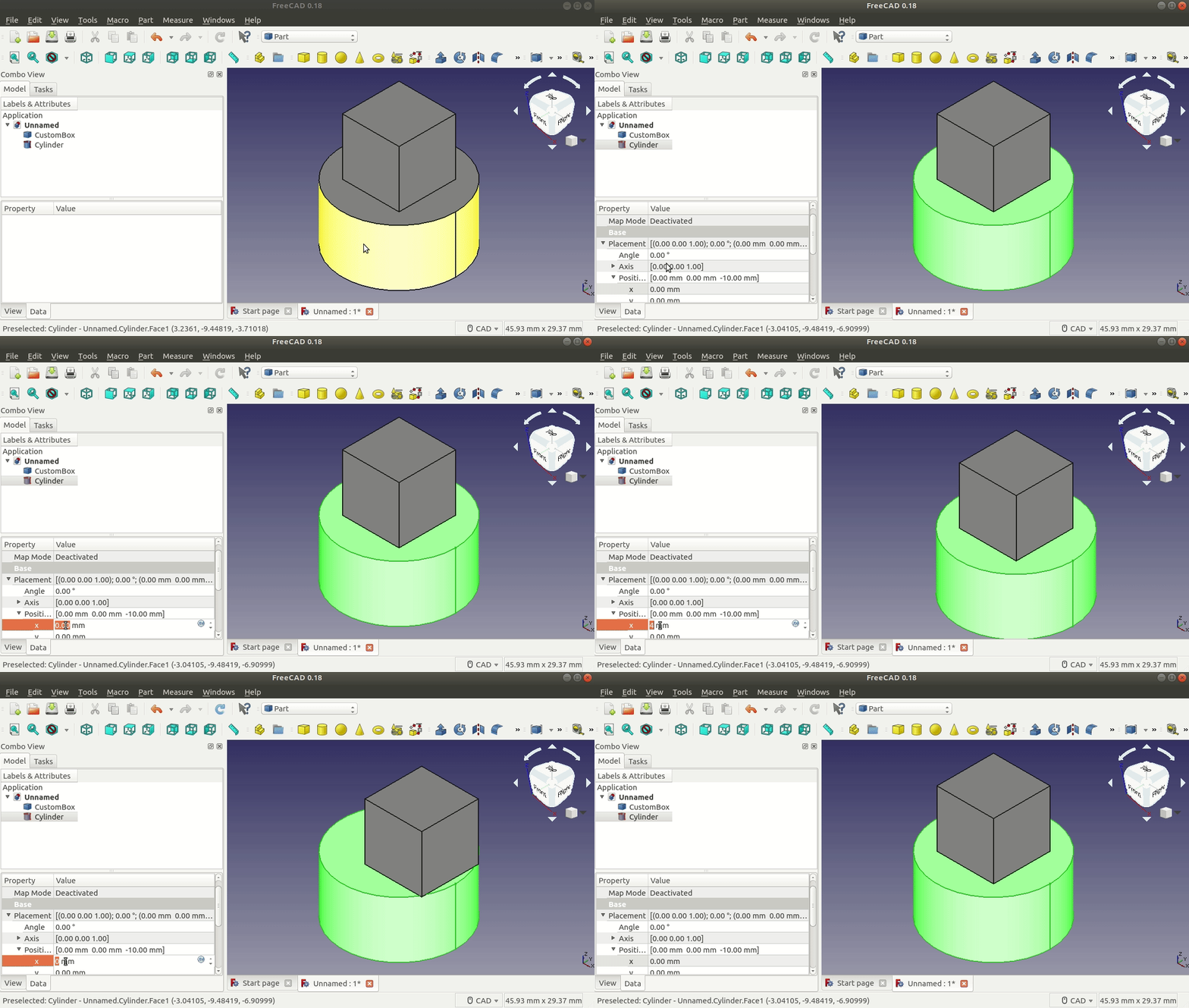
NOTE: The box is our custom scripted object, and the cylinder is a regular FreeCAD object generated from the Part workbench.
Making Scripted Objects Attachable
Add Attach Extension
First, we need to add the Part::AttachExtensionPython extension to our Part::FeaturePython oject in the constructor, or __init__ method, of our custom scripted object.
class Box():
    """Custom Scripted Box Object"""

    def __init__(self, obj):
        self.Type = 'Box'

        obj.Proxy = self

        ... custom properties

        # Needed to make this object "attachable"
        obj.addExtension('Part::AttachExtensionPython')
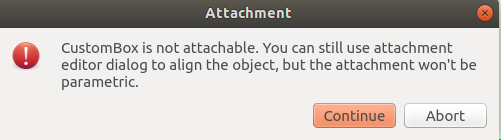
Without adding this code, we'll see the following warning dialog when attaching our custom scripted object to another object.
Update Position Based on Attached Object
Then, in the `execute` method of our custom scripted object, we need to call the `positionBySupport` on our `Part::FeaturePython` object.
class Box:

    ...

    def execute(self, obj):
        obj.positionBySupport()

        # Assign a Shape to obj
        obj.Shape = Part.makeBox(...)
Without calling positionBySupport, our custom scripted object won't update it's position when the position of the attached-to object changes.
Full and Complete Minimal Example
import FreeCAD as App
import Part


class Box():
    """
    Simple Custom Box Object
    See Also:
        https://wiki.freecad.org/FeaturePython_Objects
    """

    def __init__(self, obj):
        """
        Constructor
        Arguments
        ---------
        - obj: an existing document object or an object created with FreeCAD.Document.addObject('Part::FeaturePython', '{name}').
        """

        self.Type = 'Box'

        obj.Proxy = self
        obj.addProperty('App::PropertyLength', 'Length',
                        'Dimensions', 'Box length').Length = 10.0
        obj.addProperty('App::PropertyLength', 'Width',
                        'Dimensions', 'Box width').Width = 10.0
        obj.addProperty('App::PropertyLength', 'Height',
                        'Dimensions', 'Box height').Height = 10.0

        # Needed to make this object "attachable",
        # or able to attach parameterically to other objects
        obj.addExtension('Part::AttachExtensionPython')

    def execute(self, obj):
        """
        Called on document recompute
        """
        # Needed to update position when attached-to object changes position.
        # Reposition object based on AttachmentSupport, MapMode and MapPathParameter properties.
        # Returns True if attachment calculation was successful, False if object is not attached and Placement wasn't updated,
        obj.positionBySupport()

        obj.Shape = Part.makeBox(obj.Length, obj.Width, obj.Height)


def create_box(obj_name, document):
    """
    Create a Box.
    """
    obj = document.addObject('Part::FeaturePython', obj_name)
    Box(obj)
    obj.ViewObject.Proxy = 0  # Mandatory unless ViewProvider is coded
    return obj


document = App.ActiveDocument
if document is None:
    document = App.newDocument('Part Attachment Example')

box = create_box('CustomBox', document)
document.recompute()

cylinder = App.ActiveDocument.addObject('Part::Cylinder', 'Cylinder')
document.recompute()

box.AttachmentSupport = cylinder
box.MapMode = 'ObjectXY'

document.recompute()
References
- Part EditAttachment
- FreeCAD Forum - Parametric attachment of scripted object
- FreeCAD Forum - Port attachment to be an extension
- GitHub - freecad-part-attachment-python-example
Tested With the Following FreeCAD Version
Tested with the following FreeCAD version information:
OS: Ubuntu 18.04.3 LTS
Word size of OS: 64-bit
Word size of FreeCAD: 64-bit
Version: 0.18.16146 (Git) AppImage
Build type: Release
Branch: (HEAD detached at 0.18.4)
Hash: 980bf9060e28555fecd9e3462f68ca74007b70f8
Python version: 3.6.7
Qt version: 5.6.2
Coin version: 4.0.0a
OCC version: 7.3.0
Locale: English/UnitedStates (en_US)
Note: For FreeCAD 0.19 this tutorial needs a minor update:
- The second argument of the`addExtension` method got deprecated.
- For details see https://forum.freecad.org/viewtopic.php?f=10&t=54370
This page is retrieved from https://wiki.freecad.org/Scripted_objects_with_attachment