FreeCAD Logo FreeCAD 1.0
  • Angličtina Afrikánština Arabština Běloruština Katalánština Čeština Němčina Řečtina Španělština Španělština Baskičtina Finština Filipínština Francouzština Galicijština Chorvatština Maďarština Indonéština Italština Japonština Kabylština Korejština Litevština Holandština Norština Bokmål Polština Portugalština Portugalština Rumunština Ruština Slovenština Slovinština Srbština Švédština Turečtina Ukrajinština Valencijština Vietnamština Čínština Čínština
  • Funkce
  • Stáhnout
  • Blog
  • Dokumentace
    Hlavní strana dokumentace Začínáme Uživatelská dokumentace Příručka FreeCAD Dokumentace pracovních prostředí Dokumentace o skriptování v Pythonu Dokumentace o programování v C++ Tutoriály Často kladené otázky Zásady ochrany soukromí O FreeCADu
  • Zapojte se
    Jak pomoci Sponsor Nahlásit chybu Vytvořit žádost o změnu Pracovní místa a financování Pokyny pro příspěvky Příručka pro vývojáře Překlady
  • Komunita
    Etický kodex Fórum The FPA GitHub GitLab Codeberg Mastodon Matrix IRC IRC via Webchat Gitter Discord Reddit Twitter Facebook LinkedIn Kalendář
  • ♥ Donate

Donate

$
SEPA informace
Nastavte prosím Váš SEPA bankovní převod na:
Beneficiary: The FreeCAD project association
IBAN: BE04 0019 2896 4531
BIC/SWIFT: GEBABEBBXXX
Bankovní agentura: BNP Paribas Fortis
Adresa: Rue de la Station 64, 1360 Perwez, Belgium

While Stripe doesn't support monthly donations, you can still become a sponsor! Simply make a one-time donation equivalent to 12 months of support, and you'll gain access to the corresponding sponsoring tier. It's an easy and flexible way to contribute.

If you are not sure or not able to commit to a regular donation, but still want to help the project, you can do a one-time donation, of any amount.

Choose freely the amount you wish to donate one time only.

You can support FreeCAD by sponsoring it as an individual or organization through various platforms. Sponsorship provides a steady income for developers, allowing the FPA to plan ahead and enabling greater investment in FreeCAD. To encourage sponsorship, we offer different tiers, and unless you choose to remain anonymous, your name or company logo will be featured on our website accordingly.

from 1 USD / 1 EUR per month. You will not have your name displayed here, but you will have helped the project a lot anyway. Together, normal sponsors maintain the project on its feet as much as the bigger sponsors.

from 25 USD / 25 EUR per month. Your name or company name is displayed on this page.

from 100 USD / 100 EUR per month. Your name or company name is displayed on this page, with a link to your website, and a one-line description text.

from 200 USD / 200 EUR per month. Your name or company name and logo displayed on this page, with a link to your website and a custom description text. Companies that have helped FreeCAD early on also appear under Gold sponsors.

Instead of donating each month, you might find it more comfortable to make a one-time donation that, when divided by twelve, would give you right to enter a sponsoring tier. Don't hesitate to do so!

Choose freely the amount you wish to donate each month.

Please inform your forum name or twitter handle as a notein your transfer, or reach to us, so we can give you proper credits!

RegularPolygon
Extrude
Part

Part Shapebuilder

Umístění Menu
Part -> Shapebuilder...
Pracovní stoly
Part
Výchozí zástupce
Nikdo
Představen ve verzi
-
Viz také
Part CreatePrimitives

Description

The Part Builder command creates more complex shapes from various geometric primitives.

Usage

  1. There are several ways to invoke the command:
    • Press the Shape Builder button.
    • Select the Part → Shape Builder option from the menu.
  2. The Create Shape task panel opens.
  3. Select the shape creation mode and optionally press the Box Selection button to use box selection instead of picking geometrical entities one by one:
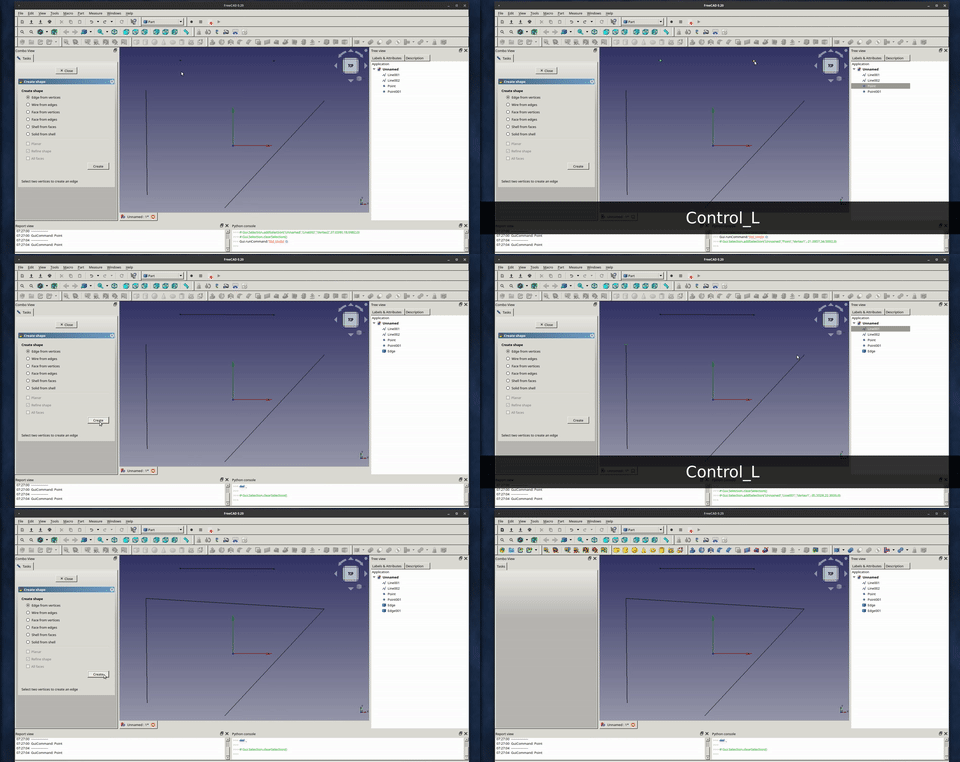
    • Edge from vertices
      1. Select two vertices in the 3D View.
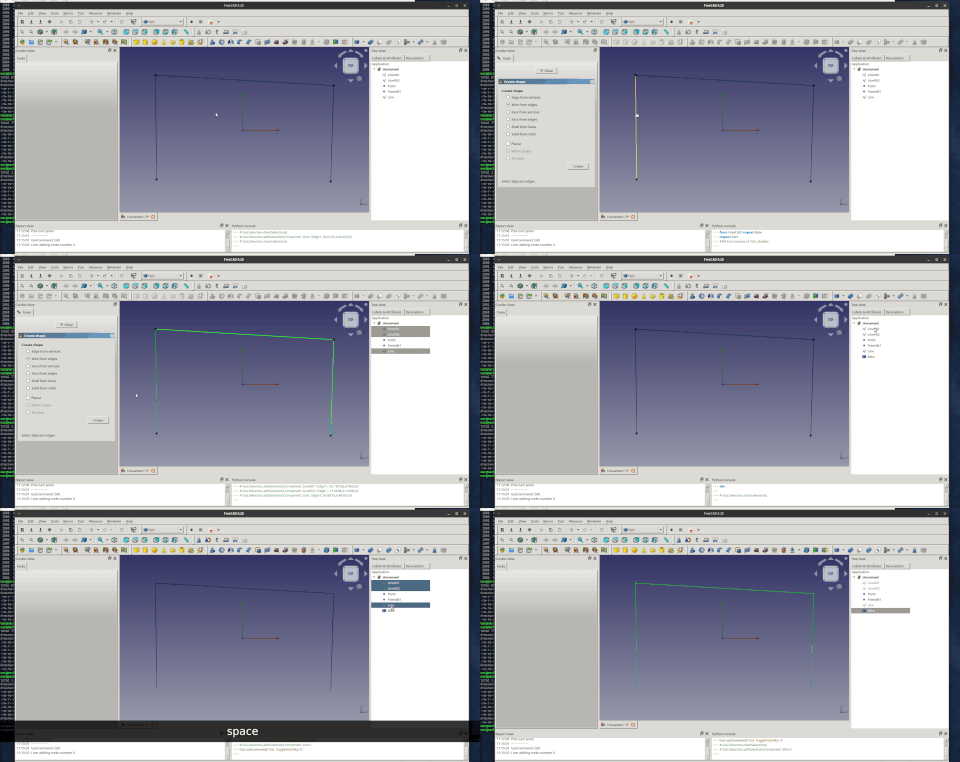
    • Wire from edges
      1. Select connected edges in the 3D View.
      2. Optionally check Planar for a planar wire.
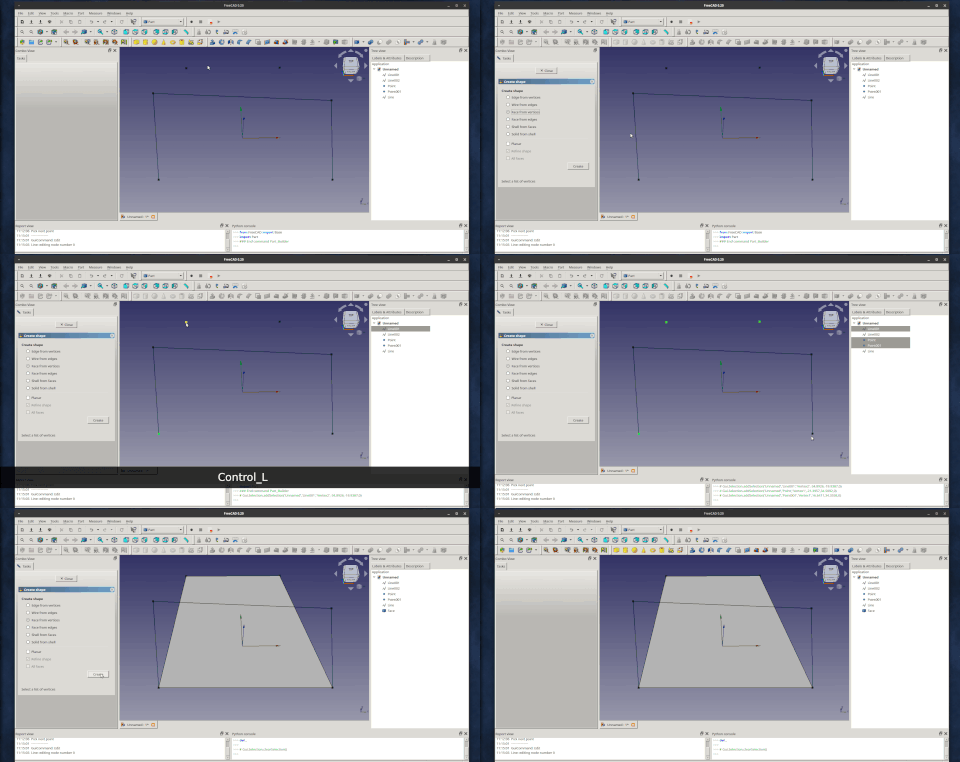
    • Face from vertices
      1. Select vertices bounding the face in the 3D View.
      2. Optionally check Planar for a planar face.
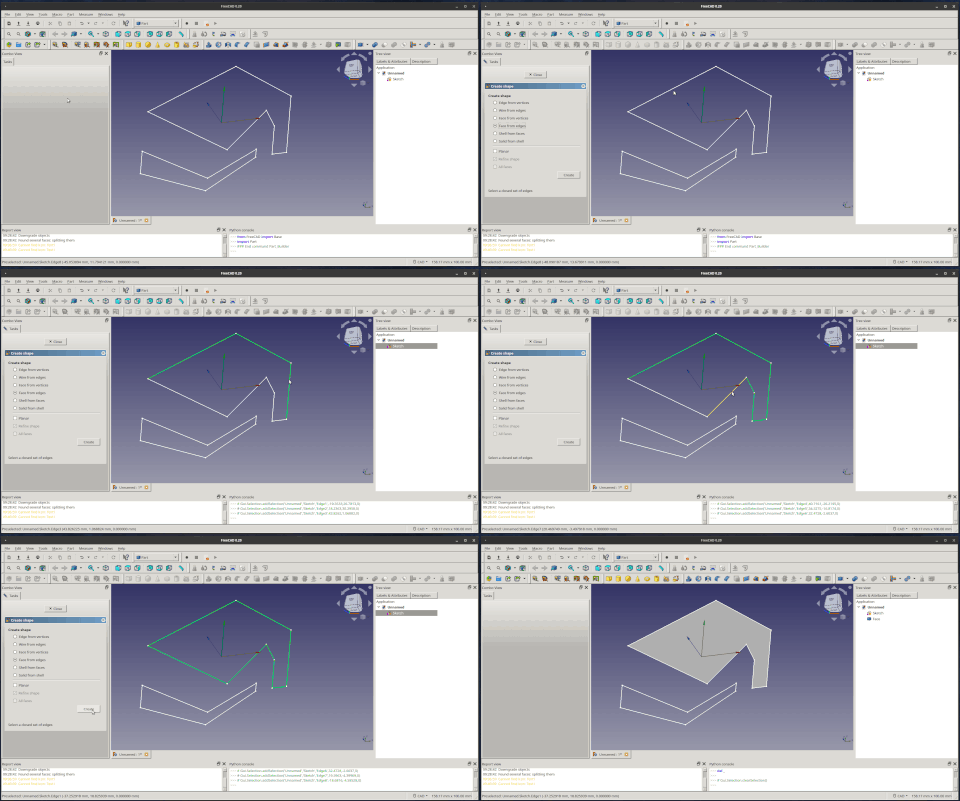
    • Face from edges
      1. Select edges enclosing the face in the 3D View.
      2. Optionally check Planar for a planar face.
    • Shell from faces
      1. Select faces in the 3D View.
      2. Optionally check Refine shape to refine the shape.
      3. Optionally check All faces to include all faces in shell.
    • Solid from shell
      1. Select a shell in the 3D View.
      2. Optionally check Refine shape to refine the shape.
  4. Press the Create button.
  5. The object is created.
  6. Optionally create additional objects.
  7. Press the Close button to close the task panel and finish the command.

Examples

Edge from two vertices
Wire from edges
Face from vertices
Face from edges
Notes

A possible workflow to create a solid from a wireframe could be:

  • Draw a wireframe-model of your shape using the tools in the Draft Workbench (for example line and wire).
  • Create all faces with "face from edges".
  • Create a "shell from faces".
  • Create a "solid from shell".


RegularPolygon
Extrude
Part

Tato stránka je načtena z https://wiki.freecad.org/Part_Builder

Buďte v kontaktu!
Forum GitHub Mastodon Matrix IRC Gitter.im Discord Reddit Twitter Facebook LinkedIn

© Tým FreeCAD. Autorství obrázků úvodní stránky (od zhora dolů): ppemawm, r-frank, epileftric, regis, rider_mortagnais, bejant.

Tento projekt podporují: , KiCad Services Corp. a ostatní sponzoři

GitHubVylepšete tuto stránku na GitHubu