


|
|
| Umístění Menu |
|---|
| Part → Box |
| Pracovní stoly |
| Part, Complete |
| Výchozí zástupce |
| Nikdo |
| Představen ve verzi |
| - |
| Viz také |
| Part CreatePrimitives |
Description
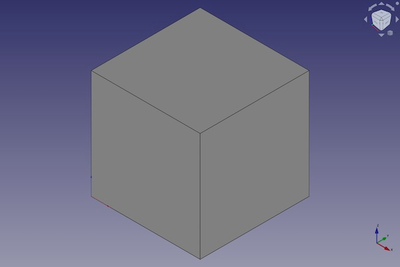
The  Part Box command creates a parametric box solid, a rectangular cuboid. In the coordinate system defined by its ÚdajePlacement property, the bottom face of the box lies on the XY-plane with its front left corner at the origin, and its front edge parallel to the X-axis.
Usage
V datové záložce boxu mohou být později upravovány vlastnosti objektu:
Example
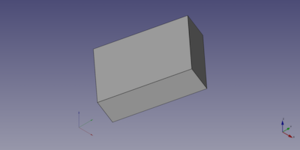
A Part Box object created with the scripting example below is shown here.
Notes
- A Part Box can also be created with the
 Part Primitives command. With that command you can specify the dimensions and placement at creation time.
Properties
See also: Property View.
A Part Box object is derived from a Part Feature object and inherits all its properties. It also has the following additional properties:
Data
Attachment
The object has the same attachment properties as a Part Part2DObject.
Box
- ÚdajeLength (
Length): The length of the box. This is the dimension in its X-direction. The default is10mm. - ÚdajeWidth (
Length): The width of the box. This is the dimension in its Y-direction. The default is10mm. - ÚdajeHeight (
Length): The height of the box. This is dimension in its Z-direction. The default is10mm.
Scripting
See also: Autogenerated API documentation, Part scripting and FreeCAD Scripting Basics.
A Part Box can be created with the addObject() method of the document:
box = FreeCAD.ActiveDocument.addObject("Part::Box", "myBox")
- Where
"myBox"is the name for the object. - The function returns the newly created object.
Example:
import FreeCAD as App

doc = App.activeDocument()

box = doc.addObject("Part::Box", "myBox")
box.Length = 4
box.Width = 8
box.Height = 12
box.Placement = App.Placement(App.Vector(1, 2, 3), App.Rotation(75, 60, 30))

doc.recompute()
Tato stránka je načtena z https://wiki.freecad.org/Part_Box