


Introduction
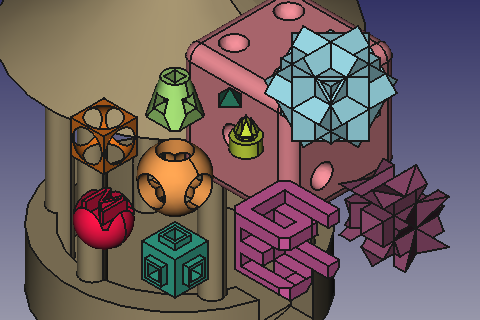
The OpenSCAD Workbench is intended to offer interoperability with the open source software OpenSCAD. This program is not distributed as part of FreeCAD, but should be installed to make full use of this workbench. OpenSCAD should not be confused with OpenCASCADE, which is the geometrical kernel that FreeCAD uses to build geometry on screen. The OpenCASCADE libraries are always needed to use FreeCAD, while the OpenSCAD executable is entirely optional.
It contains a CSG importer to open the CSG files from OpenSCAD, and an exporter to output a CSG based tree. Geometry which is not based on CSG operations will be exported as a mesh.
This workbench contains functions to modify the CSG feature tree and repair models. It also contains general purpose tools that do not require installation of OpenSCAD; they can be used in conjunction with other workbenches. For example, the Mesh Workbench internally uses the OpenSCAD functions to perform operations with meshes, as they are quite robust.
Dependencies
In FreeCAD 0.19, the Ply (Python-Lex-Yacc) module, which is used to import CSG files, was removed from the FreeCAD source code, as it is a third party library not developed by FreeCAD. As a result, you now need to install Ply before using the OpenSCAD Workbench. When using a pre-packaged, stable version of FreeCAD this dependency should be installed automatically in all platforms; in other cases, for example, when compiling from source, you may have to install it from an online repository.
In openSUSE this is done by:
sudo zypper install python3-ply
In Debian/Ubuntu based systems this is done like the following:
sudo apt install python3-ply
The general installation in all platforms can be done from the Python package index.
pip3 install --user ply
OpenSCAD language and file format
The OpenSCAD language allows the use of variables and loops. It allows you to specify sub-modules to reuse geometry and code. This high degree of flexibility makes parsing very complex. Currently the OpenSCAD Workbench cannot handle the OpenSCAD language natively. Instead, if OpenSCAD is installed, it can be used to convert the input to the CSG format, which is a subset of the OpenSCAD language, and can be used as the input to OpenSCAD for further processing. During conversion all parametric behavior is lost, meaning that all variable names are discarded, loops expanded, and mathematical expressions evaluated.
Tools
 Color Code Shape: Change the color of selected or all shapes based on their validity.
 Replace Object: Replace an object in the feature tree.
 Remove Subtree: Removes the selected objects and all children that are not referenced from other objects.
 Refine Shape Feature: Create Refine Shape Feature.
 Increase Tolerance Feature: Increases tolerance of edges/faces/vertex of selected object(s).
 Convert Edges To Faces: Convert edges to faces. Useful to prepare imported DXF geometry for extrusion.
 Expand Placements: Expand all placements downwards the FeatureTree.
 Explode Group: Explodes fused part primitives.
 Add OpenSCAD Element: Add an OpenSCAD element by entering OpenSCAD code into the task panel.
 Mesh Boolean: Creates new mesh object by boolean operation from shapes.
 Hull: Apllies a hull to selected shapes.
 Minkowski: Applies a minkowski sum to selected shapes.
 Replace Object: Replaces an object in the Tree View.
 Remove Objects and Children: Removes the selected objects and all children that are not referenced by other objects.
 Refine Shape Feature: Creates a refined shape.
 Mirror Mesh Feature: Mirrors the mesh.
 Scale Mesh Feature: Scales the mesh.
 Resize Mesh Feature: Resizes the mesh.
 Increase Tolerance Feature: Creates a feature to increase the tolerance.
 Convert Edges to Faces: Converts edges to faces.
 Expand Placements: Expands all placements downwards in the Tree View.
 Explode Group: Explodes a fusion or compound and applies random colors.
 Add OpenSCAD Element: Adds an OpenSCAD element based on entered OpenSCAD code using the OpenSCAD binary.
 Mesh Boolean: Performs a boolean operation using the OpenSCAD binary.
 Hull: Creates a hull.
 Minkowski Sum: Creates a Minkowski sum.
Preferences
 Preferences: Preferences available for OpenSCAD.
Limitations
OpenSCAD creates constructive solid geometry, as well as imports mesh files and extrudes 2D geometry from DXF files. FreeCAD allows you to create CSG with primitives as well. The FreeCAD geometry kernel (OCCT) works using a boundary representation. Therefore conversion from CSG to BREP should, in theory, be possible whereas conversion from BREP to CSG is, in general, not.
OpenSCAD works internally on meshes. Some operations which are useful on meshes are not meaningful on a BREP model and can not be fully supported. Among these are convex hull, minkowski sum, glide and subdiv. Currently we run the OpenSCAD binary in order to perform hull and minkwoski operations and import the result. This means that the involved geometry will be triangulated. In OpenSCAD non-uniform scaling is often used, which does not impose any problems when using meshes. In our geometry kernel geometric primitives (lines, circular sections, etc) are converted to BSpline prior to performing such deformations. Those B-splines are known to cause trouble in later boolean operations. An automatic solution is not available at the moment. Please feel free to post to the forum if you encounter such problems. Often such problems can be solved be remodeling small parts. A deformation of a cylinder can substituted by an extrusion of an ellipses.
Importing text
Importing OpenSCAD code with texts requires that the fonts that are used are properly installed on your system. You can verify this by opening OpenSCAD as a standalone tool and checking the list in Help → Font List. The list will also give you the correct font names. If a font does not appear in the list after installing, you may have to manually copy the font file to the appropriate system directory.
Importing texts is relatively slow. Behind the scenes FreeCAD uses a DXF file created by OpenSCAD. The more contours there are the slower the import.
It can be a good idea to first import a simple test case (replace NameOfFont with the correct font name):
TESTFONT="NameOfFont";
linear_extrude(0.001) {
  text("A", size=5, font=TESTFONT, script="Latn");
};
The script="Latn" parameter can be left out here, but is required if the text string does not contain any letters, but only punctuation and/or numbers.
Please note that use <FONT>; statements in your source files are ignored when importing in FreeCAD. Under OpenSCAD the effect of a use statement is that the provided font file is temporarily added to the list of known fonts (although even there the statement does not work when a script is modified interactively).
Hints
When importing DXF set the Draft precision to a sensible amount as this will affect the detection of connected edges.
If FreeCAD crashes when importing CSG, it is strongly recommended that you enable "Automatically check model after boolean operation" in Menu → Edit → Preferences → Part/Part Design → General → Model settings.
Tutorials
Links
- The official OpenSCAD project source code repository hosted on GitHub
- Open tickets tagged "OpenSCAD" on the FreeCAD Github issue tracker.
- Models tagged with "OpenSCAD" on Thingiverse

Esta página foi obtida de https://wiki.freecad.org/OpenSCAD_Workbench