|
|
| Beschreibung |
|---|
| Dieses Makro positioniert ein Objekt senkrecht zu einem ausgewählten Linienzug. Versionsmakro : 00.03 Datum der letzten Änderung : 2020-03-31 FreeCAD version : Alle Herunterladen : Werkzeugleisten-Symbol. Autor: Mario52 |
| Autor |
| Mario52 |
| Herunterladen |
| Werkzeugleisten-Symbol. |
| Links |
| Makros Rezepte Wie man Makros installiert Symbolleisten anpassen |
| Macro-Version |
| 00.03 |
| Datum der letzten Änderung |
| 2020-03-31 |
| FreeCAD-Version(s) |
| Alle |
| Standardverknüpfung |
| None |
| Siehe auch |
| None |
Beschreibung
Dieses Makro positioniert ein Objekt senkrecht zum ausgewählten Linienzug.
Anwendung
- Das Makro mit dem
 Addon-Manager installieren
 - Den Pfad auswählen (kann ein Element oder Unterelement sein)
- Das Objekt zum Ausrichten auswählen
- Das Makro ausführen
Skript
Das Werkzeugleisten-Symbol: 
Macro Perpendicular To Wire.FCMacro
# -*- coding: utf-8 -*-
__title__   = "Macro Perpendicular To Wire"
__author__  = "Mario52"
__url__     = "https://wiki.freecad.org/Macro_Perpendicular_To_Wire"
__version__ = "00.03"
__date__    = "31/03/2020"

import Draft, Part

try:
    sel = FreeCADGui.Selection.getSelection()                               # Select an object

    lineSelected = FreeCADGui.Selection.getSelectionEx()[0].SubObjects[0]   # first object the Path object or SubObjects
    myCircle     = sel[1]                                                   # second object

    pointsDirection  = []

    pointsDirection = lineSelected.discretize(Number=500)                   # discretize the path line first selection

    v=pointsDirection[0].sub(pointsDirection[1])                            # avec vecteurs 1 et 2 (direction debut ligne)
    r=App.Rotation(App.Vector(0,0,1),v)

    pl=FreeCAD.Placement()                                                  # placement object
    pl.Rotation.Q = r.Q
    pl.Base = pointsDirection[0]
    myCircle.Placement = pl

    del pointsDirection[:]
    FreeCAD.ActiveDocument.recompute()
except Exception:
    print( "Select two objects. 1:The path 2:The object to align" )
Optionen
Im Wesentlichen wird die Linie mit discretize() in x Punkte unterteilt (für unsere Zwecke verwenden wir standardmäßig Number=500, aber die Unterteilung kann zwischen 0 und 499 geändert werden)
pointsDirection = lineSelected.Shape.discretize(Number=500) # discretize the path line first selection
1. Die Rechtwinkligkeit wird zwischen zwei Punkten berechnet:
v=pointsDirection[0].sub(pointsDirection[1]) # perpendicular of first > second point
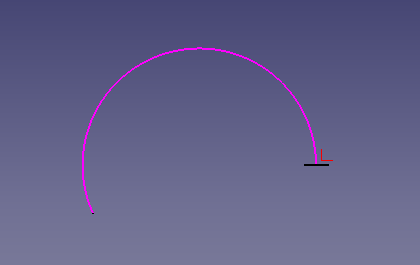
2:
v=pointsDirection[-1].sub(pointsDirection[-2])       # perpendicular of last > before last point
pl.Base = pointsDirection[-1]                        # position base last point
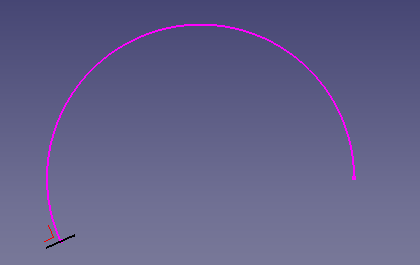
3:
v=pointsDirection[100].sub(pointsDirection[101])   # perpendicular of point 100 > point 101
pl.Base = pointsDirection[100]                     # position base point 100
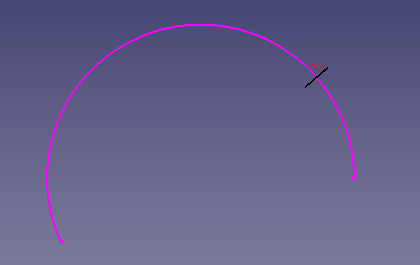
4:
v=pointsDirection[0].sub(pointsDirection[-1])         # perpendicular of first point > last point
pl.Base = pointsDirection[0]                          # position base first point
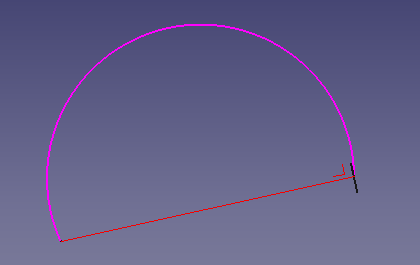

Weitere Parameter für discretize() sind wie folgt:
# Discretizes the edge and returns a list of points.
# Forum thread: https://forum.freecad.org/viewtopic.php?f=12&t=16336#p129468
# The function accepts keywords as argument:
# discretize(Number=n) => gives a list of 'n' equidistant points
# discretize(QuasiNumber=n) => gives a list of 'n' quasi equidistant points (is faster than the method above)
# discretize(Distance=d) => gives a list of equidistant points with distance 'd'
# discretize(Deflection=d) => gives a list of points with a maximum deflection 'd' to the edge
# discretize(QuasiDeflection=d) => gives a list of points with a maximum deflection 'd' to the edge (faster)
# discretize(Angular=a,Curvature=c,[Minimum=m]) => gives a list of points with an angular deflection of 'a'
# and a curvature deflection of 'c'. Optionally a minimum number of points
# can be set which by default is set to 2.
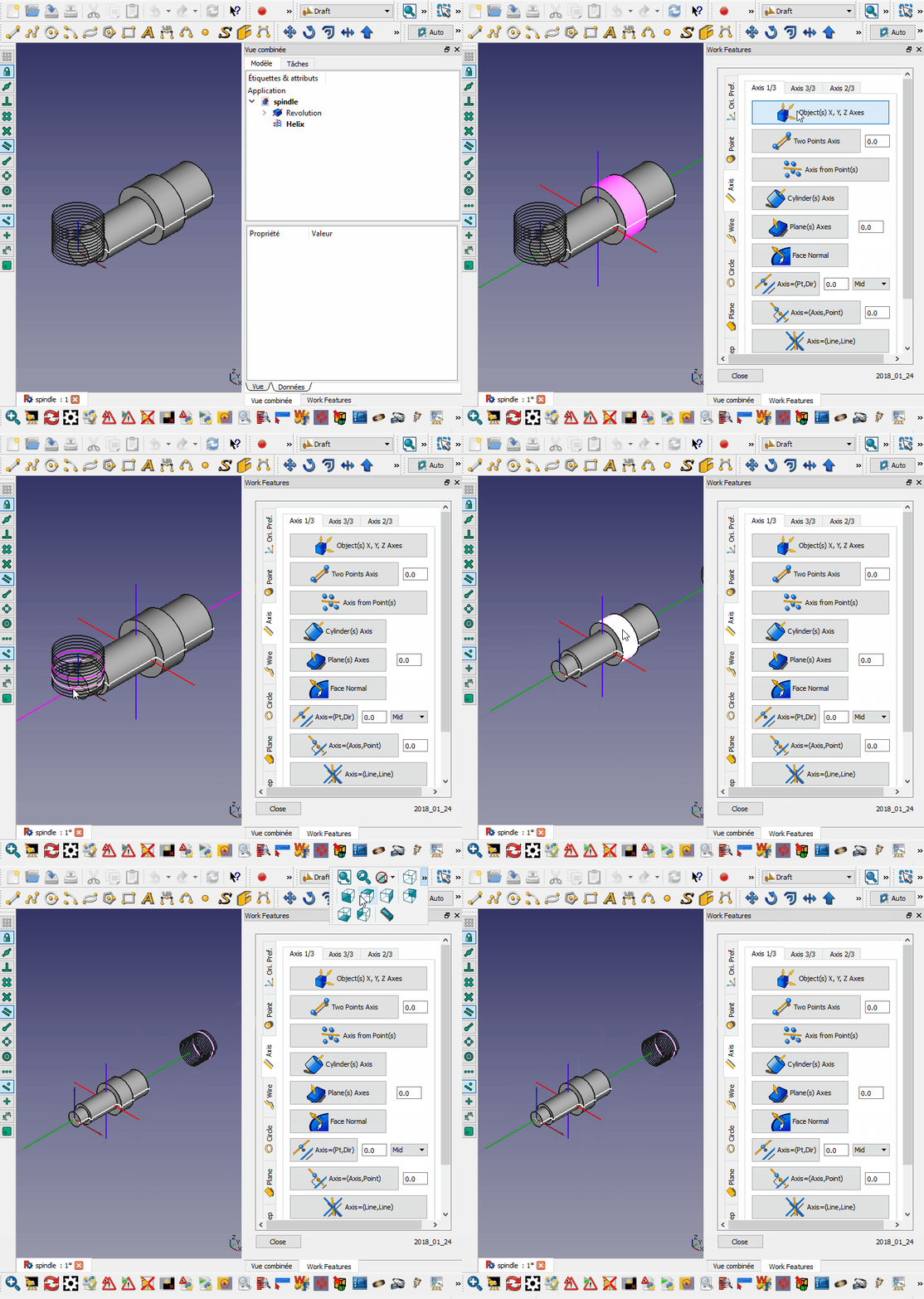
Beispiel

Diskussionen
- [Spiralbohrer] Diskussion im FreeCAD-Forum.
- https://forum.freecad.org/viewtopic.php?f=12&t=16336#p129468
Version
Ver 00.03 2020-03-21: Quelle und Kommentar Tippfehlerkorrekturen Ver 00.02 2019-04-06: Python 3
Diese Seite wird abgerufen von https://wiki.freecad.org/Macro_Perpendicular_To_Wire