|
|
| Description |
|---|
| This macro can rotate the screen in a defined angle and the defined axis and creates a plane to face the screen to create a form in the specified plane positions the selected face facing the screen, to detect the position of the camera, align view to face or to axis, align the object to view. Macro version: 0.15b Last modified: 2024/12/19 FreeCAD version: 1.00 and more Download: ToolBar Icon Author: Mario52 |
| Author |
| Mario52 |
| Download |
| ToolBar Icon |
| Links |
| Macros recipes How to install macros How to customize toolbars |
| Macro Version |
| 0.15b |
| Date last modified |
| 2024/12/19 |
| FreeCAD Version(s) |
| 1.00 and more |
| Default shortcut |
| None |
| See also |
| None |


Description
This macro can rotate the screen in a defined angle and the defined axis and creates a plane to face the screen to create a form in the specified plane positions the selected face facing the screen, to detect the position of the camera, align view to face or to axis, align the object to view.
Temporary code for external macro link. Do not use this code. This code is used exclusively by Addon Manager. Link for optional manual installation: Macro
# This code is copied instead of the original macro code
# to guide the user to the online download page.
# Use it if the code of the macro is larger than 64 KB and cannot be included in the wiki
# or if the RAW code URL is somewhere else in the wiki.

from PySide import QtGui, QtCore

diag = QtGui.QMessageBox(QtGui.QMessageBox.Information,
    "Information",
    "This macro must be downloaded from this link\n"
    "\n"
    "https://gist.githubusercontent.com/mario52a/4aa545c23b323cf68824/raw/b31c64d26788b796750095eca4a6b92803537732/Macro%2520FCCamera.FCMacro" + "\n"
    "\n"
    "Quit this window to access the download page")

diag.setWindowFlags(QtCore.Qt.WindowStaysOnTopHint)
diag.setWindowModality(QtCore.Qt.ApplicationModal)
diag.exec_()

import webbrowser
webbrowser.open("https://gist.githubusercontent.com/mario52a/4aa545c23b323cf68824/raw/b31c64d26788b796750095eca4a6b92803537732/Macro%2520FCCamera.FCMacro")
Применение
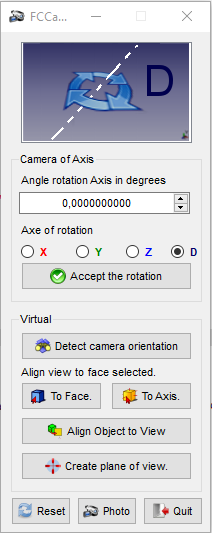
Camera of Axis: The dialog box to enter the rotation value angle in degrees.
Angle rotation Axis in degrees: Select the rotation axis X, Y or Z.
Axe of rotation
 Accept the rotation : Accept the rotation give to angle selected
Virtual
 Detect camera orientation : Detect the camera orientation and print in report view. The returned value is the value provided by the function getCameraOrientation().
Align view to face selected
 To Face. : Align the view to the selected face. Click and repeat the click for NormalAt : "(0,0,1) (0,0,-1) (0,1,0) (0,-1,0) (1,0,0) (-1,0,0)"
 To Axis. : Align the view to Axis face selected. Click and repeat the click for Surface Axis : "(0,0,1) (0,0,-1) (0,1,0) (0,-1,0) (1,0,0) (-1,0,0)"
 Align object to view. : Align the object selected to the actual view. The changed values are : Rotation Axis((X, Y, Z), Angle), same Euler angles : Yaw, Pitch, Roll, The Translation is not modify.
 Create plane of view. : A circular plane is created facing the screen to mouse click coordinates on an object. The radius of the plane is equal to the maximum dimension of BoundBox. If no object is selected, the plane is created to 0, 0, 0 coordinates with a radius of 20 mm. The radius is modifiable to line 515:
rayon = 20 # Radius of plane
 Reset. : Reset all values
-
 Photo. : Section save the screen rotation an image in angle value
 -
 Quit. : Quit FCCamera
Section Photo
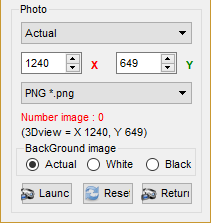
- ComboBox Actual : Choose your screen definition for the image format
- Available (pre-defined):
- "Actual" (definition actual of screen)
- "Icon 16 x 16"
- "Icon 32 x 32"
- "Icon 64 x 64"
- "Icon 128 x 128"
- "CGA 320 x 200"
- "QVGA 320 x 240"
- "VGA 640 x 480"
- "SVGA 800 x 600"
- "XGA 1024 x 768"
- "XGA+ 1152 x 864"
- "SXGA 1280 x 1024"
- "SXGA+ 1400 x 1050"
- "UXGA 1600 x 1200"
- "QXGA 2048 x 1536"
- "Free"
- Available (pre-defined):
- SpinBox X and Y
- ComboBox Формат изображения
- Доступные :
- "BMP *.bmp"
- "ICO *.ico"
- "JPEG *.jpeg"
- "JPG *.jpg"
- "PNG *.png" (по умолчанию)
- "PPM *.ppm"
- "TIF *.tif"
- "TIFF *.tiff"
- "XBM *.xbm"
- "XPM *.xpm"
- Доступные :
- Line 1 : Number image calculated by the angle give (ex: angle 60 degrees = 360 (complete rotation) / 60 (angle) = 6 images
- Line 2 : The definition of screen used
- Background image :
- Actual : save image with the screen colour actual
- White : save image with the screen colour white
- Black : save image with the screen colour black
- Launch : Open the file window , give the name and the path
- Reset : Reset the default value
- Return : Quit the photo panel and return to FCCamera panel
Links
Related Links with FCCamera
Discussion Forum MACRO:Work Feature 2014_12
Скрипт
Download the icon files FCCamera_Icones.zip
Download the macro from Gist Macro FCCamera.FCMacro
Примеры
How to place an angle hole
-
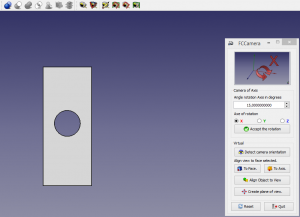 Create your object
 -
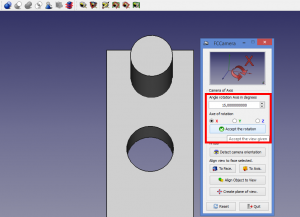 Create one cylinder and positionning like this.
Give your axis, angle inclination and click the button Accept the rotation
-
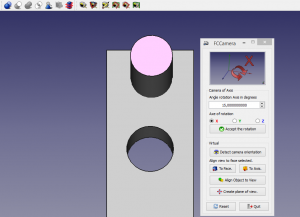 Select your cylinder for create your hole
 -
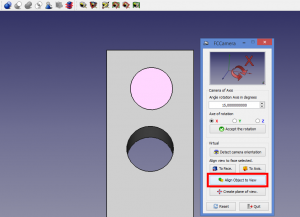 In FCCamera, click the button Align Object to View
-
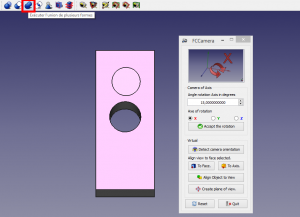 The cylinder moves to 15 degrees (it takes the camera's position). Do your Boolean operation
 -
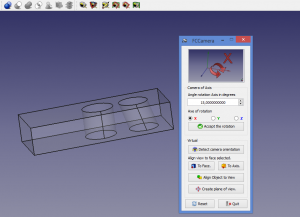 Your hole 15 degrees
The same result can be achieved by creating a plane in the corner given by the mouse click position and a sketch.
-
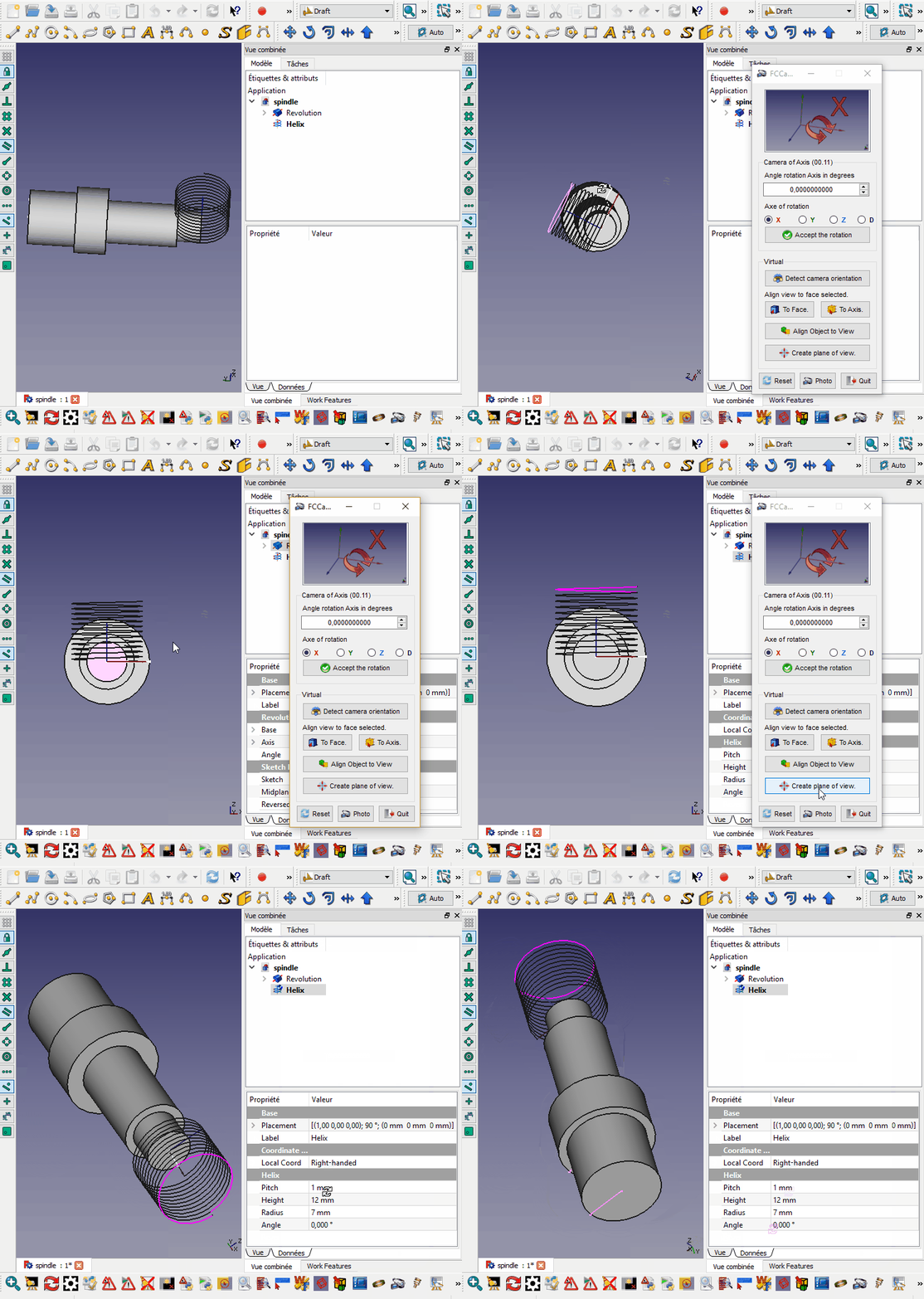 example of the positioning of a spring on an axis of a face
-
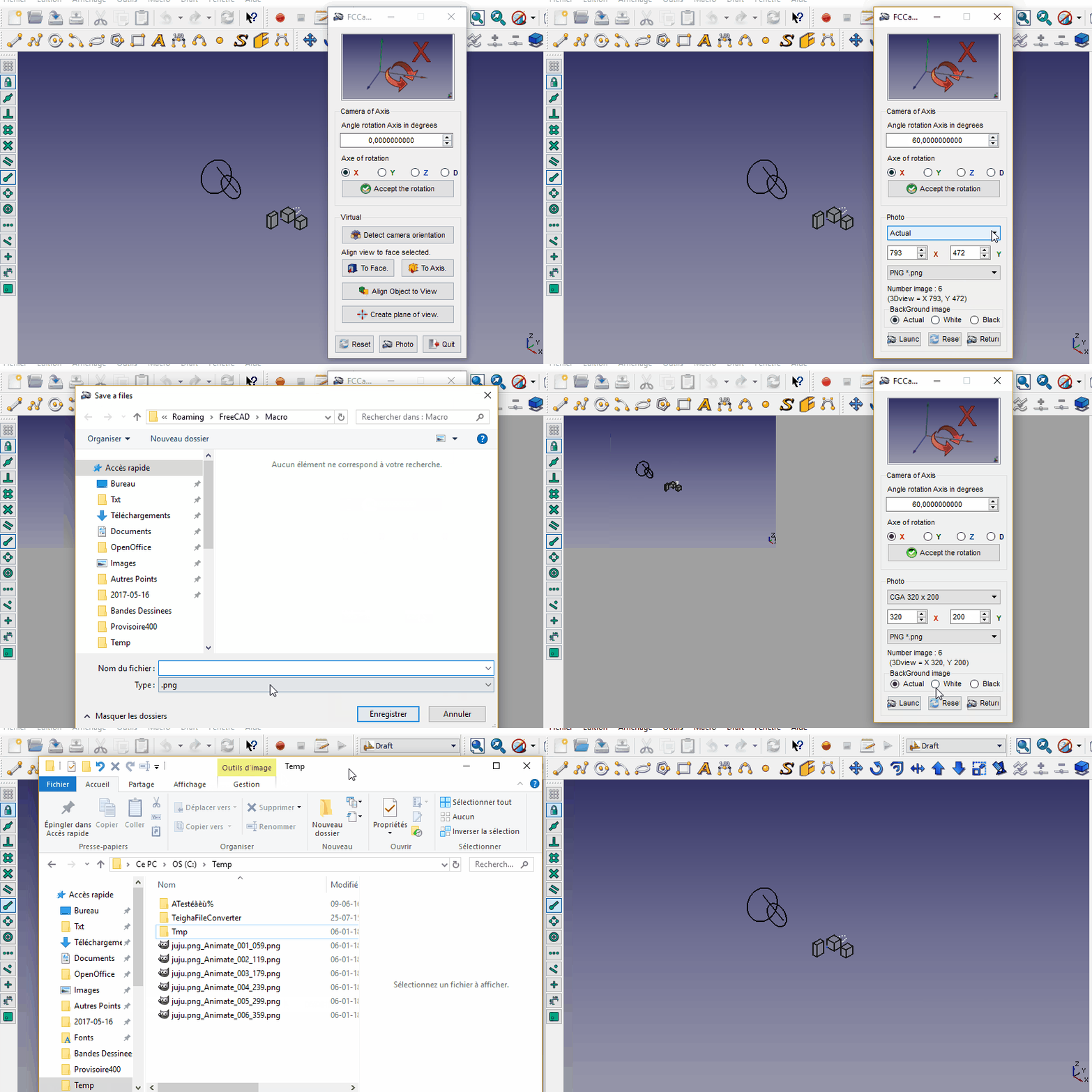 Example photo rotation and save images (you must create one animate Gif with GIMP)
Version
- ver 0.15, 0.15b (19/12/2024): adapt and return PySide, (FCCamera macro can't find Pyside2) correct the web access delete WebGui replaced by webbrowser
####
try:
    import webbrowser
    webbrowser.open("https://wiki.freecad.org/index.php?title=Macro_FCCamera")
except Exception:
    None
####
####
import urllib
from urllib import request

contentPage = request.urlopen("https://wiki.freecad.org/Macro_FCCamera").readlines()
####
- ver 0.14 (20/10/2020) : *correction bug "Grid" not accepted
- ver 0.13 (28/06/2020): adding files image in source code, create plane "On point, Center face, BBox center, Center Mass", gridLayout
- ver 00.12.1 (12/02/2020): suppress the bad character lines 674 and 675 (accent...) again
- ver 12 (01/08/2019): compatible Python 3 ( print to print() )
- ver 11 (13/01/2018): minor
- ver 10 (13/01/2018): add "def centerBoundBoxGlobal():"
- ver 09 (08/01/2018): minor
- ver 08 (08/01/2018): supp "Pyqt4" and adjust number image
- ver 07 (03/01/2018): add photo panel and rotation to axis selected (wire, edge, line )
- ver 0.6 (13/12/2016): new system for search the macro path directly in the preferences
#path = FreeCAD.ConfigGet("AppHomePath")
#path = FreeCAD.ConfigGet("UserAppData")
#path = "your path"
param = FreeCAD.ParamGet("User parameter:BaseApp/Preferences/Macro")# macro path
path = param.GetString("MacroPath","") + "/"                        # macro path
path = path.replace("\\","/")
App.Console.PrintMessage("Path locality to FCCamera.....images.png [ " + path + " ]"+"\n")
- ver 0.5 06/09/2016: correct name "FCCamera_Axis_rotation_X.png" in reset block
- ver 0.4 28/02/2016 : add display all camera detection and the Direction
- ver 0.3 18/03/2015 : modify line 492 replace "pl.Base = App.Vector(0,0,0)" to "pl.Base = sel[0].Placement.Base" now no longer moves the form at point (0,0,0) and leaves has the coordinates
- ver 0.2 25/02/2015 : correct names files in for compatibility Linux (case sensitive) thanks microelly2
Эта страница получена от https://wiki.freecad.org/Macro_FCCamera