FreeCAD Logo FreeCAD 1.0
  • English Afrikaans Arabo Bielorusso Catalano Czech German Greek Spanish Spanish Basco Finnish Filippino Français Galiziano Croatian Hungarian Indonesiano Italiano Japanese Kabyle Coreano Lituano Dutch Norvegese Bokmal Polish Portuguese Portuguese Romanian Russian Slovak Slovenian Serbo Swedish Turkish Ukrainian Valenziano Vietnamita Cinese Cinese
  • Funzioni
  • Download
  • Blog
  • Documentazione
    Indice di documentazione Per iniziare Documentazione utenti Il manuale FreeCAD Documentazione degli ambienti di lavoro Documentazione di scripting Python Documentazione codice C++ Tutorial Domande frequenti Politica sulla Privacy Informazioni Su FreeCAD
  • Contribuire
    Come aiutare Sponsor Segnala un bug Fai una richiesta Opportunità di lavoro e ricompense Linee guida per contribuire Manuale degli sviluppatori Traduzioni
  • Comunità
    Codice di condotta Forum The FPA GitHub GitLab Codeberg Mastodon Matrix IRC IRC via Webchat Gitter Discord Reddit Twitter Facebook LinkedIn Calendario
  • ♥ Donate

Donate

$
Informazioni SEPA
Si prega di intestare il bonifico SEPA a:
Beneficiary: The FreeCAD project association
IBAN: BE04 0019 2896 4531
BIC/SWIFT: GEBABEBBXXX
Agenzia bancaria: BNP Paribas Fortis
Indirizzo: Rue de la Station 64, 1360 Perwez, Belgium

While Stripe doesn't support monthly donations, you can still become a sponsor! Simply make a one-time donation equivalent to 12 months of support, and you'll gain access to the corresponding sponsoring tier. It's an easy and flexible way to contribute.

If you are not sure or not able to commit to a regular donation, but still want to help the project, you can do a one-time donation, of any amount.

Choose freely the amount you wish to donate one time only.

You can support FreeCAD by sponsoring it as an individual or organization through various platforms. Sponsorship provides a steady income for developers, allowing the FPA to plan ahead and enabling greater investment in FreeCAD. To encourage sponsorship, we offer different tiers, and unless you choose to remain anonymous, your name or company logo will be featured on our website accordingly.

from 1 USD / 1 EUR per month. You will not have your name displayed here, but you will have helped the project a lot anyway. Together, normal sponsors maintain the project on its feet as much as the bigger sponsors.

from 25 USD / 25 EUR per month. Your name or company name is displayed on this page.

from 100 USD / 100 EUR per month. Your name or company name is displayed on this page, with a link to your website, and a one-line description text.

from 200 USD / 200 EUR per month. Your name or company name and logo displayed on this page, with a link to your website and a custom description text. Companies that have helped FreeCAD early on also appear under Gold sponsors.

Instead of donating each month, you might find it more comfortable to make a one-time donation that, when divided by twelve, would give you right to enter a sponsoring tier. Don't hesitate to do so!

Choose freely the amount you wish to donate each month.

Please inform your forum name or twitter handle as a notein your transfer, or reach to us, so we can give you proper credits!

Ora questi strumenti sono inclusi nell'ambiente Manipulator. Installare questo workbench per gli ultimi aggiornamenti su questi strumenti.

Centra e allinea facce e bordi

Descrizione
Allinea gli oggetti vincolando le facce o i bordi. Ora questi strumenti sono inclusi nell'ambiente Manipulator. Installare questo workbench per gli ultimi aggiornamenti su questi strumenti

Versione macro: 1.5.3
Ultima modifica: 2017-10-01
Versione FreeCAD: All
Download: ToolBar Icon
Mover-icon
Caliper-icon
Autore: easyw-fc
Autore
easyw-fc
Download
ToolBar Icon
Mover-icon
Caliper-icon
Link
Raccolta di macro
Come installare le macro
Personalizzare la toolbar
Versione macro
1.5.3
Data ultima modifica
2017-10-01
Versioni di FreeCAD
All
Scorciatoia
Nessuna
Vedere anche
Nessuno

Descrizione

Questa macro allinea gli oggetti tramite i vincoli di facce o bordi

Temporary code for external macro link. Do not use this code. This code is used exclusively by Addon Manager. Link for optional manual installation: Macro


# This code is copied instead of the original macro code
# to guide the user to the online download page.
# Use it if the code of the macro is larger than 64 KB and cannot be included in the wiki
# or if the RAW code URL is somewhere else in the wiki.

from PySide import QtGui, QtCore

diag = QtGui.QMessageBox(QtGui.QMessageBox.Information,
    "Information",
    "This macro must be downloaded from this link\n"
    "\n"
    "https://raw.githubusercontent.com/easyw/FreeCAD_Macros/master/Align%20Objects/CenterAlignObjectswFacesEdges.py" + "\n"
    "\n"
    "Quit this window to access the download page")

diag.setWindowFlags(QtCore.Qt.WindowStaysOnTopHint)
diag.setWindowModality(QtCore.Qt.ApplicationModal)
diag.exec_()

import webbrowser 
webbrowser.open("https://raw.githubusercontent.com/easyw/FreeCAD_Macros/master/Align%20Objects/CenterAlignObjectswFacesEdges.py")
<class="rawcodeurl"><a href="https://raw.githubusercontent.com/easyw/FreeCAD_Macros/master/Align%20Objects/CenterAlignObjectswFacesEdges.py">raw code</a>


Strumenti

Aligner : un set di strumenti per spostare e allineare le parti 3D

Mover : una serie di strumenti per spostare e ruotare parti 3D su diversi assi

Measure : una serie di strumenti per misurare le parti 3D, con alcune funzioni di Snap e di misurazione di Raggio, Lunghezza, Angolo.

Questi supporti lavorano con Part, App::Part e Body objects. Ogni strumento può essere Floating o Docked Left o Right.


Vecchi riferimenti

Questa macro applica i seguenti vincoli:

  • vincolo concentrico tra parti non cilindriche;
  • vincolo nel centro di facce e bordi.
  • Funziona anche con i nuovi contenitori Body e App::Part, funziona lo stesso anche con la gerarchia STEP.

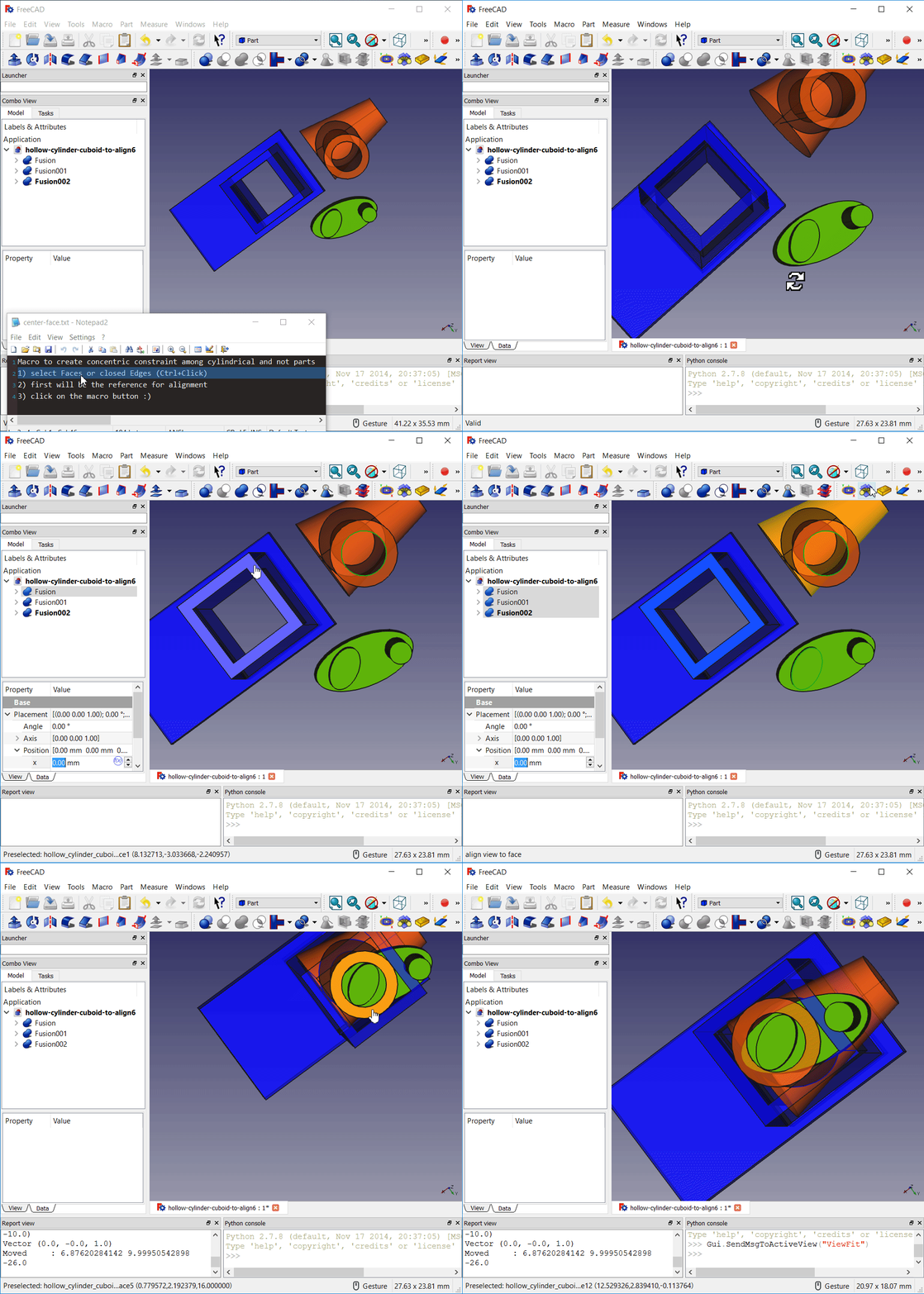
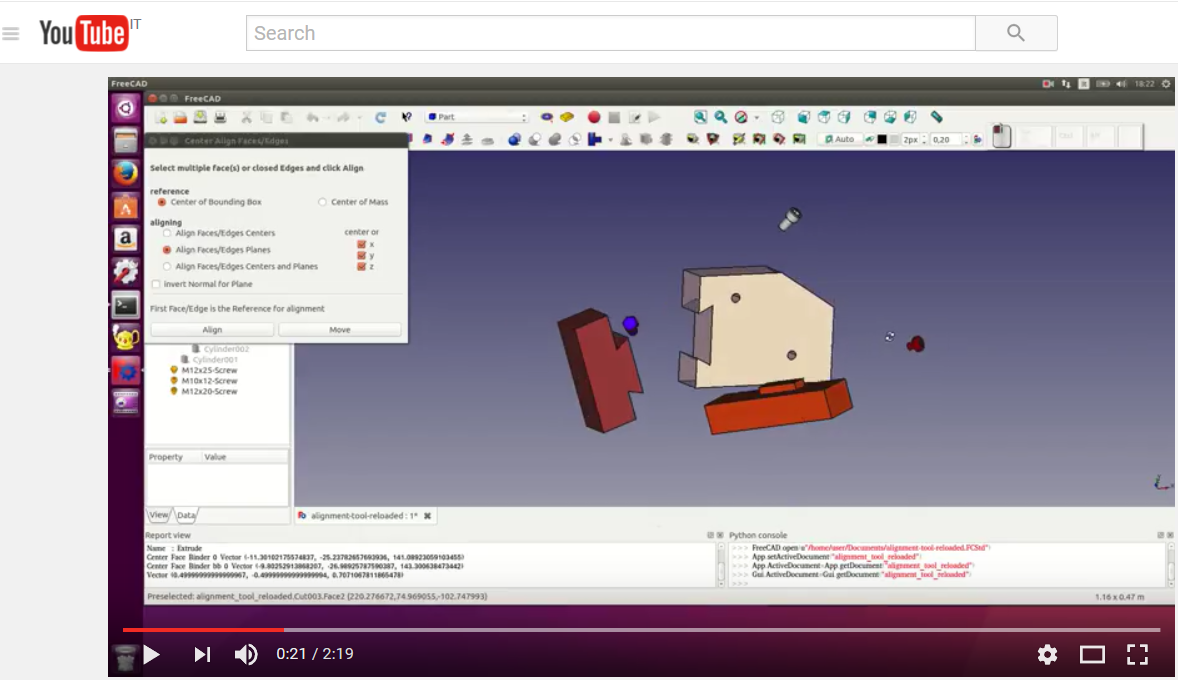
Aligning tool video tutorial

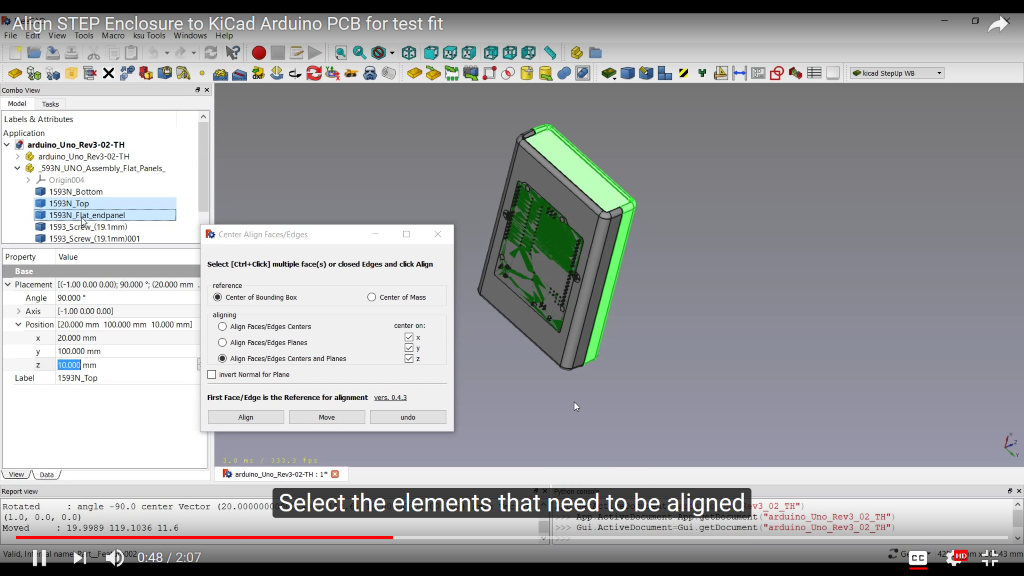
Aligning STEP models video tutorial

Utilizzo

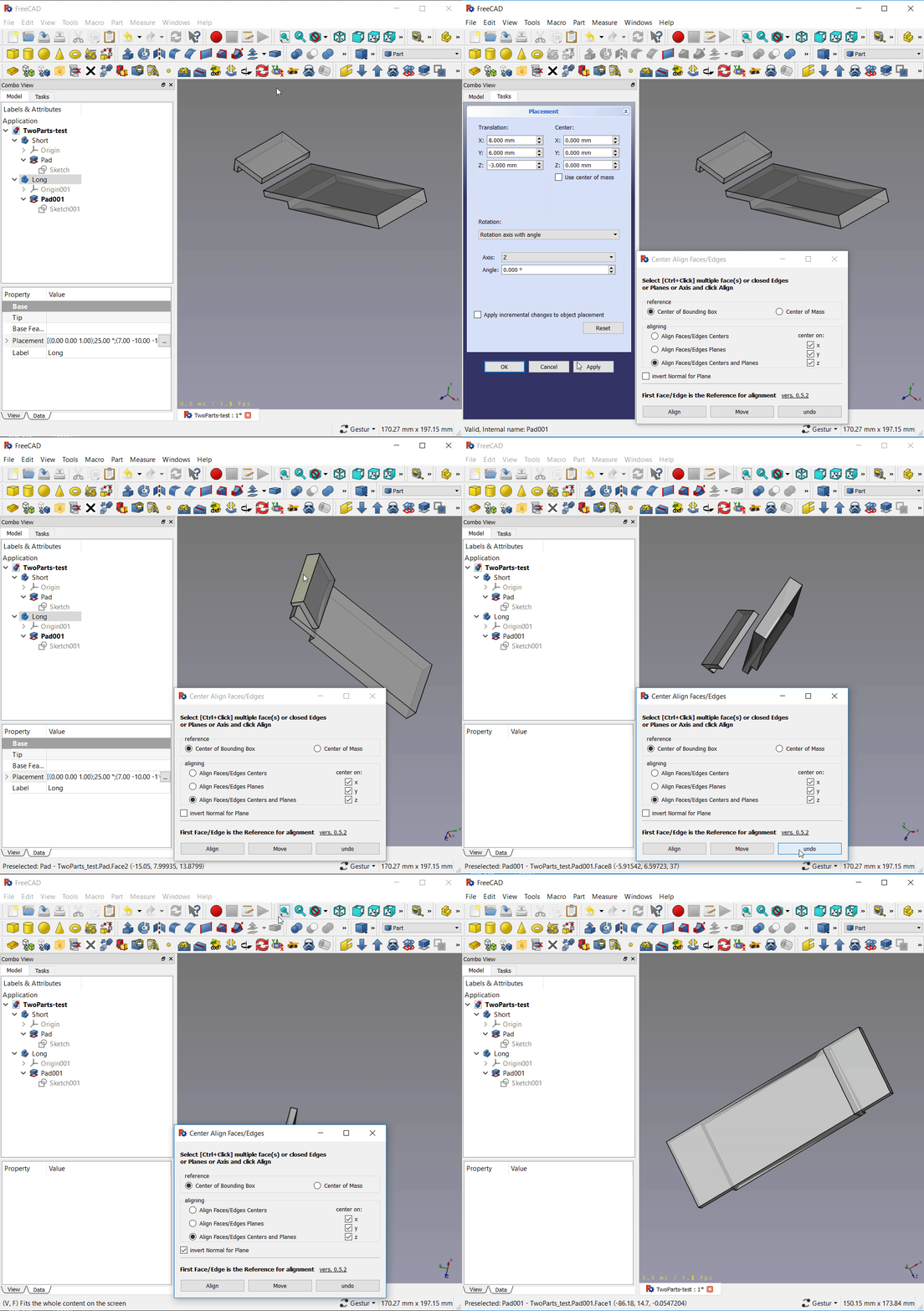
Per vincolare facce o bordi tra parti non cilindriche, basta aprire un documento FC, lanciare la Macro, selezionare due o più facce o bordi da allineare, fare clic sul pulsante Allinea e il gioco è fatto!

Script

L'icona per la barra degli strumenti

CenterAlignObjectswFacesEdges.py

Dopo aver scaricato il file dalla pagina GitHub
https://github.com/easyw/FreeCAD_Macros/tree/master/Align%20Objects
il codice:
https://github.com/easyw/FreeCAD_Macros/raw/master/Align%20Objects/CenterAlignObjectswFacesEdges.py
è necessario copiare il file nella directory delle macro.
Per maggiori informazioni vedere la pagina Come installare le macro

Link

Nel forum : Faces or Edges constraint among non cylindrical parts Macro

Questa pagina è recuperata da https://wiki.freecad.org/Macro_Center_Align_Objects_with_Faces_or_Edges

Tieniti aggiornato!
Forum GitHub Mastodon Matrix IRC Gitter.im Discord Reddit Twitter Facebook LinkedIn

© The FreeCAD Team. Homepage image credits (top to bottom): ppemawm, r-frank, epileftric, regis, rider_mortagnais, bejant.

Questo progetto è supportato da: , KiCad Services Corp. e altri sponsor

GitHubMigliora questa pagina su GitHub