PartDesign Examples
Introduction
Sometimes you need a hint how powerful a tool is, without too much explanation.
This is a collection of examples that can be achieved with certain tools. For detailed explanations see the tool descriptions and search the web for tutorials.
Pad
 [PartDesign Pad](wiki-test2.php?gitpage=PartDesign_Pad) is a tool to create Pad objects, which are prismatic objects such as extrusion objects, cylinders, cones, cubes, wedges\...
Each object is based on an outline (yellow), that defines the cross-section shape (preferably made with the Sketcher Workbench).
The outline is dragged along a direction (extruded) to provide the object with a thickness or a length. By default it is the normal direction of the plane containing the outline (sketch plane). Optionally the direction can be altered by editing parameters in the properties panel or by selecting a separate straight line (white).
Gallery
Prismatic Primitives
++++
| Cylinder | 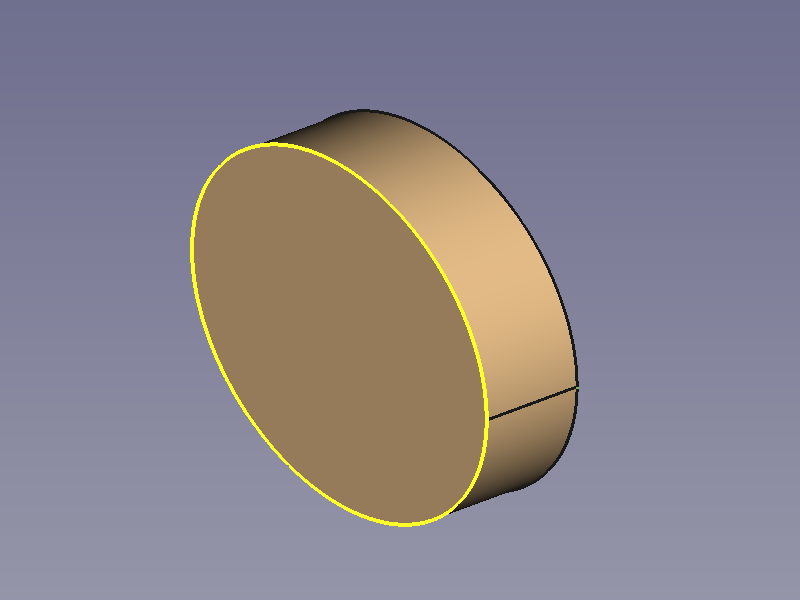 | - Outline: circle. |
++++
| Cube |
| - Outline: circle. |
++++
| Cube | 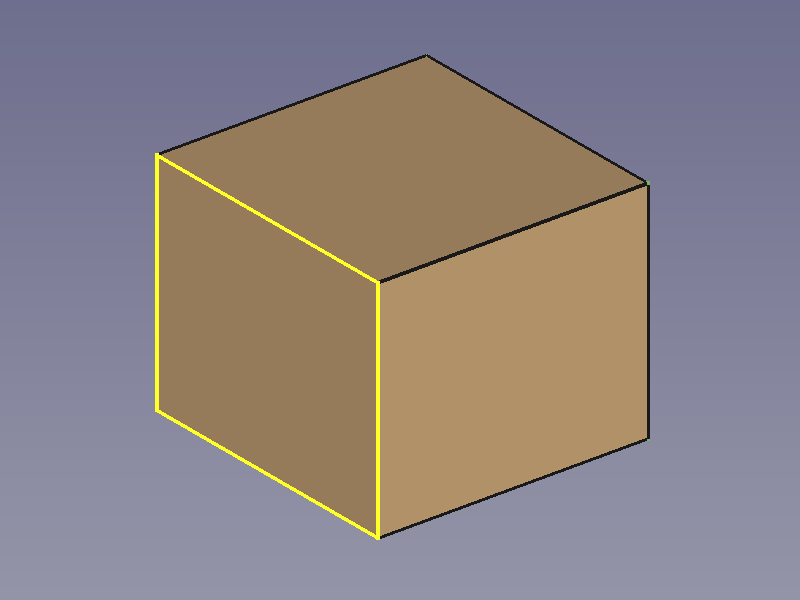 | - Outline: square. |
| | | - Extrusion length: equals length of square edges. |
++++
| Cuboid |
| - Outline: square. |
| | | - Extrusion length: equals length of square edges. |
++++
| Cuboid | 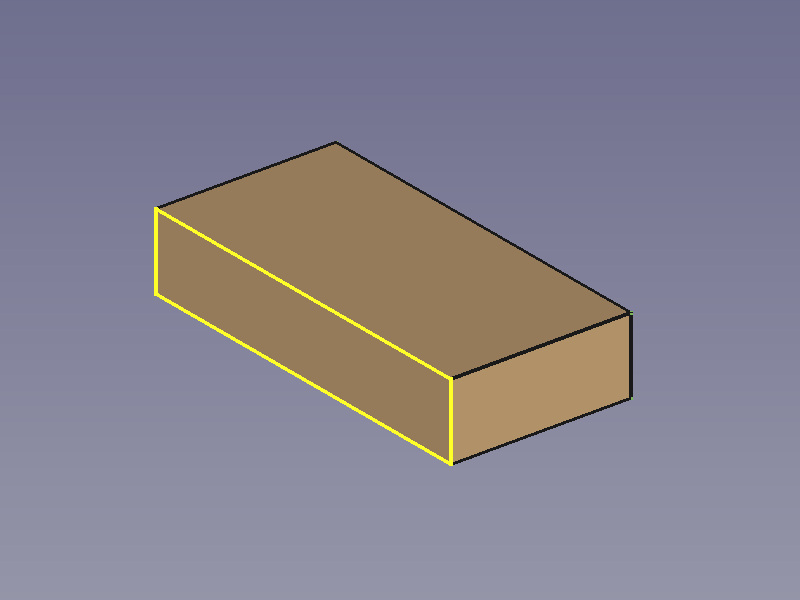 | - Outline: rectangle. |
++++
| Regular Prism |
| - Outline: rectangle. |
++++
| Regular Prism | 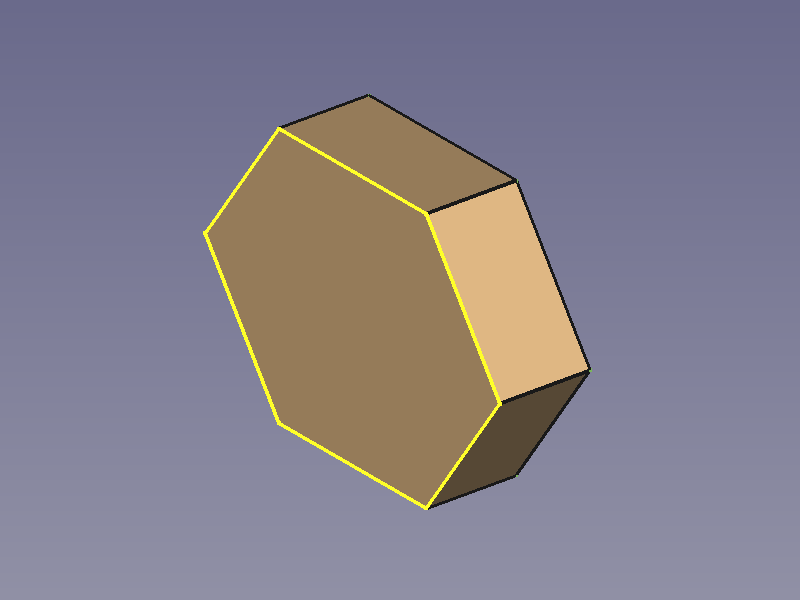 | - Outline: hexagon. |
++++
| Wedge |
| - Outline: hexagon. |
++++
| Wedge | 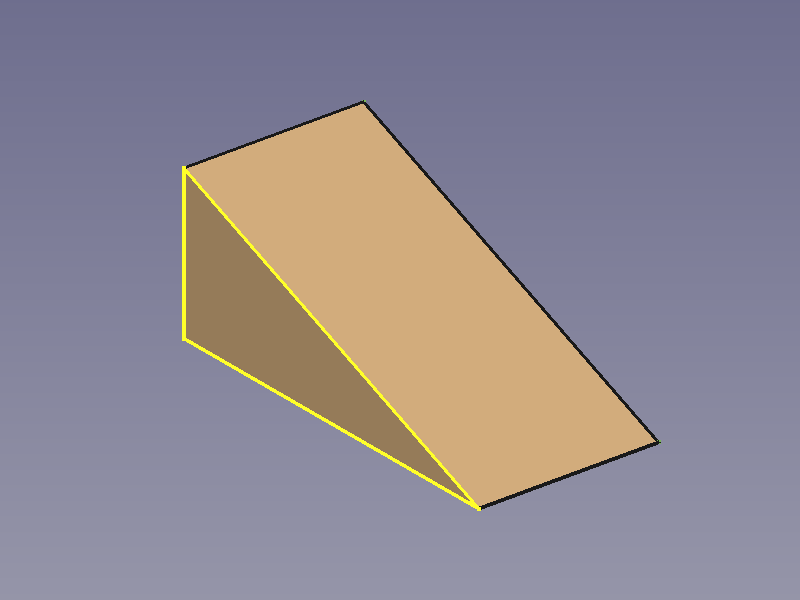 | - Outline: triangle. |
++++
| - Outline: triangle. |
++++
Prismatic Profiles
++++
| L-profile | 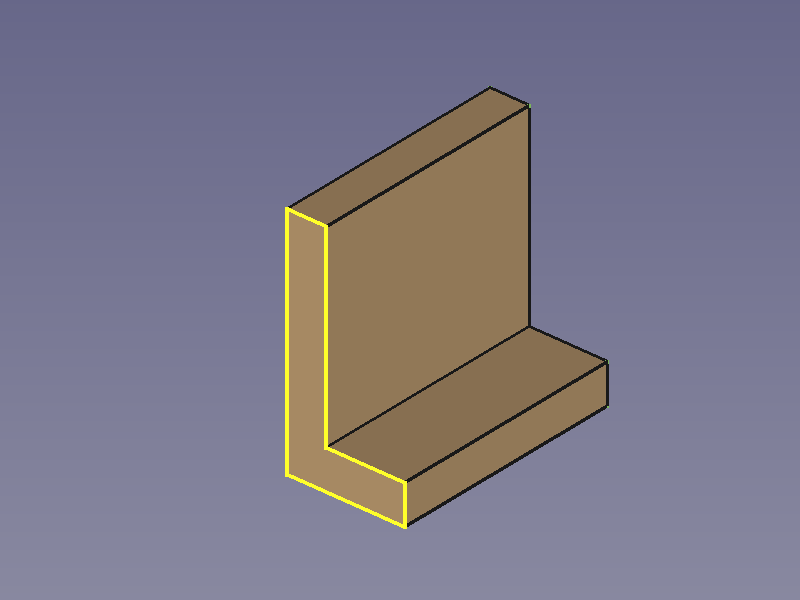 | - Outline: L shape. |
| | | |
| | | : |
++++
| C-profile |
| - Outline: L shape. |
| | | |
| | | : |
++++
| C-profile | 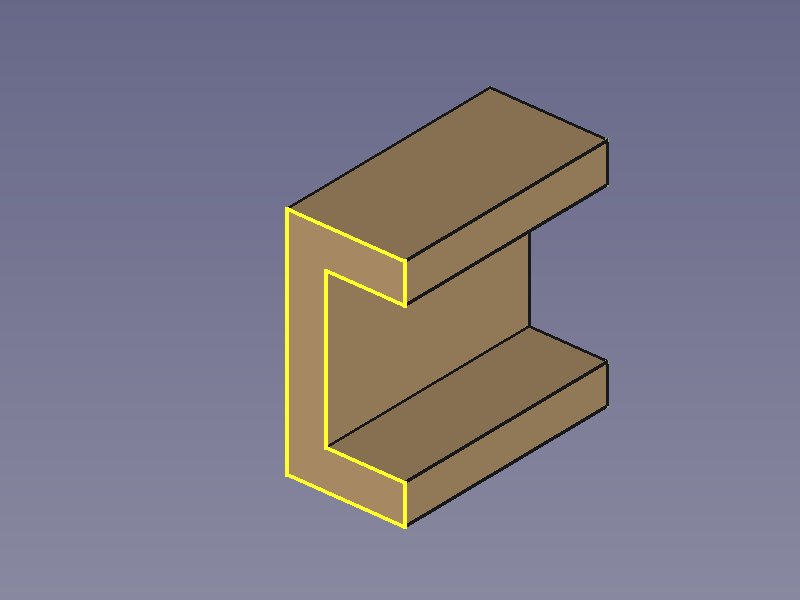 | - Outline: C shape. |
++++
| Z-profile |
| - Outline: C shape. |
++++
| Z-profile | 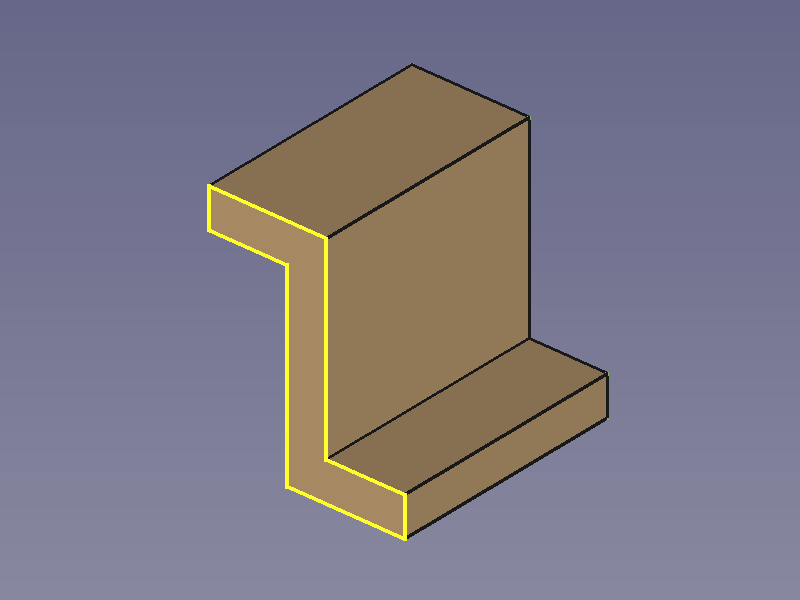 | - Outline: Z shape. |
++++
| T-profile |
| - Outline: Z shape. |
++++
| T-profile |  | - Outline: T shape. |
++++
| Double-T-profile |
| - Outline: T shape. |
++++
| Double-T-profile | 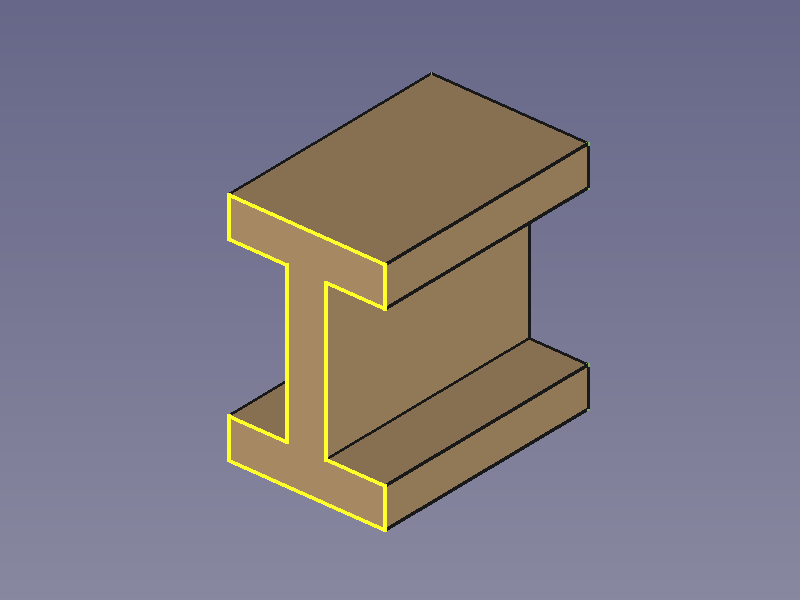 | - Outline: H shape, with flange width \< flange offset. |
++++
| H-profile |
| - Outline: H shape, with flange width \< flange offset. |
++++
| H-profile | 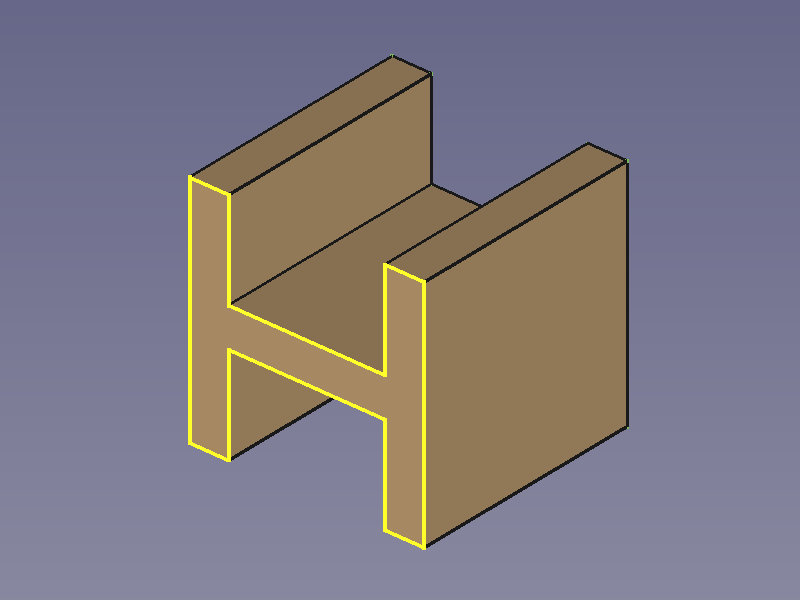 | - Outline: H shape, with width = height. |
++++
| - Outline: H shape, with width = height. |
++++
Additive Pipe
 [PartDesign Additive pipe](wiki-test2.php?gitpage=PartDesign_AdditivePipe) is a tool to create AdditivePipe objects such as sweep objects, extrusion objects, rotation objects, cylinders, cones, cubes, pyramids, spheres\...
Each object is based on at least two lines (preferably made with the Sketcher Workbench):
- One outline (yellow), to define the cross-section shape.
- One path (white), to sweep along.
It is not hard to realize that some objects can be created with other tools too, but would you have guessed how versatile this tool is without these examples?
Gallery
Circular Sweep Objects
++++
| Sphere | 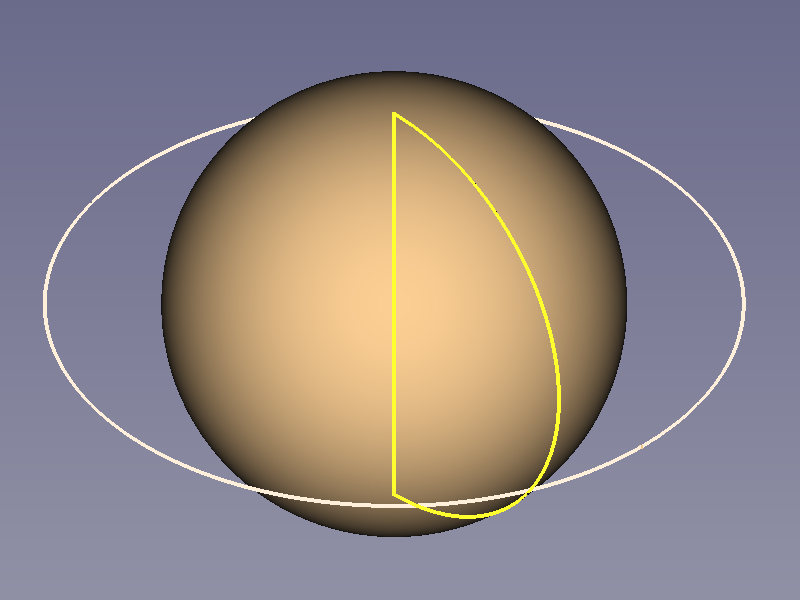 | - Outline: a180° arc and a line connecting the end points. |
| | | - Path: full circle. |
++++
| Sphere Segment |
| - Outline: a180° arc and a line connecting the end points. |
| | | - Path: full circle. |
++++
| Sphere Segment |  | - Outline: a 180° arc and a line connecting the end points. |
| | | - Path: a 240° arc. |
| | | |
| | | : This function can create segments of any angle except 180° exactly, because it has a problem with start and end plane being coplanar. |
++++
| Hemisphere |
| - Outline: a 180° arc and a line connecting the end points. |
| | | - Path: a 240° arc. |
| | | |
| | | : This function can create segments of any angle except 180° exactly, because it has a problem with start and end plane being coplanar. |
++++
| Hemisphere | 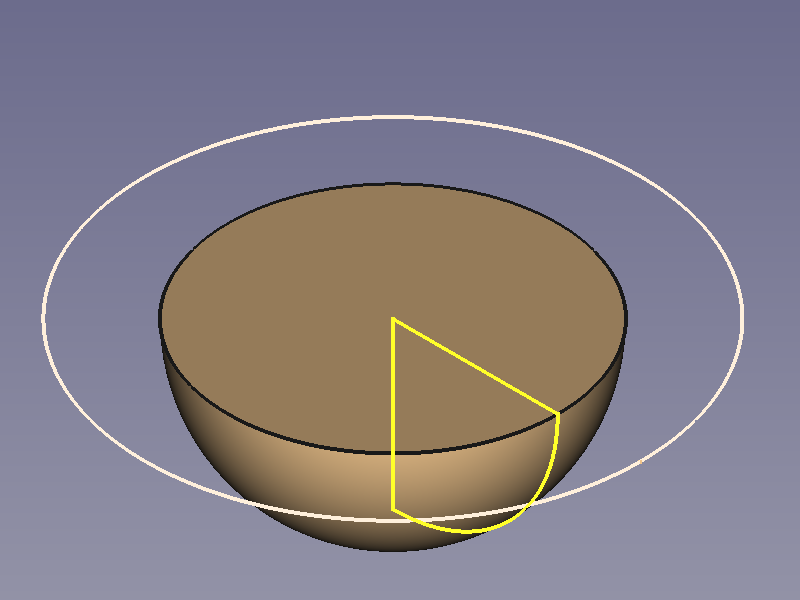 | - Outline: a 90° arc and two perpendicular lines connecting the end points. |
| | | - Path: a full circle. |
++++
| Torus |
| - Outline: a 90° arc and two perpendicular lines connecting the end points. |
| | | - Path: a full circle. |
++++
| Torus |  | - Outline: full circle. |
| | | - Path: full circle. |
++++
| Cone |
| - Outline: full circle. |
| | | - Path: full circle. |
++++
| Cone | 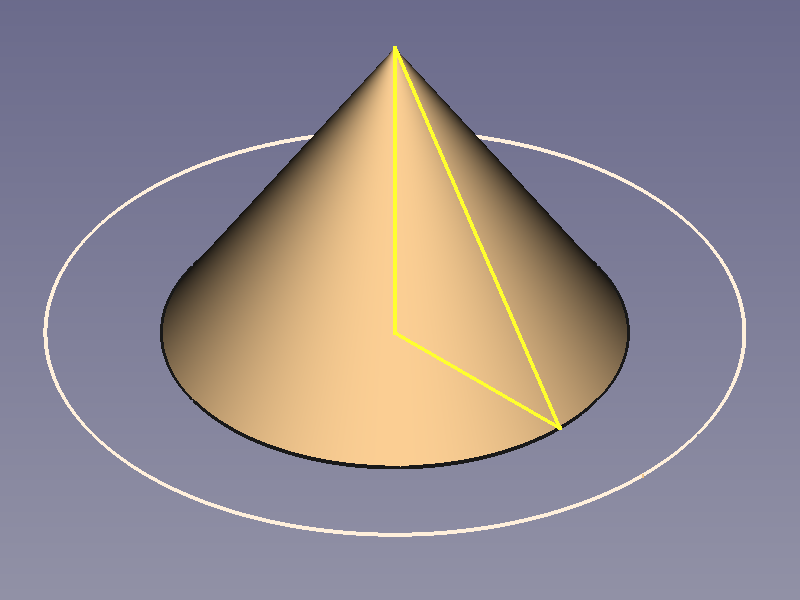 | - Outline: triangle with one edge lying on the centreline. |
| | | - Path: full circle. |
++++
| Cylinder |
| - Outline: triangle with one edge lying on the centreline. |
| | | - Path: full circle. |
++++
| Cylinder | 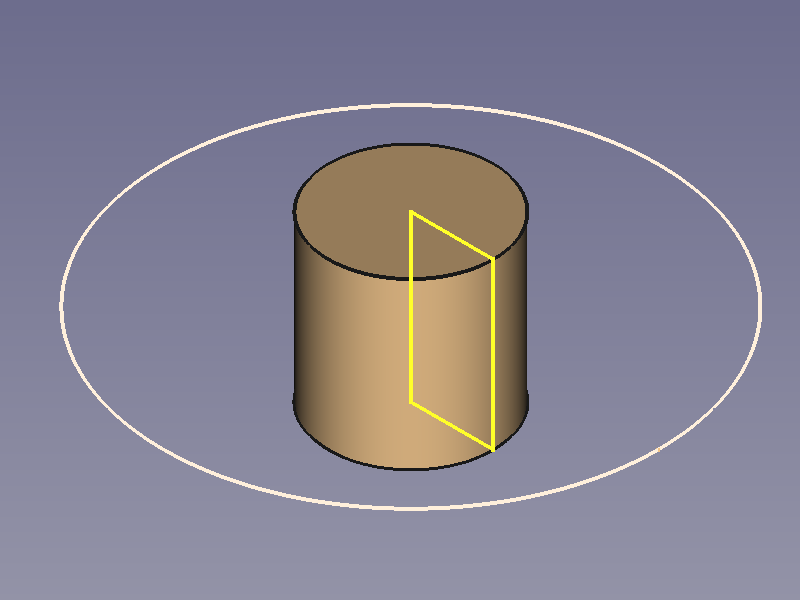 | - Outline: rectangle with one edge lying on the centreline. |
| | | - Path: full circle. |
++++
| Pipe |
| - Outline: rectangle with one edge lying on the centreline. |
| | | - Path: full circle. |
++++
| Pipe | 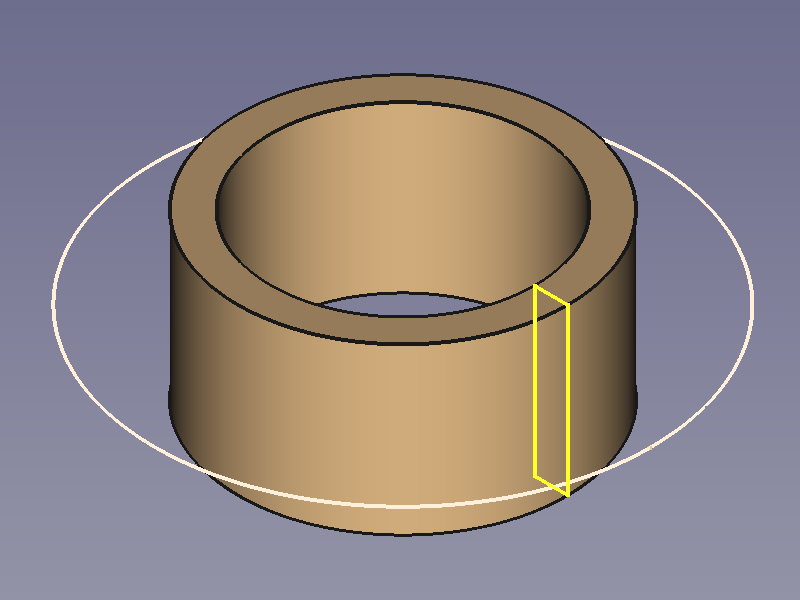 | - Outline: rectangle. |
| Hollow Cylinder | | - Path: full circle. |
++++
| - Outline: rectangle. |
| Hollow Cylinder | | - Path: full circle. |
++++
Prismatic Objects
Straight Sweep Objects
++++
| Cylinder | 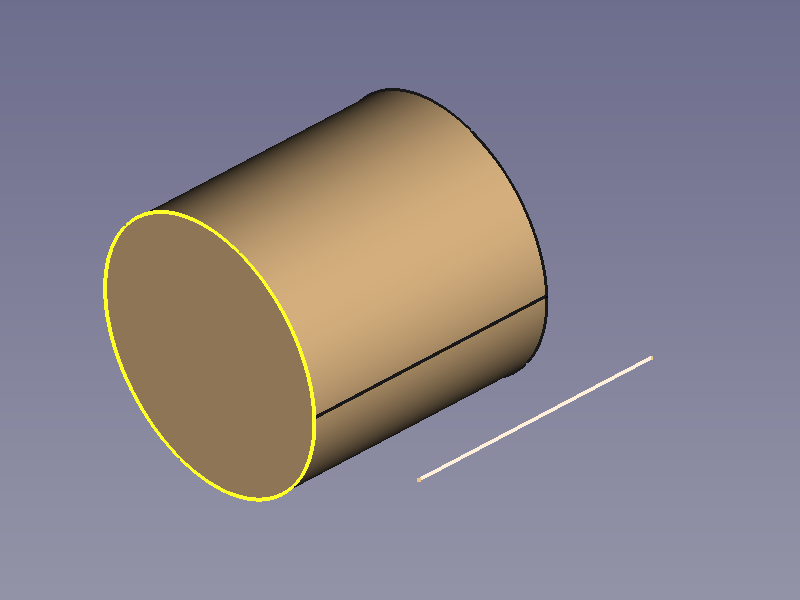 | - Outline: circle. |
| | | - Path: straight line. |
++++
| Cube |
| - Outline: circle. |
| | | - Path: straight line. |
++++
| Cube | 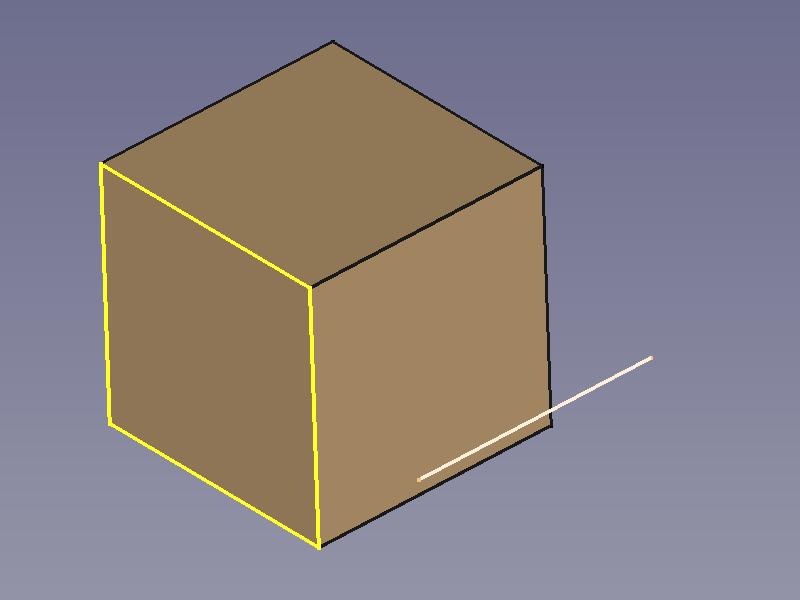 | - Outline: square. |
| | | - Path: straight line, same length as square edges. |
++++
| Cuboid |
| - Outline: square. |
| | | - Path: straight line, same length as square edges. |
++++
| Cuboid | 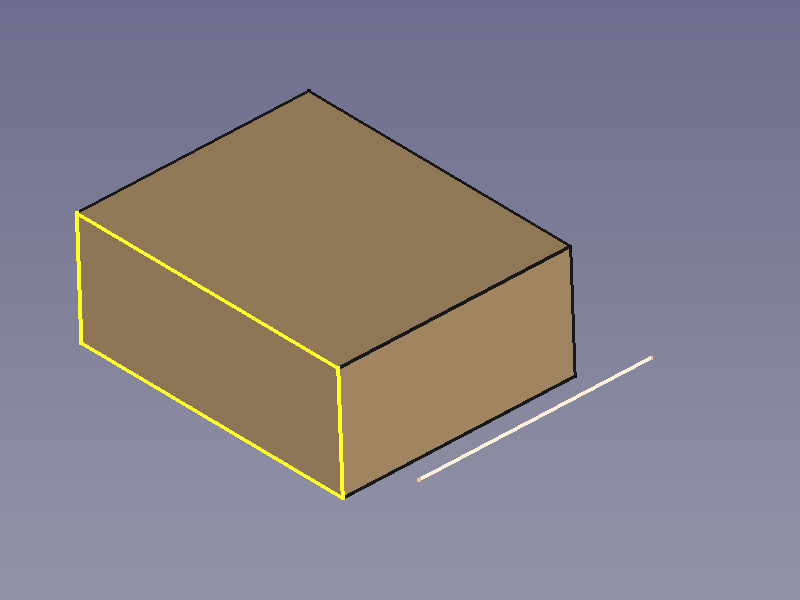 | - Outline: rectangle. |
| | | - Path: straight line. |
++++
| Wedge |
| - Outline: rectangle. |
| | | - Path: straight line. |
++++
| Wedge | 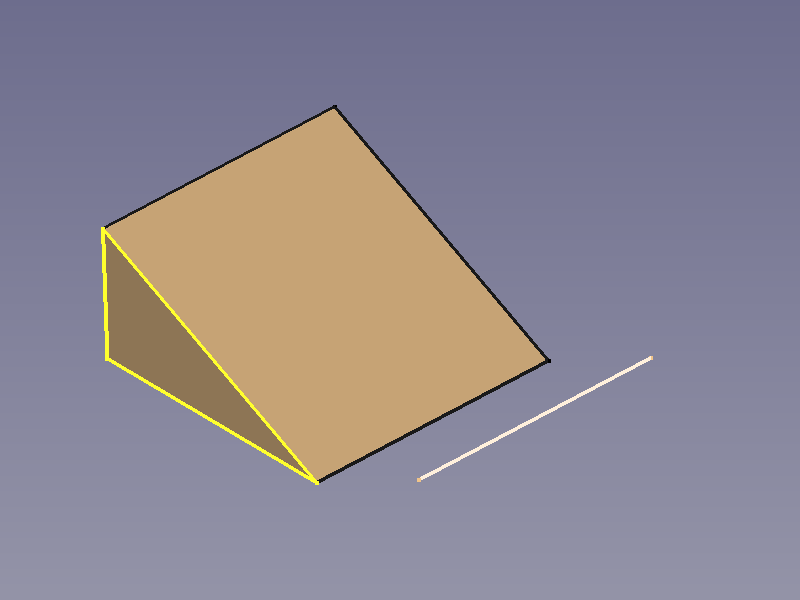 | - Outline: triangle. |
| | | - Path: straight line. |
++++
| Regular Prism |
| - Outline: triangle. |
| | | - Path: straight line. |
++++
| Regular Prism | 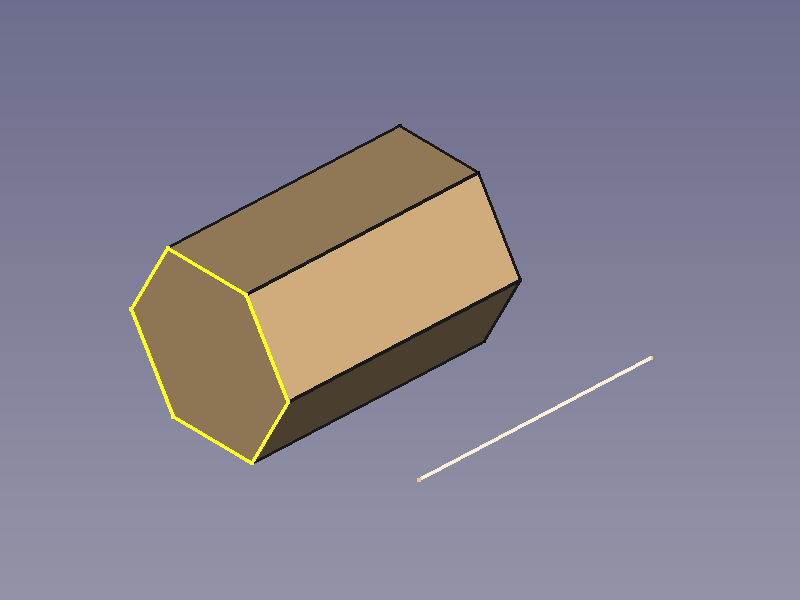 | - Outline: regular hexagon. |
| | | - Path: straight line. |
++++
| Star-shaped Prism |
| - Outline: regular hexagon. |
| | | - Path: straight line. |
++++
| Star-shaped Prism | 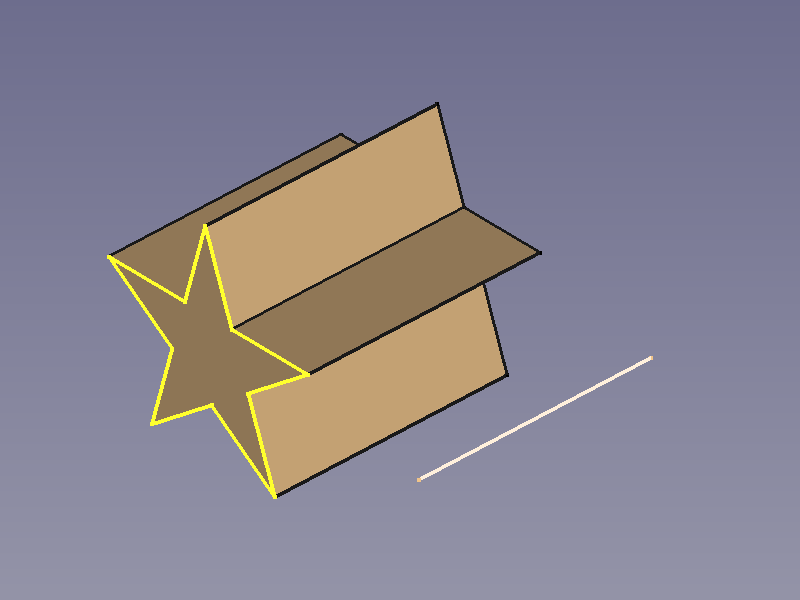 | - Outline: regular star-shape. |
| | | - Path: straight line. |
++++
| Double-T Beam |
| - Outline: regular star-shape. |
| | | - Path: straight line. |
++++
| Double-T Beam | 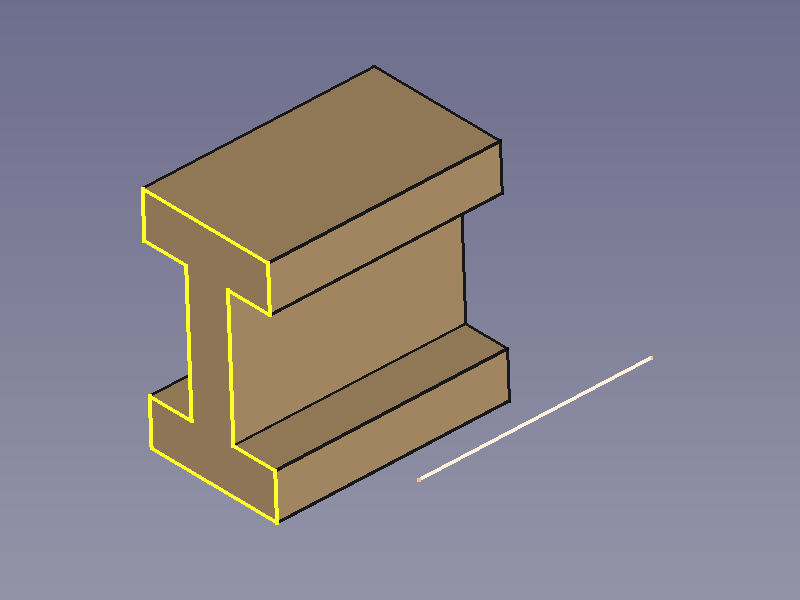 | - Outline: beam section. |
| | | - Path: straight line. |
++++
| - Outline: beam section. |
| | | - Path: straight line. |
++++
Conical Objects
++++
| Cone | 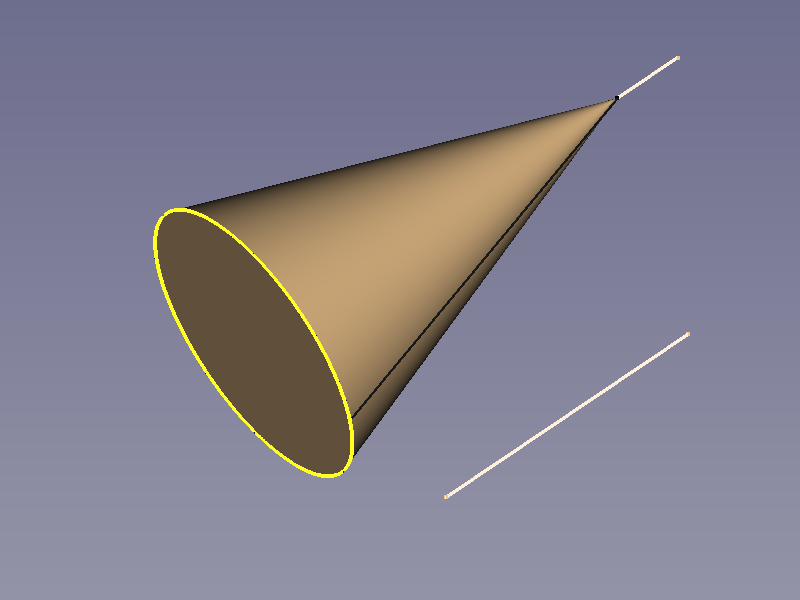 | - Outlines: Base: full circle, Top: point. |
| | | - Path: straight line. |
| | | |
| | | : (Tip point is an end point of an auxiliary line) |
++++
| Pyramid |
| - Outlines: Base: full circle, Top: point. |
| | | - Path: straight line. |
| | | |
| | | : (Tip point is an end point of an auxiliary line) |
++++
| Pyramid | 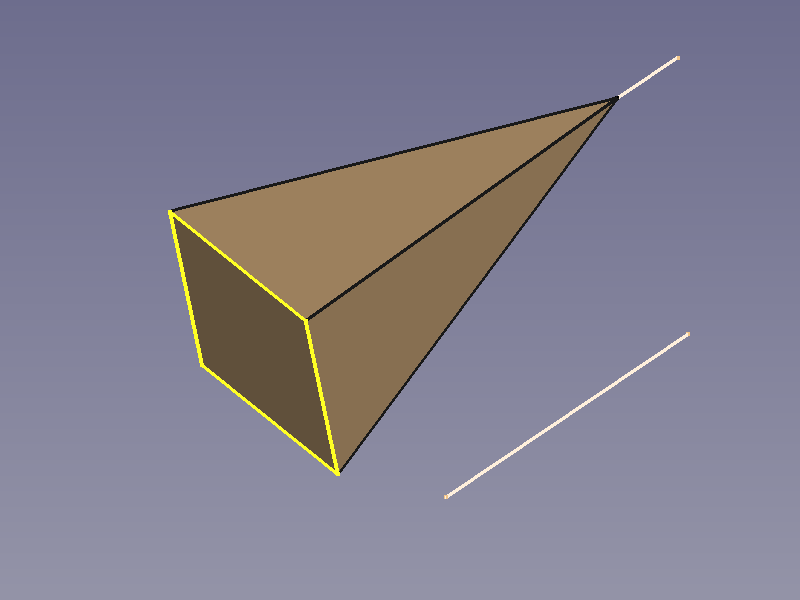 | - Outlines: Base: square, Top: point. |
| | | - Path: straight line. |
| | | |
| | | : (Tip point is an end point of an auxiliary line) |
++++
| Tilted Pyramid |
| - Outlines: Base: square, Top: point. |
| | | - Path: straight line. |
| | | |
| | | : (Tip point is an end point of an auxiliary line) |
++++
| Tilted Pyramid | 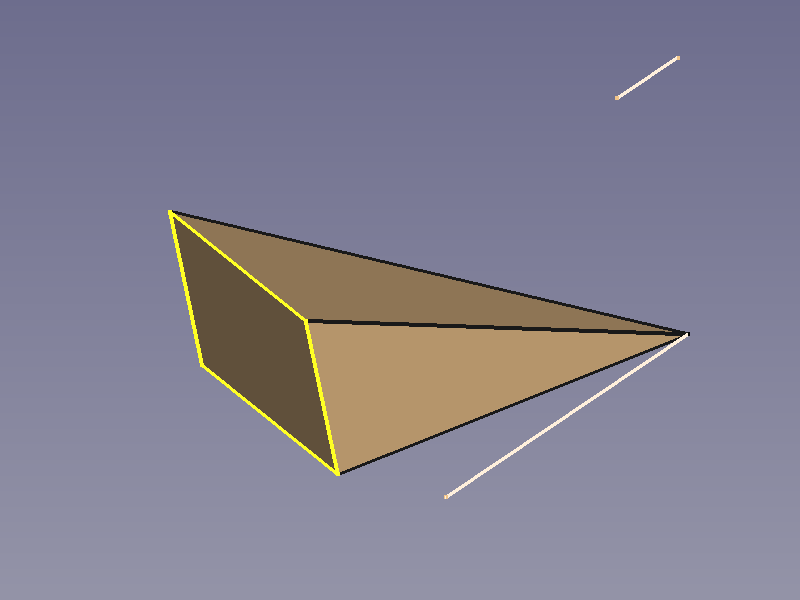 | - Outlines: Base: square, Top: point. |
| | | - Path: straight line. |
| | | |
| | | : (Tip point is the end point of the path) |
++++
| - Outlines: Base: square, Top: point. |
| | | - Path: straight line. |
| | | |
| | | : (Tip point is the end point of the path) |
++++
Curved Sweep Objects
++++
| Hose | 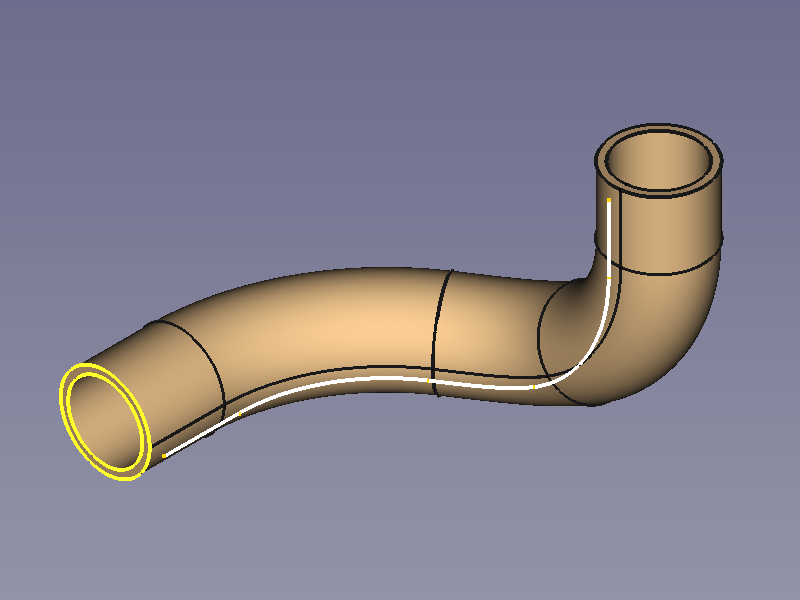 | - Outline: 2 concentric circles. |
| (Pipe) | | - Path: curved line. |
++++
| Square Pipe |
| - Outline: 2 concentric circles. |
| (Pipe) | | - Path: curved line. |
++++
| Square Pipe |  | - Outline: 2 concentric squares. |
| | | - Path: curved line. |
++++
| Wire |
| - Outline: 2 concentric squares. |
| | | - Path: curved line. |
++++
| Wire | 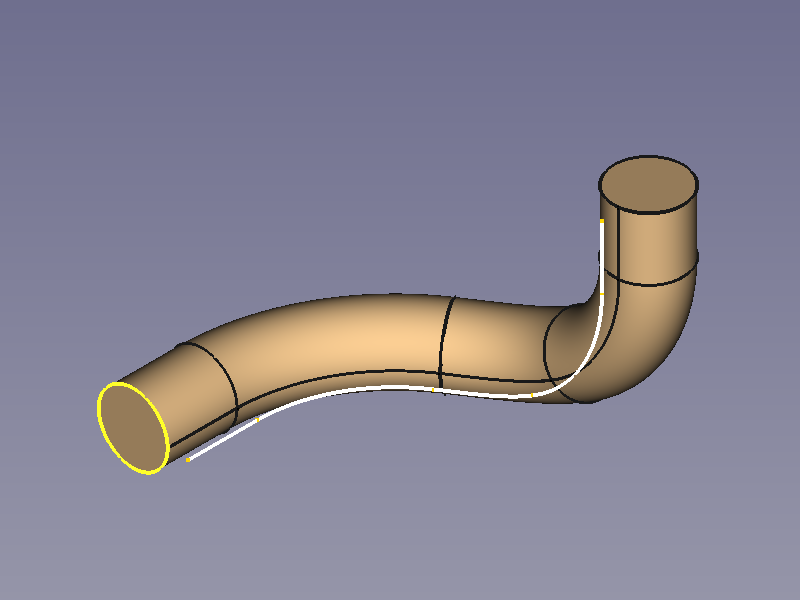 | - Outline: circle. |
| | | - Path: curved line. |
++++
| Horn |
| - Outline: circle. |
| | | - Path: curved line. |
++++
| Horn | 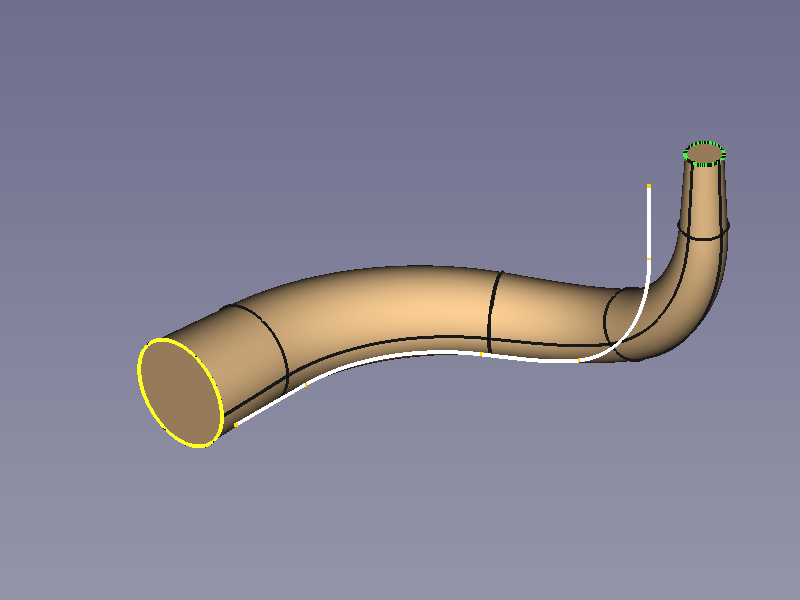 | - Outlines: Base: circle, Top: (smaller) circle. |
| | | - Path: curved line. |
++++
| Legendary |
| - Outlines: Base: circle, Top: (smaller) circle. |
| | | - Path: curved line. |
++++
| Legendary |  | - Outline: hexagon. |
| Hex-Wrench | | - Path: curved line. |
++++
| - Outline: hexagon. |
| Hex-Wrench | | - Path: curved line. |
++++
Spiral and Helical Objects
++++
| Coil Spring | 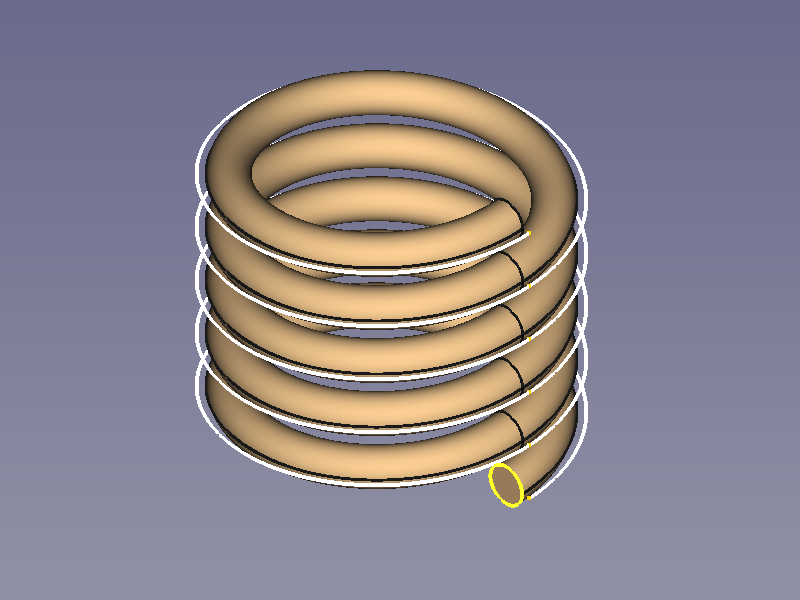 | - Outline: circle. |
| | | - Path:
| - Outline: circle. |
| | | - Path:  Part Helix. |
++++
| Hairspring |
Part Helix. |
++++
| Hairspring | 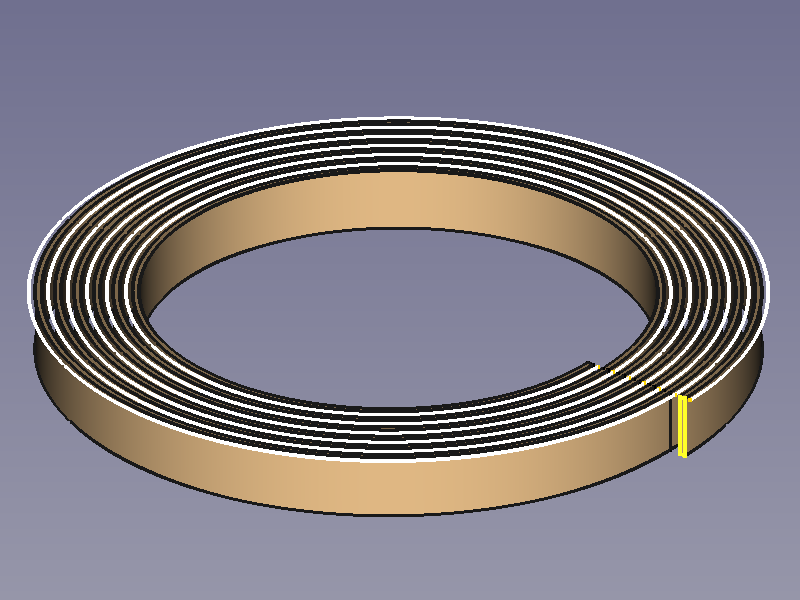 | - Outline: rectangle. |
| Balance Spring | | - Path:
| - Outline: rectangle. |
| Balance Spring | | - Path:  Part Spiral. |
++++
| Volute Spring, |
Part Spiral. |
++++
| Volute Spring, |  | - Outline: rectangle. |
| Conical Spring | | - Path: Part Helix with an angle. |
++++
| - Outline: rectangle. |
| Conical Spring | | - Path: Part Helix with an angle. |
++++
Transition Objects
++++
| Square to Circle | 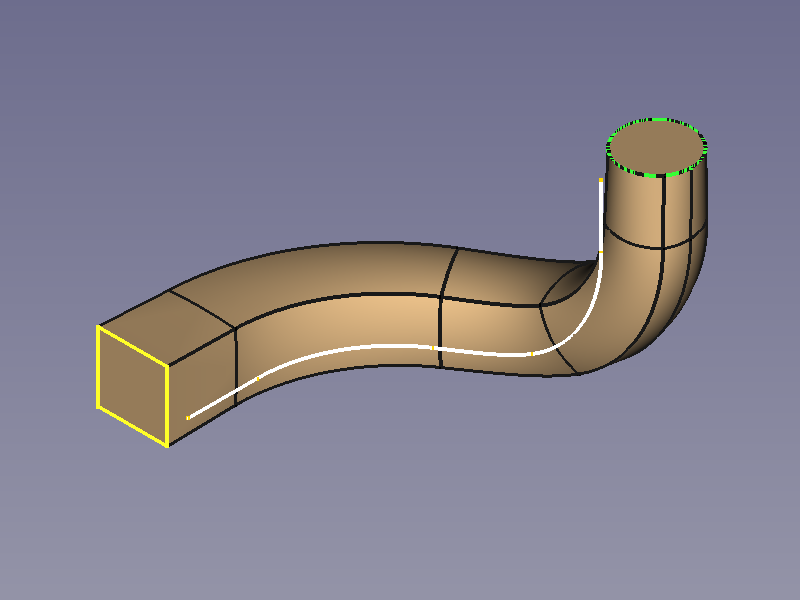 | - Outlines: Base: square, Top: circle. |
| via path | | - Path: curved line. |
++++
| Square to Circle |
| - Outlines: Base: square, Top: circle. |
| via path | | - Path: curved line. |
++++
| Square to Circle | 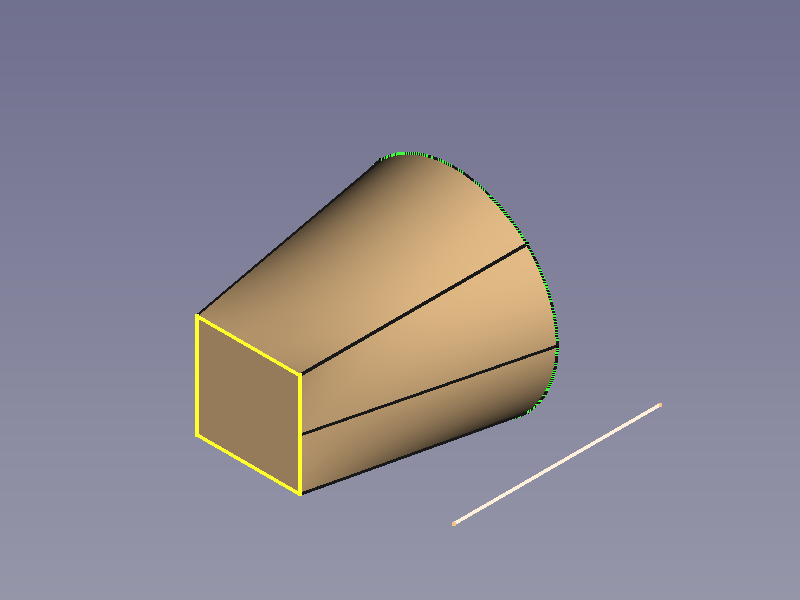 | - Outlines: Base: square, Top: circle. |
| direct | | - Path: straight line. |
++++
| Polygon to Star |
| - Outlines: Base: square, Top: circle. |
| direct | | - Path: straight line. |
++++
| Polygon to Star | 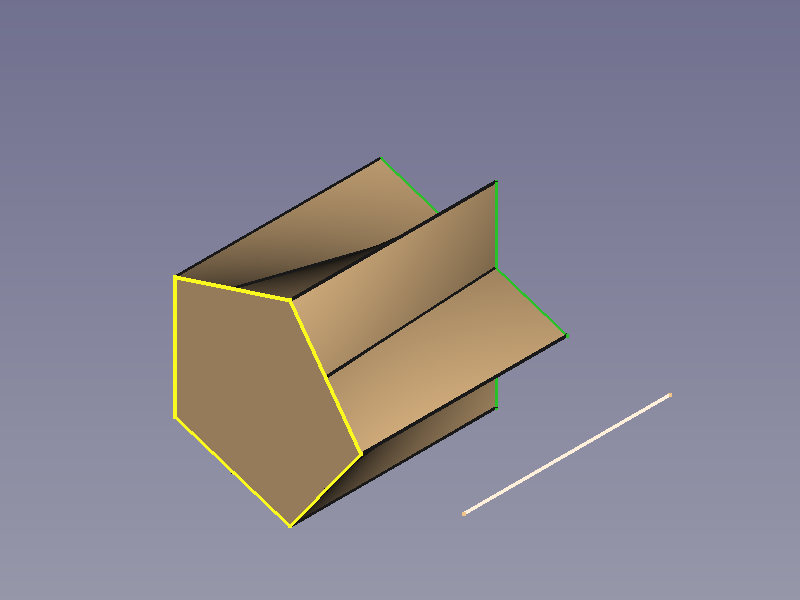 | - Outlines: Base: pentagon, Top: star shape. |
| | | - Path: straight line. |
++++
| - Outlines: Base: pentagon, Top: star shape. |
| | | - Path: straight line. |
++++
Options
Corner Transition
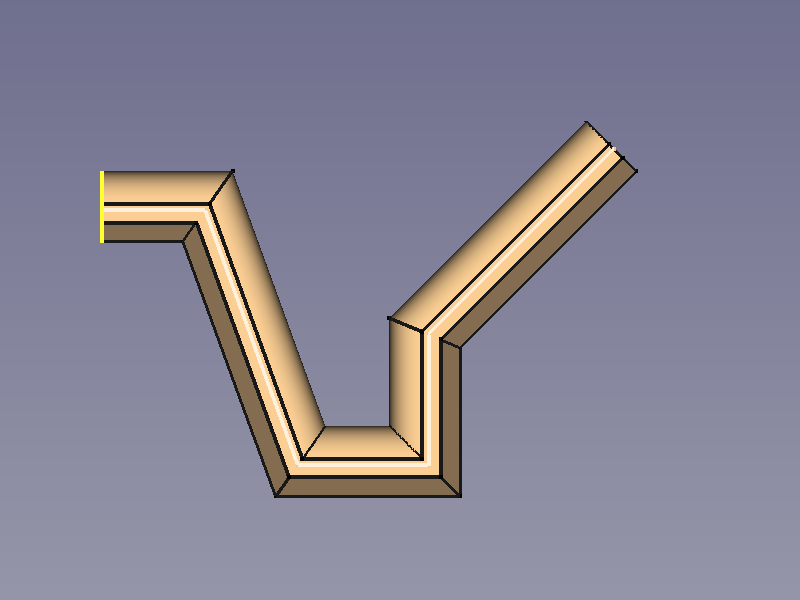
A polyline can be used as a path, and the property Transition influences the shapes of the corners.
Transformed needs special attention as it can produce flat areas where the thickness is 0.
++++
| Parameter | Iso View | Top View |
+==================+==================================================================================================+==================================================================================================+
| Transformed | 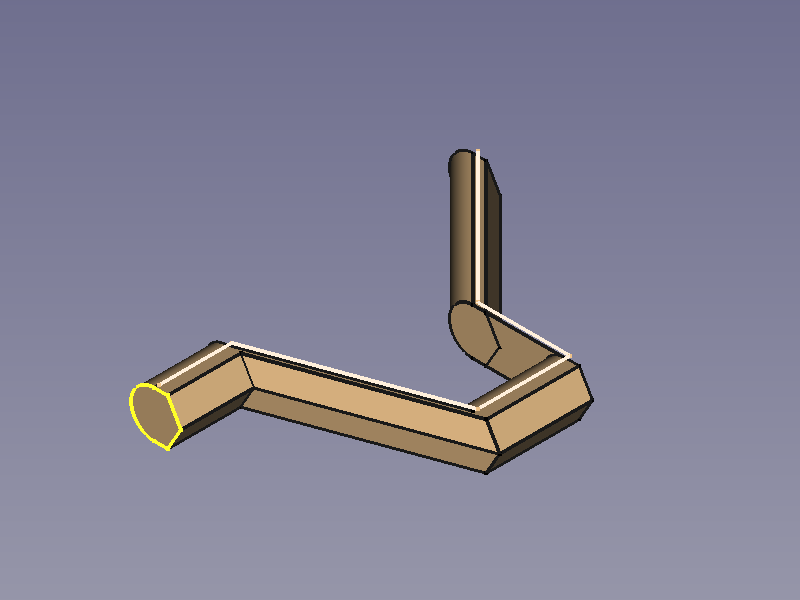 |
| 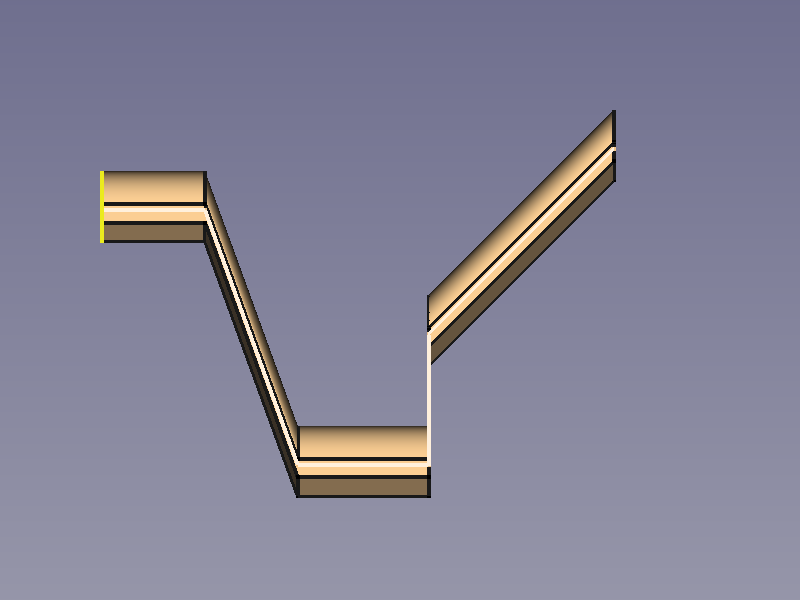 |
| | | |
| | : Inner and outer corners are edges. | : The basic shape does not follow the line orientation. |
++++
| Right corner |
|
| | | |
| | : Inner and outer corners are edges. | : The basic shape does not follow the line orientation. |
++++
| Right corner | 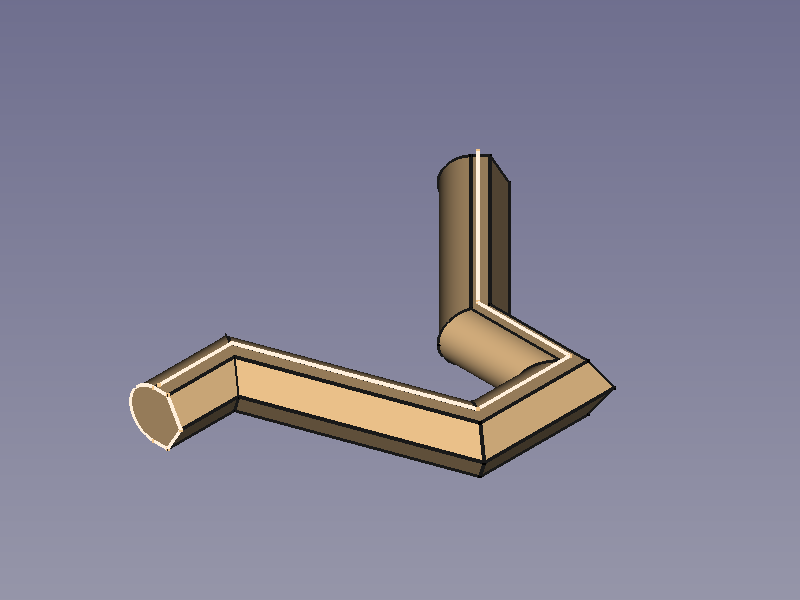 |
|  |
| | | |
| | : Inner and outer corners are edges. | : The basic shape follows the line orientation. |
++++
| Round corner |
|
| | | |
| | : Inner and outer corners are edges. | : The basic shape follows the line orientation. |
++++
| Round corner | 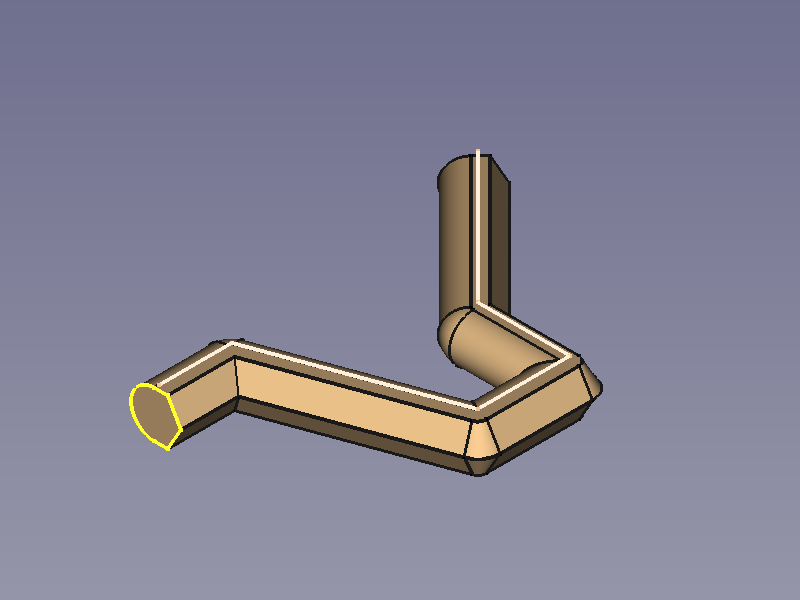 |
| 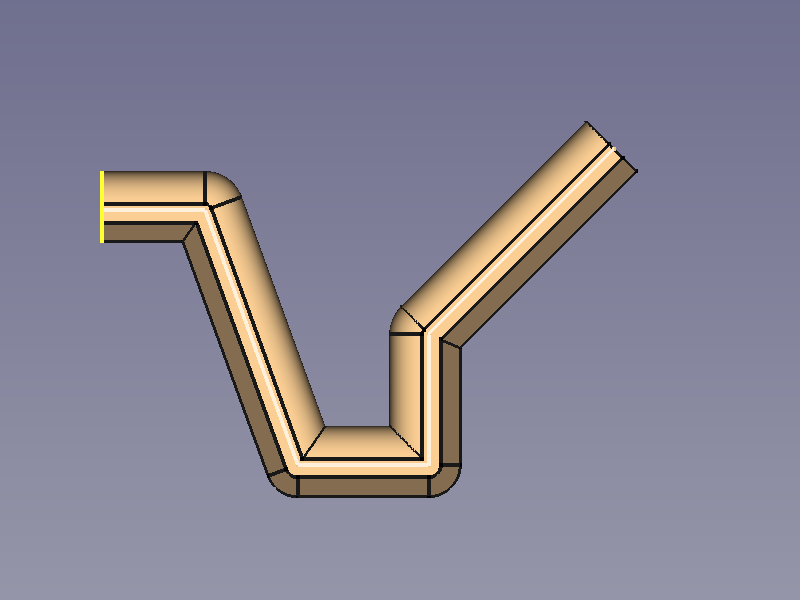 |
| | | |
| | : The corners lying outside the path are rounded. | : The basic shape follows the line orientation. |
++++
|
| | | |
| | : The corners lying outside the path are rounded. | : The basic shape follows the line orientation. |
++++
Orientation Mode
++++
| Parameter | Iso View | Top View |
+===============+=============================================================================================================+======================================================================================================================================+
| Standard | 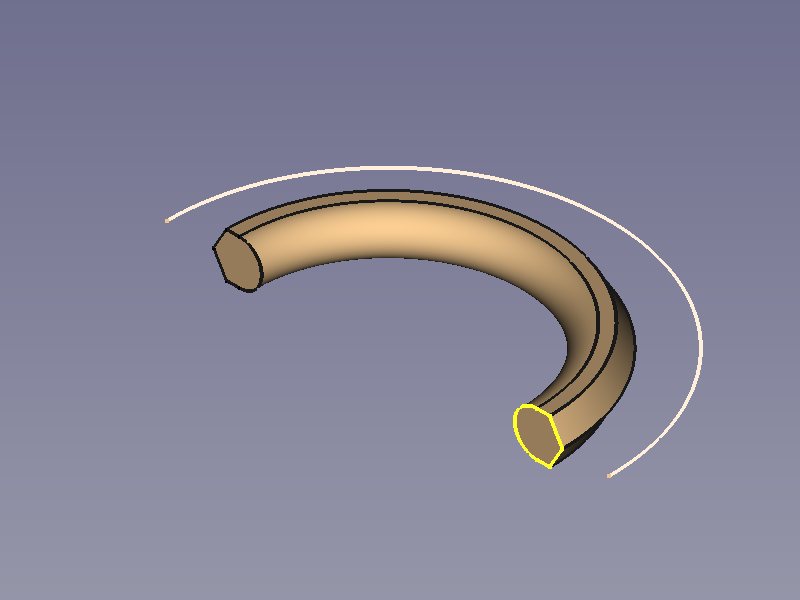 |
| 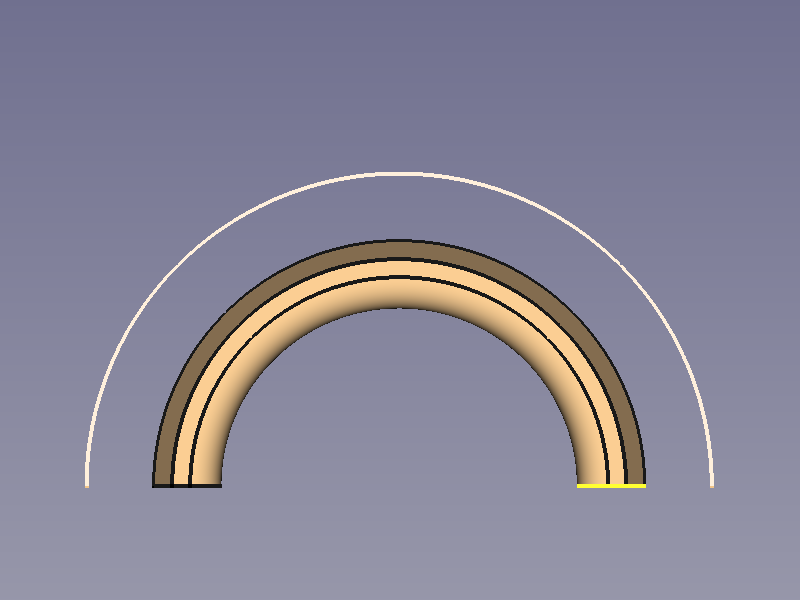 |
| | | |
| | : Location and orientation follow the path. | : (If the object is twisted in an unexpected way, try Frenet) |
| | : | |
++++
| Fixed |
|
| | | |
| | : Location and orientation follow the path. | : (If the object is twisted in an unexpected way, try Frenet) |
| | : | |
++++
| Fixed | 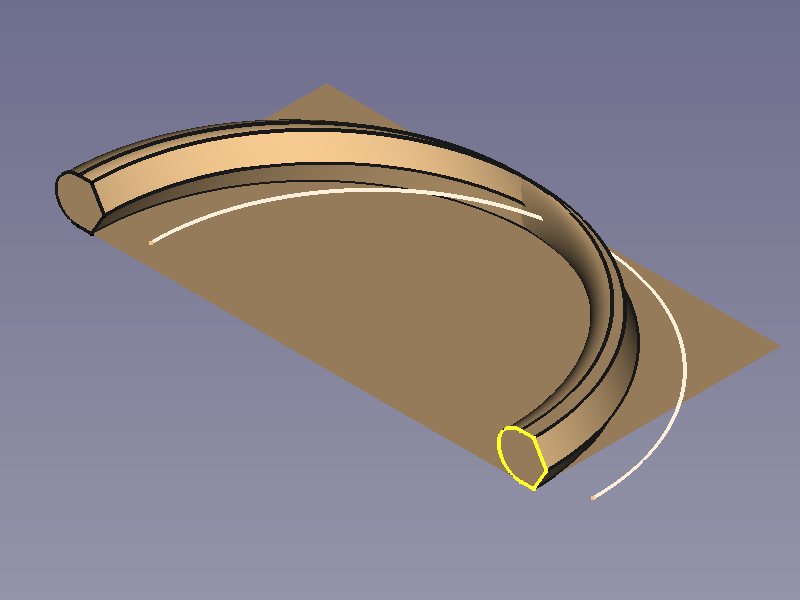 |
| 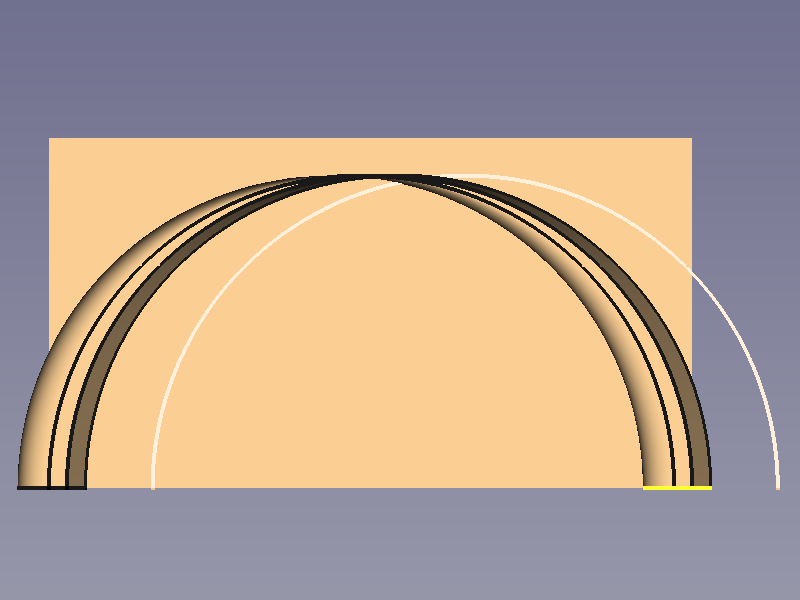 |
| | | |
| | : Location follows the path and orientation stays the same as basic shape. | : This tends to cause self intersections which lead to further errors: a ghost face in this case. |
++++
| Frenet | | |
| | | |
| | : Location and orientation follow the path, based on a different algorithm than Standard. | : The basic shape follows the line orientation. |
++++
| Auxiliary |
|
| | | |
| | : Location follows the path and orientation stays the same as basic shape. | : This tends to cause self intersections which lead to further errors: a ghost face in this case. |
++++
| Frenet | | |
| | | |
| | : Location and orientation follow the path, based on a different algorithm than Standard. | : The basic shape follows the line orientation. |
++++
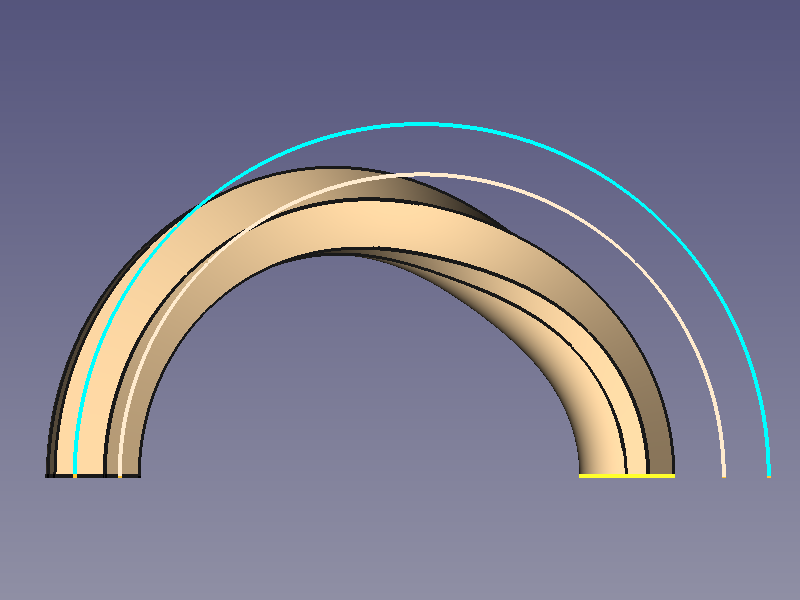
| Auxiliary | 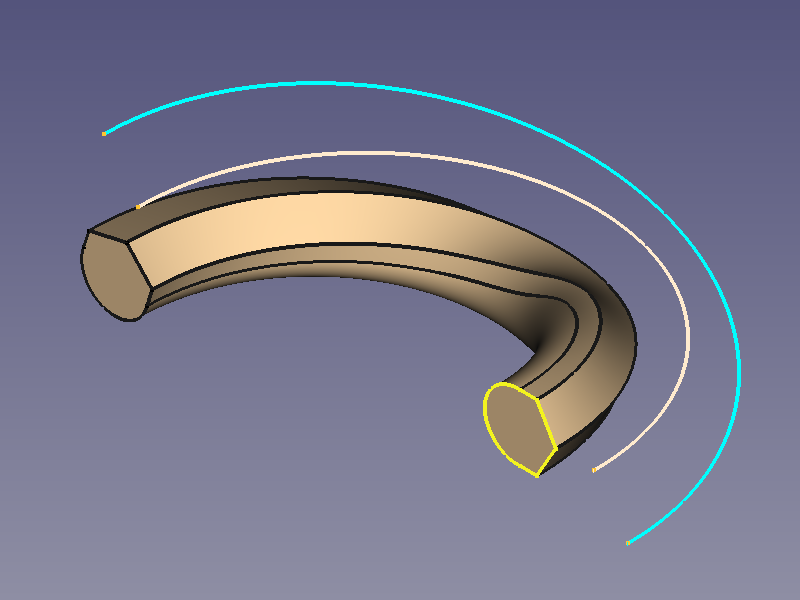 |
|  |
| | | |
| | : Location follows the path with a twist around the path that is controlled by an auxiliary curve (blue). | : (It is hard to recognise but there is an angle between the planes of auxiliary curve and path that is responsible for the twist) |
++++
| Binormal | | |
++++
|
| | | |
| | : Location follows the path with a twist around the path that is controlled by an auxiliary curve (blue). | : (It is hard to recognise but there is an angle between the planes of auxiliary curve and path that is responsible for the twist) |
++++
| Binormal | | |
++++
⏵ documentation index > PartDesign > PartDesign Examples
This page is retrieved from https://github.com/FreeCAD/FreeCAD-documentation/blob/main/wiki/PartDesign_Examples.md